baby shower invitation ideas 2026: top platforms and design tips
Free baby shower templates are everywhere, but the smartest pick depends on whether you want a digital RSVP tool, a print-ready PDF, or a mailed keepsake.
where to get free baby shower invitation templates
If you want the fastest free starting point, begin with Invitfull, Canva, Evite, and Partiful. Invitfull is the most hands-off option, because you describe the invite and it generates a finished design in under 60 seconds. Canva is better if you want to steer fonts, colors, and photos yourself, while Evite and Partiful make sharing by text, email, or link feel almost effortless. Paperless Post and Basic Invite round out the field when you want a more polished look or a printed card with more control.
| Name | Best for | Key services | Pricing | Notable feature |
|---|---|---|---|---|
| Invitfull | Fully free digital invites | AI-generated invitations from text, RSVP tracking, custom questions, event wall with QR-code photo sharing, potluck coordinator, maps, schedules, registry, guest messaging for up to 500 guests | Free | Built for a finished invite in under 60 seconds, with a 4.9/5 rating across 127 reviews |
| Canva | Print-at-home control | Customizable and printable templates, color, font, and image editing, digital share link, print-ready PDF | Free templates, print from $9.00 | Strong if you want design control without pro software. |
| Paperless Post | Polished themed invitations | Registry links, RSVP tracking, email, text, or link sending, photo cards, event pages | Free maker, premium designs available | Designer collections include Oscar de la Renta, Rifle Paper Co., Marimekko, and John Derian. |
| Evite | Quick digital sends | Free or premium invites, text or email delivery, RSVP tracking, guest messaging, upload-your-own design | Free and premium options | 485 baby shower designs across Baby Girl, Baby Boy, Bear, Floral, Winnie the Pooh, Animals, Baby Sprinkle, and Gender Reveal. |
| Partiful | Casual group-chat style invites | Free invitations, text, email, and link sharing, RSVP tracking, text blasts, photo album, money chip-in | Free | No ads, plus sharing across SMS, Instagram, and WhatsApp. |
| Basic Invite | Printed cards with lots of color control | Baby shower invitations, online invitations, printed invitations, 150+ colors, 100+ fonts, sample order | As low as $0.49 on some baby shower designs | Instant previews and low per-card pricing. |
If you want theme variety, Paperless Post leans into woodland, nautical, safari, and baby-boy or baby-girl looks, while Evite has filters for baby sprinkle, gender reveal, and character-led designs like Winnie the Pooh. That makes it easier to match the invitation to the shower instead of forcing a generic template into a very specific party.
should you choose digital, print-at-home, or professionally printed?
Pick digital if speed and RSVP tracking matter most. Invitfull is built for that use case, with custom questions, guest messaging, maps, schedules, a gift registry, and even a QR-code photo wall, which makes it feel closer to an event hub than a static card. Paperless Post, Evite, and Partiful all support text or email sharing, and Canva can also turn a design into a digital invite when you want something simple for a group chat.
Choose print-at-home when you want a keepsake without paying for a full stationery suite. Canva is the cleanest fit here because it offers print-ready PDFs, while Basic Invite adds deep color control and proof-style customization for baby shower cards. Go professionally printed only when the shower design is part of a larger paper story, because that is where mailed invitations still justify their cost and waiting time.
how do you customize baby shower invitation templates without making them look busy?
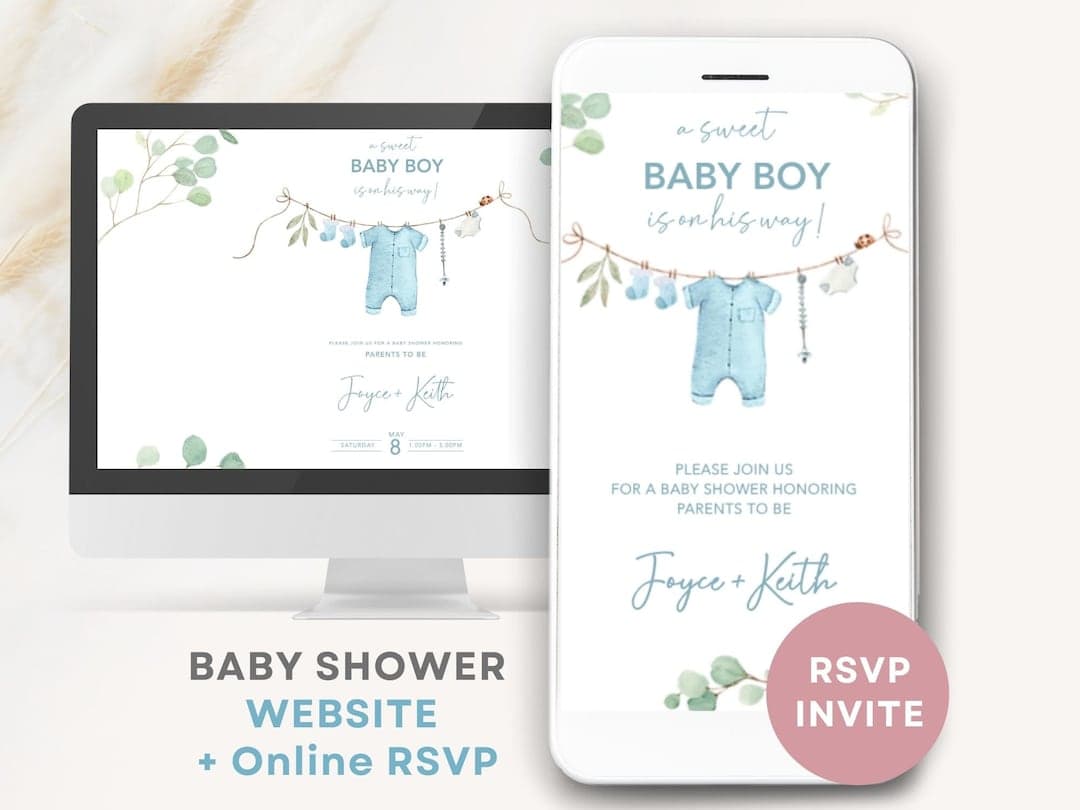
Keep the edit simple: one strong theme, one readable font pairing, one accent color. Paperless Post gives you intuitive editing tools, including fonts, colors, spacing, stickers, and photo cards, while Canva makes the same job easy with drag-and-drop color, font, and image controls. Basic Invite goes deeper on palette control, with 150-plus colors and more than 100 fonts on baby shower designs.
A few practical rules keep the design from drifting into clutter:
- Use a photo only if it adds warmth, not noise.
- Match the invitation palette to the cake, balloons, or nursery accents.
- Keep the wording short enough that the date, time, location, and RSVP stand out.
- If you are sending digitally, test the design on mobile before you hit send.
- If you want a more themed look, paper collections from Paperless Post and category-heavy galleries from Canva and Greetings Island make safari, woodland, nautical, mermaid, dinosaur, and gender-neutral styles easy to match.
what should a baby shower invitation actually say?
At minimum, the card should clearly name the honoree, shower type, date, time, location, RSVP method, and registry details if you are including them. Paperless Post and Evite both support registry links and RSVP tracking, and Paperless Post also lets you add event-page extras like schedules, photos, and guest questions. Invitfull takes that a step further with custom questions and messaging, which helps if you need to ask about dietary needs, plus-ones, or a potluck dish.
For cohesion, keep the invite aligned with the rest of the shower materials. If the invitation is woodland, carry the same look into signs, favor tags, and thank-you cards. If it is a baby sprinkle or gender-neutral shower, lean into the exact same palette across the whole event so the invitation feels intentional instead of decorative wallpaper.
Frequently Asked Questions
Where can I get free baby shower invitation templates?
Invitfull, Canva, Evite, and Partiful all give you free ways to build baby shower invitations, and each one fits a different style of host. Paperless Post and Greenvelope lean more premium, with polished ad-free designs and stronger presentation layers. If you want something fast and truly hands-off, Invitfull is the easiest place to start.
Can I customize a digital baby shower invitation template myself?
Yes. Invitfull creates a design from your text description, which is useful if you do not want to drag boxes around for half an afternoon. Canva and Paperless Post both offer drag-and-drop style editing, so you can change fonts, colors, photos, and layout without design experience. Evite and Basic Invite also make simple customization easy.
How early should I order or send baby shower invitations?
Send digital invitations about 3 to 4 weeks before the shower so guests have time to respond without forgetting. Printed invitations need more runway, usually 6 to 8 weeks before the event, because you need time for proofing, printing, and mailing. Paperless Post even recommends sending gender-neutral baby shower invitations about four weeks ahead, which lines up well with digital timing.
This article was produced by Prism’s automated news system from verified source data, official records, and press releases, then run through automated quality and moderation checks before publishing. The system is built and supervised by the people who set the standards it runs under. Read our full AI policy.
Did this article answer your question?