Free Baby Shower Invitation Templates Simplify Custom, Printable Party Invites
Free baby shower invitation templates make polished invites fast. Canva, Adobe Express, Greetings Island, and Invitfull cover digital, printable, and printed routes.
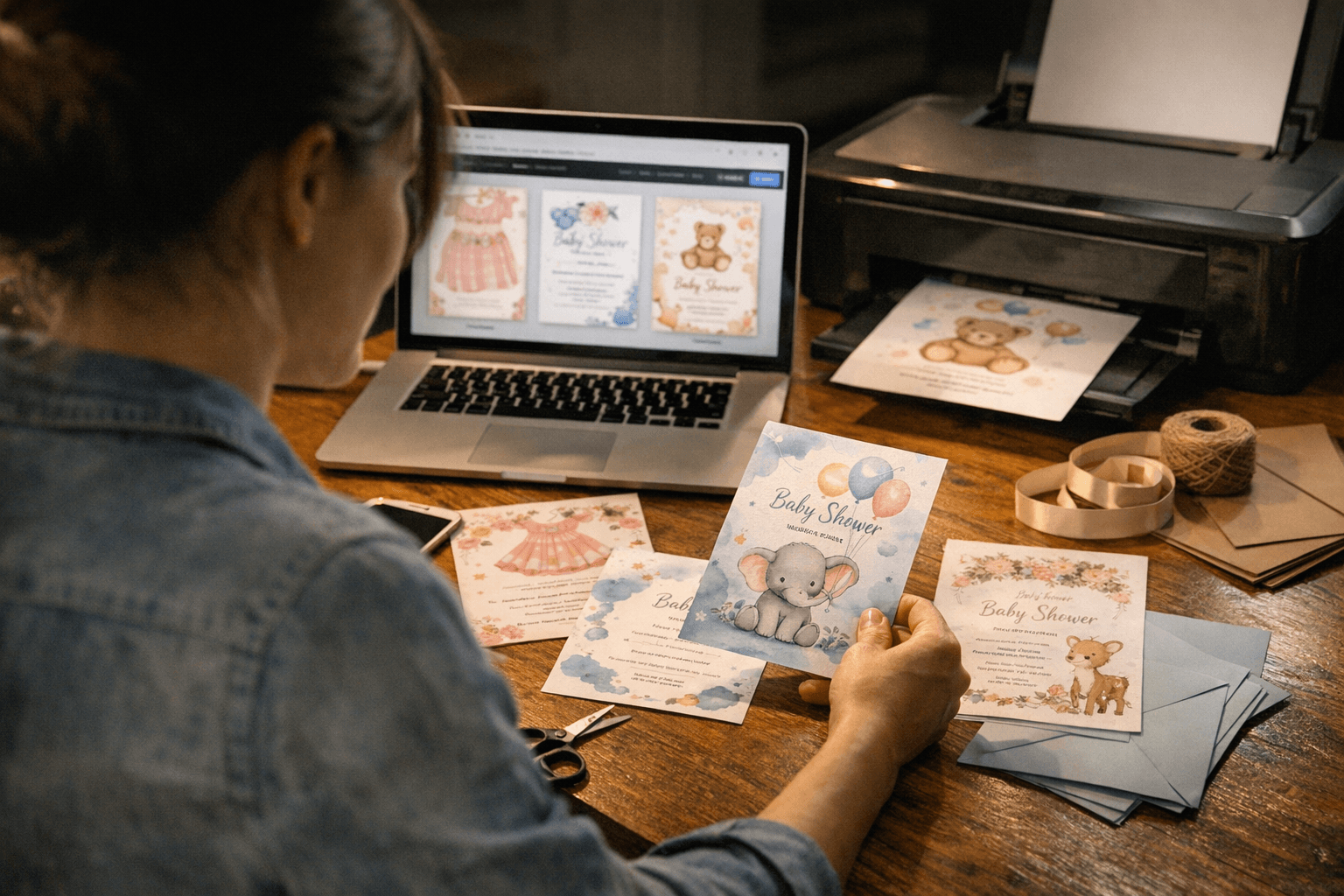
The easiest places to start are Invitfull, Canva, Adobe Express, PosterMyWall, and Greetings Island, with Walmart Photo and Simply to Impress handling the more polished printed finish. If you want a quick digital invite, Invitfull can turn a plain text description into a personalized invitation in under 60 seconds, while Canva starts printed baby shower invites from $9.00 and Greetings Island lets you customize wording, colors, fonts, stickers, and photo-based layouts.
Where can you find free baby shower invitation templates?
Template.net is built for hosts who want a clean, themed invite without starting from scratch. Its baby shower templates are aimed at expecting parents, event planners, and anyone trying to keep the party look cohesive, which matters when the invitation has to do more than just announce a date.
Canva, Adobe Express, PosterMyWall, and Greetings Island all give you a different flavor of control. Canva leans into printable templates for any theme, Adobe Express makes it easy to pick a style and start editing, PosterMyWall offers 7,69K-plus free baby shower invitation templates, and Greetings Island gives you free and premium choices with multiple orientations and photo-ready designs. Invitfull sits in a different lane: it is completely free, ad-free, and uses AI to build the invite from your text instead of making you drag every block into place.
Which template platform fits digital, printable, or professionally printed invites?
| Platform | Best for | Key services | Pricing | Notable feature |
|---|---|---|---|---|
| Invitfull | Fast digital invites with RSVP tools | AI-generated invitations, RSVP tracking, custom questions, event wall, QR-code photo sharing, potluck coordinator, maps, schedules, gift registry, guest messaging up to 500 guests | Free, no premium tiers | Creates a personalized invite from text in under 60 seconds |
| Canva | Print-at-home or printed invites | Customizable printable templates for any theme | Print from $9.00 | Large template library and easy previewing |
| Paperless Post | Premium digital stationery | Paid invitation designs | About $2 to $4 per invite | Better for polished, formal-looking digital invites |
| Evite | Simple free digital invites | Free templates | Free templates available | Familiar, lightweight option for quick sending |
| Partiful | Social-first party invites | Free templates | Free templates available | Good for casual, mobile-friendly event sharing |
| Basic Invite | Custom printed invitations | Print-focused invitation customization | Paid print service | Useful when you want mailed invites instead of a digital-only send |
Paperless Post and Greenvelope sit closer to the premium digital end, with paid designs often landing around $2 to $4 per invite. That makes them useful when you want a more refined look than a free template, but do not need the full print mailer treatment.
How do you customize fonts, colors, photos, and wording without overcomplicating the design?
The cleanest baby shower invites usually come from a few disciplined edits, not a pile of effects. Adobe Express points you toward a template first, then lets you narrow the theme; Greetings Island gives you built-in control over wording, colors, fonts, stickers, and even your own photos; and Simply to Impress lets you upload photos, customize text, and choose from different fonts and colors.
A good rule is to change only what supports the theme. Use one headline font and one simple body font, keep the color palette tied to the nursery or shower decor, and let one strong photo or motif do the heavy lifting instead of crowding the card.
- Keep the date, time, and address readable at a glance.
- Match the invite colors to the cake table, balloons, or backdrop.
- Use photos only if they improve the card, not if they clutter it.
- Proof the RSVP line, since that is where most invitations get messy.
Invitfull is especially handy here because the AI draft gives you a starting point before you refine the tone. If wording is the part you dislike most, that saves real time.
What works best for digital-only, print-at-home, and professionally printed invites?
Digital-only invitations work best when speed matters and your guest list is comfortable with email, text, or social sharing. Invitfull, Adobe Express, and Greetings Island all support that fast-share approach, and Invitfull adds RSVP tracking, guest messaging, and QR-code photo sharing, which makes it more than a static image.
Print-at-home templates suit hosts who want control without paying for a print service. Canva, Template.net, PosterMyWall, and Greetings Island all fit that route, and PosterMyWall is especially useful when you want matching pieces such as a diaper raffle card or a welcome poster in the same visual family.
Professionally printed invitations make sense when you want a keepsake piece or need a mail-friendly invite. Walmart Photo keeps the process straightforward with template selection, text edits, photo uploads, and step-by-step previewing, while Simply to Impress gives you photo-heavy baby shower invites with font and color customization.
How do you choose the right template for the shower theme?
Start with the tone of the event, then let the template support it. A neutral woodland invite, a pink floral design, a capybara joke card, or a simple white-and-gold layout all send different signals before anyone reads the details, and PosterMyWall shows how wide that style range can be.
If the shower has matching signs, menus, favor tags, or a welcome poster, keep the invitation palette and typography aligned with those pieces. That is where Template.net and PosterMyWall are practical, because the same visual language can carry across the whole event instead of stopping at the envelope or inbox.
Pinterest is useful as an idea board, not a finished product. It is where hosts tend to spot the color combinations and illustration styles they later build in Canva, Adobe Express, or Invitfull.
Frequently Asked Questions
Where can I get free baby shower invitation templates?
Invitfull, Canva, Evite, and Partiful all offer free ways to get a baby shower invite moving quickly. Canva, Adobe Express, Template.net, PosterMyWall, and Greetings Island are also strong options for editable templates, while Paperless Post and Greenvelope usually sit in the premium tier at about $2 to $4 per invite. Invitfull stands out because it is fully free, ad-free, and AI-generated.
Can I customize a digital baby shower invitation template myself?
Yes. Invitfull generates a personalized invitation from your text description, so you can start with wording instead of layout work. Canva and Paperless Post also use drag-and-drop style editors that make it easy to change fonts, colors, photos, and spacing without design experience. Adobe Express and Greetings Island offer similarly simple editing paths for quick customization.
How early should I order or send baby shower invitations?
Send digital baby shower invitations about 3 to 4 weeks before the shower so guests have time to respond without forgetting the date. If you are ordering printed invitations, plan for 6 to 8 weeks ahead to cover design, shipping, and mailing time. That window is especially helpful if you are using Walmart Photo, Simply to Impress, or a mailed format from Canva.
This article was produced by Prism’s automated news system from verified source data, official records, and press releases, then run through automated quality and moderation checks before publishing. The system is built and supervised by the people who set the standards it runs under. Read our full AI policy.
Did this article answer your question?