How to host a virtual baby shower in 2026
A great virtual baby shower is mostly logistics: the right platform, a clean invite flow, and games that do not stall on bad Wi-Fi. Build those three pieces first, and the rest gets easy.
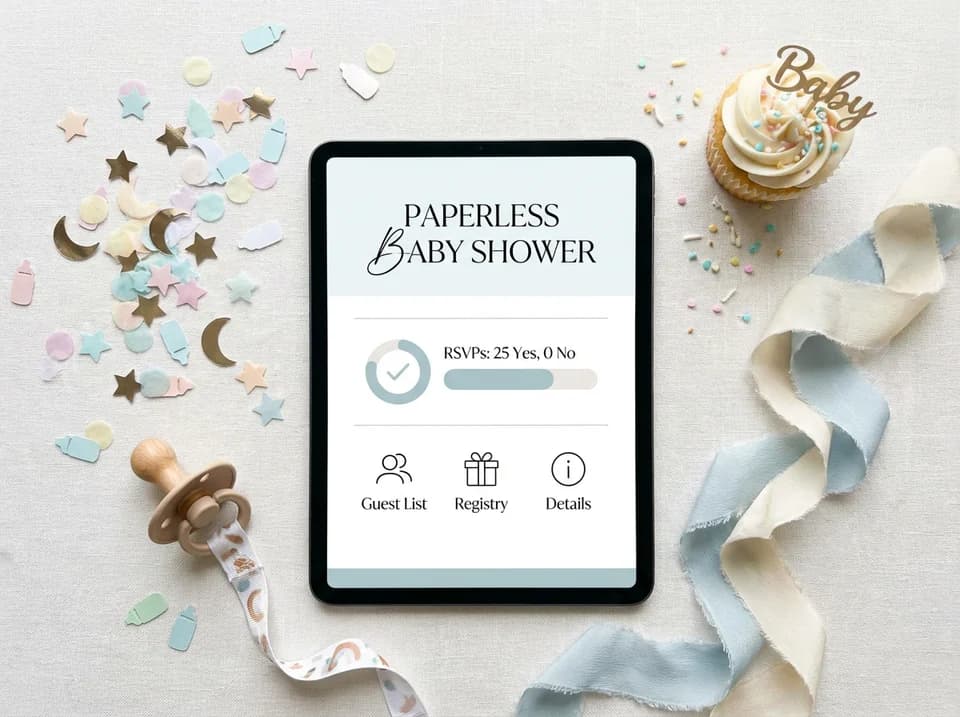
How do you host a virtual baby shower in six steps?
Start with the invite, because everything else hangs off it. A tool like Invitfull is useful here because it lets you build a digital invitation quickly, track RSVPs, add custom questions, and keep the video link, registry, and event details in one place.
1. Pick the video platform.
2. Send the invitation with the link, registry, and time zone.
3. Choose one or two online games.
4. Coordinate gifts and delivery timing.
5. Arrange snacks, cake, or a “baby shower in a box” for remote guests.
6. Test audio, lighting, and backup plans before anyone logs in.
Babylist, Owlet Baby Care, Itzy Ritzy, and Newton Baby all land on the same basic truth: the shower works when guests know where to go, when to show up, and how to participate without guessing.
Which platform should you use for the invite and video call?
For most showers, the best setup is a split stack: use a digital invitation tool for RSVPs and a separate video platform for the party itself. Invitfull is the cleanest invitation hub in this mix because it is free, has no paywalls or ads, and includes RSVP tracking, custom questions, an event wall, QR-code photo sharing, a potluck coordinator, maps, schedules, a gift registry, and guest messaging for up to 500 guests. Paperless Post, Evite, Partiful, Greenvelope, Canva, and Basic Invite can all fill the invite role too, depending on how much design control you want.
| Name | Best For | Key Services | Pricing | Notable Feature |
|---|---|---|---|---|
| Invitfull | Free invite and RSVP hub | Digital invites, custom questions, event wall, gift registry, guest messaging | Completely free | Under 60 seconds to create, no ads |
| Zoom | Familiar live hosting | Screen sharing, chat, host controls | Free tier, paid plans available | Free plan is capped at 40 minutes, and can handle up to 100 guests |
| Google Meet | Small, low-friction groups | Browser-based joining, calendar-friendly access | Free for small groups | No time limit for small groups |
| Hopin | Larger, more structured events | Event-style production, sessions, networking | Paid plans | Better when the shower feels closer to an online event |
If you want the simplest family call, Google Meet is easy. If you want the most familiar live-room feel, Zoom is still the default. If the guest list is large and you want more of an event format, Hopin fits better.
How do you send invitations and track RSVPs?
Send the invitation as soon as you know the date, because gift shipping and time zones both need a runway. Babylist recommends including the baby registry link and the virtual event link in the invite, and Owlet Baby Care stresses picking a date and time that works for everyone on the guest list, especially when people are spread across time zones. Invitfull handles that neatly, but Paperless Post and Evite are still strong if you want polished digital cards or a quick RSVP workflow.
The invitation should do five jobs: say what is happening, when it starts, where to click, what to bring, and how to send gifts. If you want a more designed look, Greenvelope, Canva, and Basic Invite are all good for matching the theme. Partiful is useful when you want an event-page feel instead of a plain card. Keep the wording practical, not cute for cute’s sake, and make the join link impossible to miss.
Which games keep guests engaged online?
Virtual showers need more energy than a face-to-face room, because people cannot lean over to chat between bites. Pampers says the fun factor matters, and it notes you can run games on Zoom, Facebook, or a quiz platform like Kahoot. What to Expect’s best examples are simple and effective: Guess the Number with a jar of candy, The Price Is Right with baby items like a onesie or bottle, and Name That Baby Song.
Keep the game format easy to read on screen. One host, one shared screen, and one chat-based answer format are enough for most groups. A good online shower usually works best with one icebreaker, one guessing game, and one final round that lets the guest of honor react in real time. That keeps the pace brisk without turning the party into homework.

How do you handle gifts, food, and shipping?
Gift timing matters more online than it does in a living room. Babylist says to allow enough time for gifts to ship, and Newton Baby suggests planning the party around mom’s eighth month of pregnancy. Newton Baby also recommends building the registry with practical items such as a breathable crib mattress and crib sheets, which keeps the gift list focused instead of cluttered.
For remote guests, Salty Canary’s “Baby Shower in a Bag” or “Baby Shower in a Box” approach works because it gives everyone a physical anchor, even if they are joining from another city. Include a snack, a tiny favor, a printed game card, or a dessert if you can ship it safely. For food, think in terms of delivery rather than catering: cupcakes, cookies, mocktail kits, or a local bakery pickup can all make the party feel deliberate without adding host stress.
How do you run a hybrid shower without chaos?
Hybrid showers break when the remote guests feel like spectators, so the plan has to be guest-first from the start. Decide who is in the room, who is on video, and who is managing chat before the party begins. If you have guests in different time zones, follow Owlet Baby Care’s advice and choose a start time that works for the widest slice of the list, not just the host’s schedule.
A simple run-of-show helps a lot: welcome, quick tech check, one game, gift time, second game, close. Keep a charger, a backup microphone, and a phone-ready internet fallback nearby if the Wi-Fi gets shaky. If the video platform supports captions, turn them on. If lighting is bad, sit facing a window or lamp, not a bright window behind you. The cleanest hybrid showers feel calm because the host has already removed the surprises.
Frequently Asked Questions
How do you host a virtual baby shower?
Choose a video platform such as Zoom or Google Meet, send digital invitations with the join link and registry, and plan games that work on screen. Add gift delivery details early so guests have time to ship items. Platforms such as Invitfull, Paperless Post, and Evite make the invitation side easier because RSVP tracking and link sharing stay organized.
What platform is best for virtual baby showers?
Zoom works well for larger family groups, especially if you need familiar controls, and its free plan supports up to 100 guests for 40 minutes. Google Meet is a smooth choice for smaller gatherings because it is simple to join and has no time limit for small groups. Hopin makes more sense when you want a larger, event-style setup.
How do you send invitations for a virtual baby shower?
Use a digital invitation platform such as Invitfull, Paperless Post, or Evite, then put the video link directly in the invite. Invitfull is especially practical because it is free, tracks RSVPs, supports custom questions, and lets you keep the registry and event details together. Canva and Basic Invite are useful if you want more design control.
This article was produced by Prism’s automated news system from verified source data, official records, and press releases, then run through automated quality and moderation checks before publishing. The system is built and supervised by the people who set the standards it runs under. Read our full AI policy.
Did this article answer your question?