3D Printer Parts Power DIY Wireless Camera Slider
A pile of printer rails, belts, and steppers becomes a wireless three-axis slider that can carry a 1.4 kg camera and still cost far less than a commercial rig.
Why printer scrap makes sense for camera motion
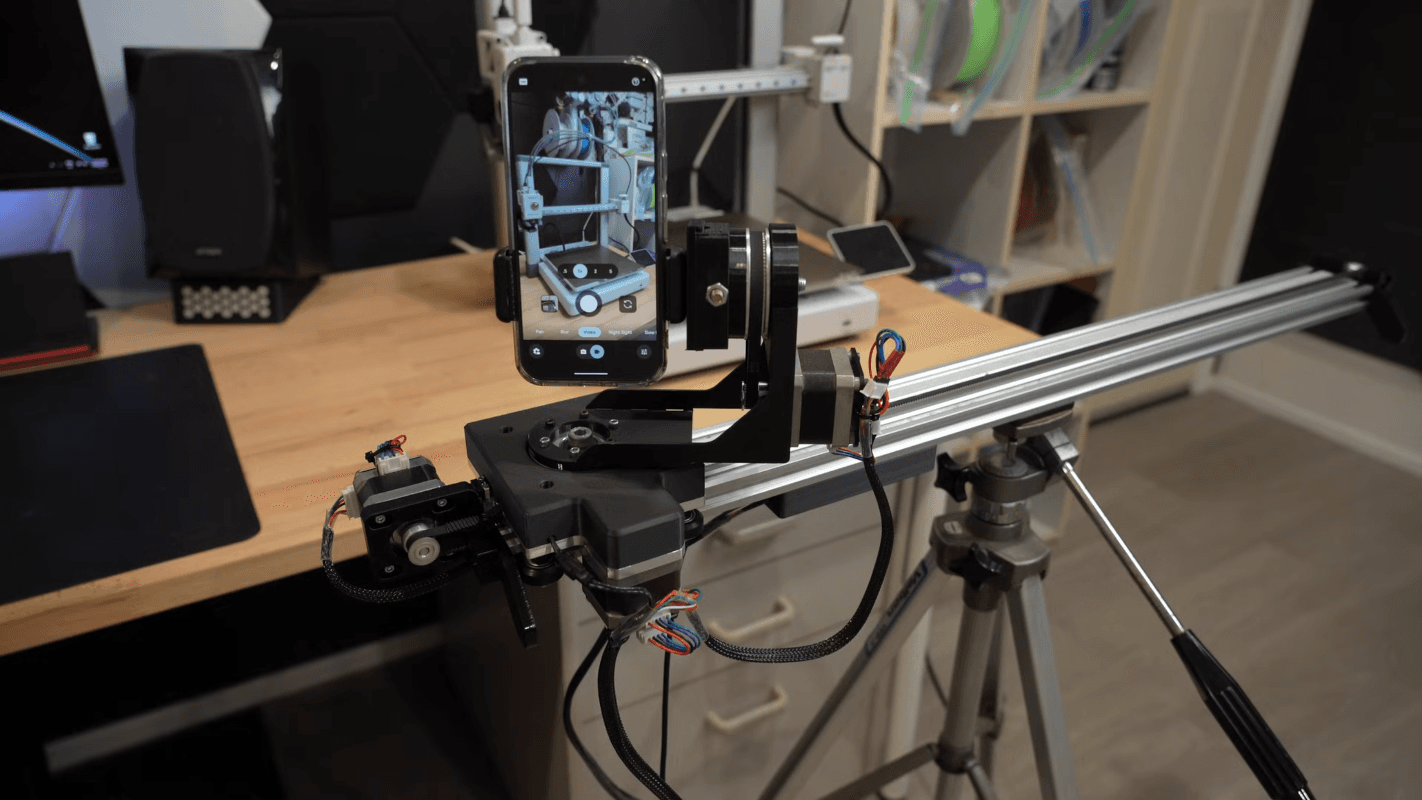
The best thing about CNCDan’s three-axis slider is not that it is clever, but that it is practical. Instead of buying a motorized camera rig, he reached for the parts already sitting in his maker pile and turned them into a tool for filming his other projects. That choice makes immediate sense in a 3D printing shop, where extruded aluminum rails, modular carriage hardware, belts, steppers, and controllers already live together as a tuned mechanical ecosystem.
Hackaday’s Bryan Cockfield and Al Williams pointed out that this kind of reuse is becoming a familiar pattern. Old 3D printer parts are often exactly the sort of sturdy, accurate, modular hardware a camera slider needs, and modern machines usually provide even better ingredients than the early smooth-rod era did. Today’s printers commonly ship with V-slot extrusions and Delrin wheels, or with linear rails, which makes them a natural donor platform for motion projects outside the printer itself.
From spare parts to a working slider
CNCDan’s build started as a straightforward repurpose, but it did not stay simple for long. The first version had mechanical limitations, so he changed the gear ratios to help underpowered motors do more useful work. That upgrade solved one problem and immediately exposed another: once the geometry changed, clearances and dimensions no longer lined up the same way, so other parts of the moving system had to be redesigned too.
That meant a new steel mounting plate, pressed-in bearings, and a reworked carrier assembly. It is the kind of cascade every maker recognizes. One improvement does not happen in isolation, especially when the system has to glide smoothly under real load instead of just moving on the bench. In this case, the camera weighed about 1.4 kilograms, so the slider needed more than novelty-grade motion. It needed rigidity, repeatability, and enough force to move that mass cleanly.
The payoff is that the finished rig can do more than haul a single setup. The design is also suitable for lighter cameras and smartphones, which broadens it from one creator’s custom build into something closer to a general-purpose motion platform. That is the real attraction of scavenged printer hardware: once it is tuned, it can serve a whole family of projects instead of only the machine it came from.
The control stack looks as modern as the mechanics
The final slider is wireless, and that matters as much as the rails and bearings. CNCDan runs it through a GUI on another computer, with an ESP32 handling the control side of the rig. That combination gives the project a distinctly current maker-electronics feel: old mechanical bones, new networked brains.
The project files are on GitHub, which turns the build into more than a one-off demo. Other makers can inspect the layout, adapt the dimensions, and rework the design for different cameras or different printer scrap bins. The listing describes it as a wifi-based three-axis camera slider with up to five programmable keyframes, which is exactly the kind of detail that helps a project move from “cool video” to “something I could actually build.”
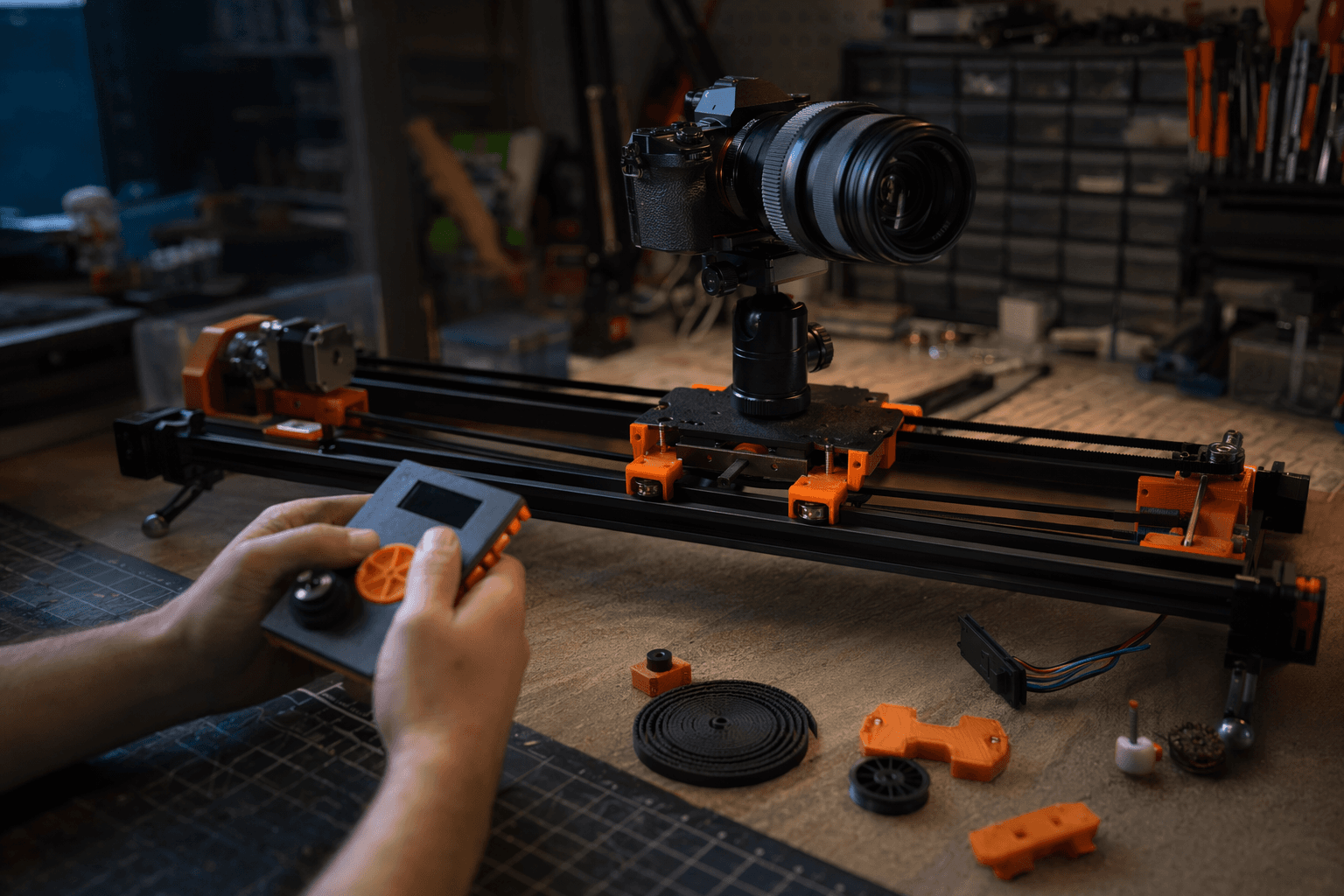
There is also a practical reason this matters. Motion rigs are often judged by how easily they can be set up in the real world, not by how fancy they look on a workbench. A wireless GUI and programmable keyframes simplify that setup, especially when the camera position has to be repeatable across multiple takes.
Why build this instead of buying a commercial slider?
CNCDan says commercial motorized camera sliders can cost hundreds or even thousands of dollars, and that is the heart of the argument. If you already own a stash of printer parts and the tools to machine or assemble them, a DIY slider can be the smarter purchase because there may be no purchase at all. It is cheaper, but it is also more satisfying in the way good maker projects are satisfying: the same hardware that once guided filament now guides a camera.
This also helps explain why old 3D printer parts keep showing up in slider builds. They are designed for straight, precise motion, they are easy to mount, and they already come in the right ecosystem of extrusions, wheels, rails, belts, and controllers. For someone filming other workshop projects, the comparison is not just between DIY and retail. It is between reusing high-quality parts you already understand and paying premium prices for a finished product that may not fit the way you work.
A familiar maker pattern, now with a sharper endpoint
The timing of the project underlines how fast this pattern keeps repeating. CNCDan posted the build video on YouTube about a month before the Hackaday writeup, then followed up by telling viewers the files were on GitHub. That sequence matters because it shows the whole modern maker loop in miniature: build it, show it, share it, and let other people improve it.
Hackaday’s coverage makes the larger point plain. 3D printer hardware is not valuable only when it stays inside the printer. It is valuable because it is strong, accurate, and modular enough to become the skeleton of entirely different machines. A three-axis wireless slider is a perfect example of that idea, especially when the finished result can carry a 1.4 kg camera, handle smartphones, and still leave a maker with a better story than “I bought the cheapest slider I could find.”
For hobbyists with a scrap bin full of rails and motion parts, that is the real takeaway: the smartest camera slider might already be sitting in pieces on the bench.
This article was produced by Prism’s automated news system from verified source data, official records, and press releases, then run through automated quality and moderation checks before publishing. The system is built and supervised by the people who set the standards it runs under. Read our full AI policy.
Did this article answer your question?