Hackaday Spotlights Full Spectrum 3D Printing, Expanding Hobby Color Options
Four filaments can now yield 39 colors, and the real shift is that software is starting to do the color work once reserved for pricey hardware.
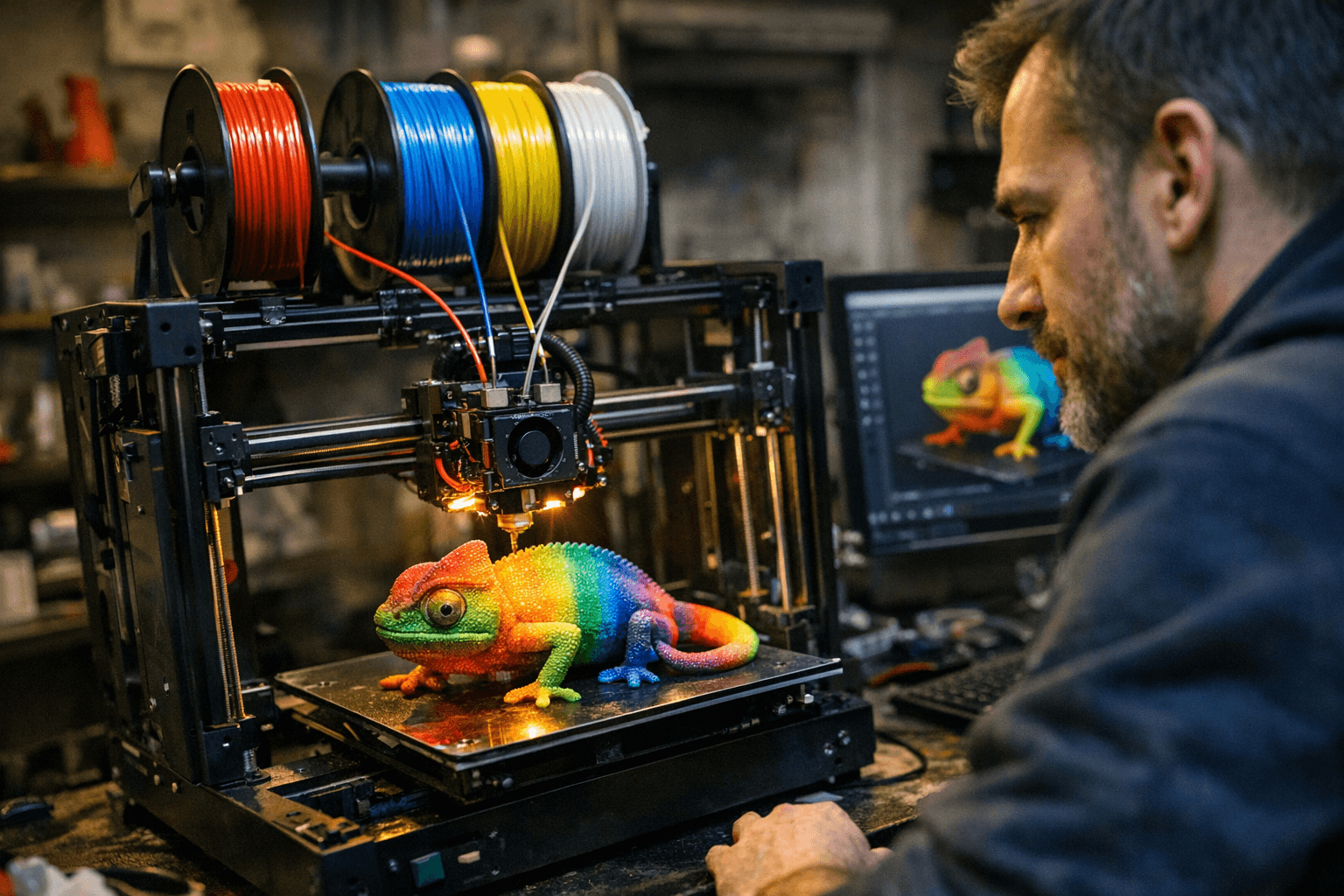
Full Spectrum is turning color into a slicer problem, not just a machine problem. Four filament colors can already produce 39 distinct colors at low layer heights, or 24 at more common ones, and that changes the conversation for home printing fast.
Hackaday’s latest look at Full Spectrum 3D printing makes the current moment feel less like a novelty and more like a workflow shift. Instead of relying only on multiple extruders, filament switchers, or expensive tool-changing machines, the method lays down thin sheets of different filaments and blends them into virtual colors in software. That means the path to richer color is no longer only about adding more hardware, it is also about squeezing more out of the machine you already have.
What full spectrum means in practice
The big idea is simple enough to explain and tricky enough to pull off: layer translucent materials in carefully chosen combinations so the eye sees a new color that was never physically loaded as a single filament. That is why the number four matters so much here. With just four filament colors, Hackaday says you can hit 39 distinct colors at low layer heights, and still reach 24 at more ordinary heights.
That kind of palette expansion is especially appealing for figurines, cosplay props, display pieces, and other prints where color is part of the design, not an afterthought. It is a much more interesting answer than just adding another spool holder, because it keeps the creative work in the slicer and the material choice, not just in the machine frame.
Where the method is strongest right now
Hackaday’s earlier March coverage gives the clearest operating range: FullSpectrum works best around 0.08 mm to 0.12 mm layer heights. That is the sweet spot where the color stacking has enough finesse to look convincing instead of banded. At 0.2 mm layers, striping can show up, especially with opaque filaments, which is a blunt reminder that not every print setting is friendly to color blending.
That detail matters because it draws a hard line between the workflows that are already realistic at home and the ones that still feel like demo material. If you want convincing color right now, translucent filament is the friendliest path, and lower layer heights are part of the deal. If you want perfect color on every surface with no tuning, you are still asking for lab-showcase behavior.
The compromises you still make
Full Spectrum does not erase the old tradeoffs, it just reshuffles them. Top and bottom surfaces do not color perfectly, opaque materials do not deliver the cleanest results, and the technique still benefits from translucent filament and, in some cases, a tool changer. That means you are still balancing speed, cost, and strength against visual payoff.
The mechanical compromise is the one people feel later, after the excitement of the preview render fades. When you build a print around color blending, you often accept more complexity in the toolpath, more sensitivity to layer height, and more dependence on a material’s optical behavior. The upside is obvious in the finished part; the cost is that you are no longer printing like you are chasing pure throughput or maximum structural simplicity.
Why tool changers suddenly look smarter
Hackaday’s March comparison also showed why tool changers matter here. A cyan-yellow-magenta workflow on a tool changer could be faster than loading the exact colors into a multi-material unit for the same model, and one chicken model listed on MakerWorld reportedly dropped from 19 hours to under 7 hours in the comparison. That is the kind of number that gets attention because it turns color from a luxury into a usable production choice.
This is where the hobby gets interesting. The question is no longer whether you can make a multicolor print, but whether the workflow fits your tolerance for purge waste, setup time, and machine complexity. A 4-head auto-changer with a 5X speed claim and less waste, like the Snapmaker U1, starts looking less like an indulgence and more like a practical answer for people who want color without wasting half a spool on swaps.
The software stack is doing more of the heavy lifting
The FullSpectrum project itself is described as a fork of Snapmaker’s OrcaSlicer fork, and the GitHub repo says it is optimized for Snapmaker’s U1 multi-color printer with independent tool heads. That lineage matters because it shows how much of this movement is coming from slicer evolution, not just printer launches. The stack traces back through Bambu Slicer, PrusaSlicer, and Slic3r, which makes Full Spectrum feel like part of a broader software conversation that the hobby has been building for years.
The repo’s changelog reinforces that sense of momentum. It mentions ongoing mixed-filament development, including RYB pigment-style blending and support for multi-perimeter patterns. In plain terms, the project is not treating color as a gimmick layer on top of normal slicing. It is working toward color-aware toolpaths as a core feature.
A new texture plugin may also help with some of the surface issues, which is another clue about where the field is headed. More of the work is moving into software and texture handling, less into brute-force hardware additions.
HueForge-style color work has become part of the same story
Polymaker’s HueForge guide helps explain why this all feels familiar to color-focused makers. HueForge uses Transmission Distance values to predict how layered filaments will blend, which turns color into a measurable material behavior instead of a guessing game. Polymaker also says its Panchroma filaments are engineered for HueForge-style color-blending workflows, which makes the material side of the ecosystem look more deliberate than it did even a year ago.
That matters because Full Spectrum is not replacing filament painting ideas, it is extending them into 3D models. The logic is the same: the print becomes a controlled stack of optical choices, not just a pile of plastic. For anyone who has watched color-mapped prints evolve from novelty to repeatable technique, this feels like the next practical step.
The bigger signal from the show floor
The industry backdrop says the same thing in louder terms. RAPID+TCT 2026 took place in Boston from April 13 to 16, and Anycubic said on April 15 that multicolor FDM workflows drew strong attention at its booth. That is exactly what you would expect if the market is shifting from “look what this can do” to “which version is ready to live on a workbench.”
So the near-future picture is not full-color printing as magic. It is a slower, more useful change: translucent filaments, smarter slicers, tool-changing hardware, and color models tuned for what home machines can actually do. The winning workflow is the one that gives you convincing color without demanding a lab, and Full Spectrum is one of the clearest signs that the hobby is getting there.
This article was produced by Prism’s automated news system from verified source data, official records, and press releases, then run through automated quality and moderation checks before publishing. The system is built and supervised by the people who set the standards it runs under. Read our full AI policy.
Did this article answer your question?


