MatterHackers Shares Ten Practical Tips for Better FDM 3D Prints
MatterHackers compiled ten actionable FDM tips that can genuinely upgrade your print quality and workflow, from dialing in settings to picking the right products.
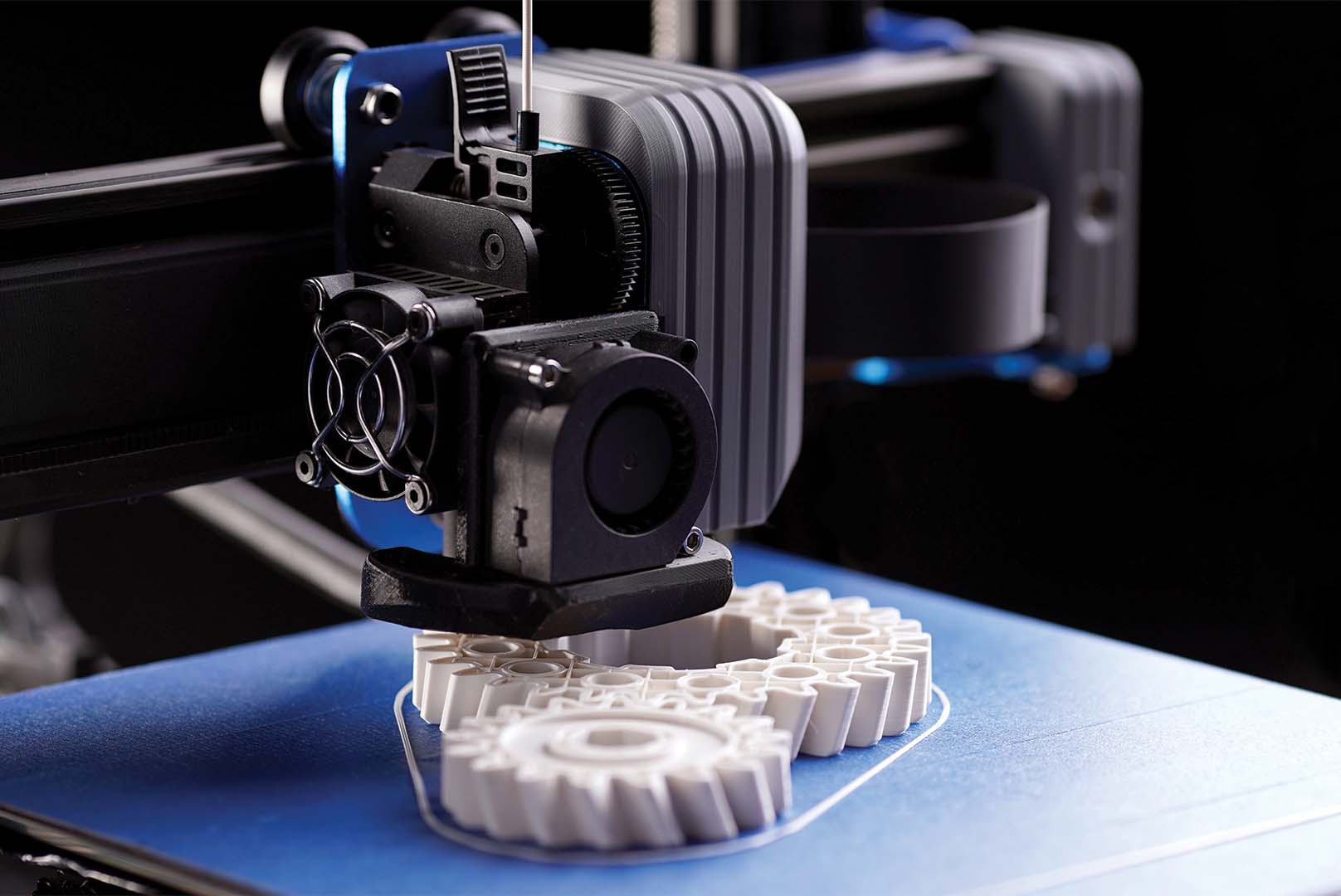
Getting consistently great FDM prints isn't about luck or owning the most expensive machine. MatterHackers, one of the most well-stocked and widely trusted names in the 3D printing supply space, put together a focused list of ten practical improvements any FDM printer operator can make to lift print quality and streamline their workflow. The tips span technique, hardware, materials, and process optimization, making the guide relevant whether you're running a Bambu, a Prusa, a Creality, or any other FDM machine on your bench.
Here are the ten tips MatterHackers recommends for better FDM results:
1. Dial in your first layer
The first layer is the foundation of every successful print, and getting it right is the single highest-impact adjustment you can make. A properly calibrated Z offset ensures your nozzle is neither grinding into the bed nor floating too far above it. Spend time on this before any other setting, because a bad first layer will compromise adhesion, cause warping, and ruin dimensional accuracy on everything above it.
2. Level your print bed consistently
Bed leveling, whether manual or via a probe like a BLTouch or CR Touch, directly determines how uniform your first layer is across the entire build surface. An uneven bed means one corner might be dialed in perfectly while the opposite corner is starved of filament. Mesh bed leveling, available in most modern firmware, compensates for surface irregularities automatically and is worth enabling if your printer supports it.
3. Use the right build surface for your material
PEI sheets, glass beds, and textured spring steel plates each interact differently with different filaments. PLA tends to grip well to most surfaces, while materials like ABS or ASA benefit from an enclosure and a surface that releases cleanly at room temperature. Matching your build surface to your filament removes one of the most common sources of adhesion failures and print-separation headaches.
4. Calibrate your extrusion multiplier (flow rate)
Even if your extruder steps-per-millimeter are correctly set, the actual flow rate reaching the nozzle can drift based on filament diameter variation, temperature, and print speed. Running a flow rate calibration using a single-wall cube or calibration object and adjusting your slicer's extrusion multiplier will tighten up dimensional accuracy and eliminate the over-extrusion artifacts that show up as blobbing or rough surface texture.
5. Fine-tune your retraction settings
Stringing and oozing between travel moves are almost always a retraction problem. The correct retraction distance and speed vary significantly between direct drive and Bowden setups, and also change with filament type. A direct drive extruder typically needs 0.5 to 2mm of retraction, while a Bowden configuration often requires 4 to 7mm. Running a retraction tower test lets you nail the exact values for each filament spool rather than guessing.

6. Match print temperature to your specific filament brand
Every brand and color of filament has its own optimal print temperature, and the range printed on the side of the spool is a starting point, not a final answer. Printing a temperature tower, which steps down by 5 degrees Celsius across multiple segments, reveals the sweet spot where layer adhesion is strong, surface finish is smooth, and stringing is minimized. MatterHackers carries a wide range of filaments and notes that product-specific recommendations can make a meaningful difference in results.
7. Slow down for better quality where it counts
Print speed is one of the most overrated specs in FDM. Running your perimeters, first layer, and small features at lower speeds gives the filament time to bond properly and allows sharper detail on overhangs and fine geometry. Many slicers let you set independent speeds for outer walls, inner walls, infill, and supports, so you can keep infill fast while slowing the parts that actually show.
8. Optimize your cooling setup
Part cooling is the difference between overhangs that hold clean geometry and ones that sag or curl. A well-positioned part cooling fan at the right speed keeps bridging tight and overhangs sharp. However, cooling requirements vary: PLA benefits from aggressive cooling, while materials like PETG, ABS, or Nylon print better with reduced or no part cooling to maintain layer adhesion and avoid delamination.
9. Store filament properly to prevent moisture absorption
Hygroscopic filaments like PLA, PETG, Nylon, and TPU absorb moisture from ambient air, and wet filament produces popping sounds during printing, rough surface texture, and weakened layer adhesion. Storing spools in sealed containers with desiccant, or using a dedicated filament dryer before and during a print, is a simple maintenance step that has a disproportionately large effect on print consistency. MatterHackers pairs its filament product recommendations with guidance on storage because the two go hand in hand.
10. Upgrade hardware at the right chokepoints
Not every print quality issue requires a new printer. Targeted hardware upgrades, such as a hardened steel nozzle for abrasive filaments like glow-in-the-dark or carbon fiber composites, an all-metal hot end for high-temperature materials, or a quality direct-drive extruder upgrade kit, can dramatically extend what your existing machine is capable of. MatterHackers connects each tip in its guide to specific product recommendations, letting you go directly from identifying the problem to purchasing the upgrade rather than spending hours cross-referencing compatibility across separate sites.
The practical value of working through a list like this sequentially is that each tip compounds the one before it. A perfectly calibrated extrusion multiplier means nothing if your filament is waterlogged and printing inconsistently. Clean retraction settings lose their effect if your cooling setup is underpowered for the geometry you're printing. MatterHackers structures its guide to reflect this interconnected reality, making it a reference worth revisiting every time you bring a new filament or material into your workflow.
This article was produced by Prism’s automated news system from verified source data, official records, and press releases, then run through automated quality and moderation checks before publishing. The system is built and supervised by the people who set the standards it runs under. Read our full AI policy.
Did this article answer your question?


