Practical Safety Guide for 3D Printing in Community Spaces
This guide explains the hazards of desktop 3D printing in makerspaces, schools, libraries, and small businesses and shows practical, low-friction steps you can take to reduce exposures while keeping projects moving. Learn how to identify risks across filament handling, printing, and post-processing, choose controls and PPE, and build simple safety programs that protect users, especially children, without shutting down creativity.
1. Understand the core hazards: UFPs and VOCs from heated filaments
Heating common desktop filaments releases ultrafine particles (UFPs) and volatile organic compounds (VOCs) as the plastic melts and cools. UFPs are very small particles that stay airborne and can reach deep into the lungs, while VOCs are gaseous chemicals that may irritate eyes, nose, and throat or produce longer-term effects depending on exposure. Recognize that hazards span the whole workflow, filament handling, active printing, and post-processing, so your controls need to match each stage.
2. Identify risks at each stage: handling, printing, and post-processing
Before you set up a new machine or workshop activity, map hazards for three stages: handling (unpacking and storing filament), printing (melting and deposition), and post-processing (sanding, solvent smoothing, removing supports). Post-processing techniques like sanding and solvent work often generate more airborne particulates or vapors than the printer itself and require distinct controls. Document specific tasks, potential exposures, and who will perform them so you can match controls and training to the risk.
3. Use engineering controls first: ventilation, enclosures, and filtration
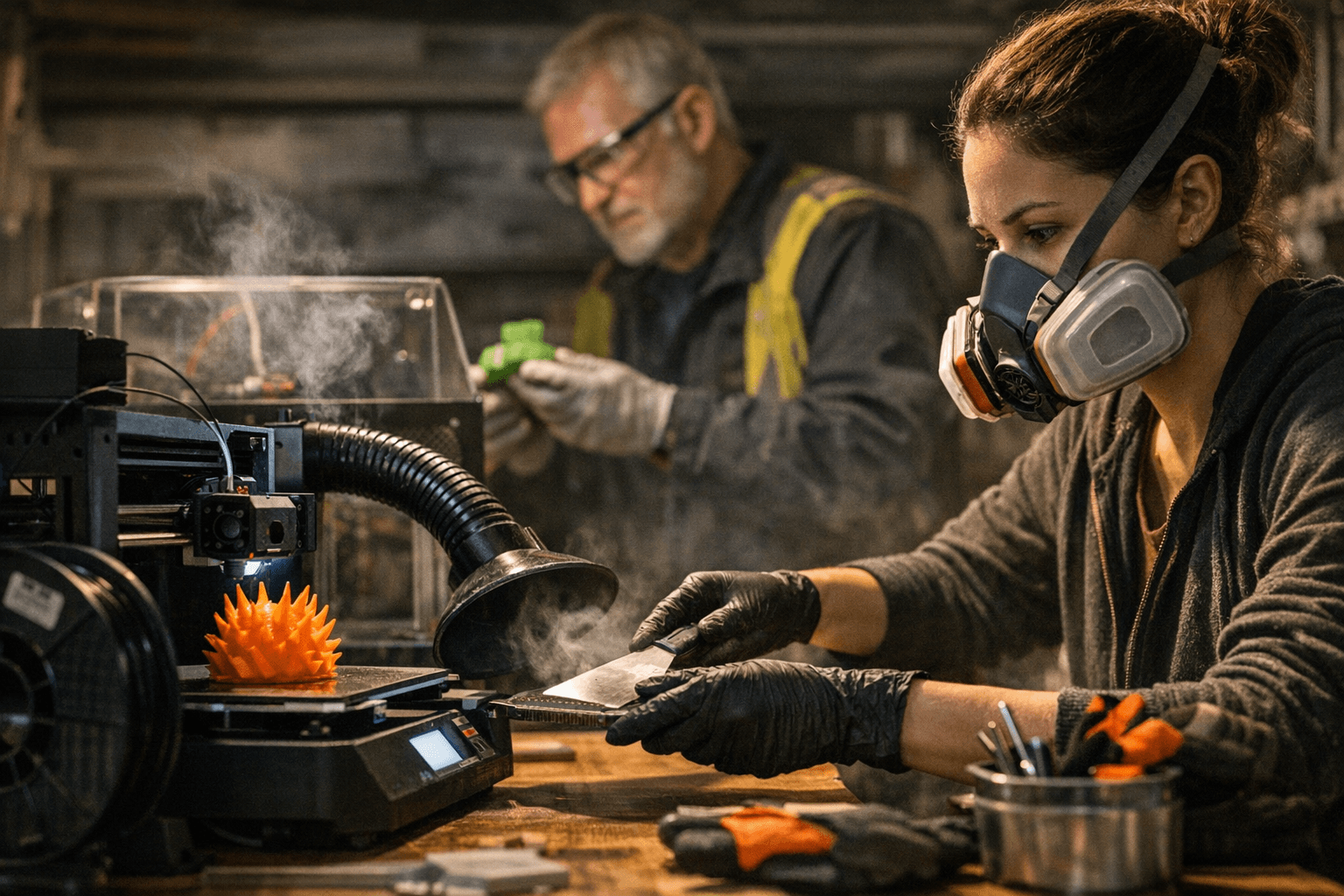
Prioritize engineering controls to reduce airborne particles and fumes at the source. Local exhaust ventilation (fume hoods or directed extraction) and printer enclosures with filtered exhaust, using HEPA filtration for particles and activated carbon for VOCs, are the most effective, practical measures for community spaces. Position extraction to capture emissions close to the print or post-processing area, maintain filters per manufacturers’ guidance, and verify airflow periodically rather than assuming ventilation is working.
4. Implement administrative controls and clear training
Create simple documented procedures that cover material labeling, storage, safe operating steps, and who can access printers. Limit access to printing areas, especially for children, and schedule potentially higher-exposure tasks (like sanding or solvent smoothing) during low-traffic times or in dedicated rooms. Provide basic training and sign-off for new users that covers hazards, safe operation, emergency steps, and proper waste disposal; keep records so you can demonstrate consistent practice.
5. Choose personal protective equipment appropriately
Use gloves for post-processing tasks to prevent skin contact with heated or chemically treated parts and debris, and consider eye protection when cutting or sanding. If engineering and administrative controls do not bring exposures down to acceptable levels, use respirators that meet your risk profile, but follow respirator fit and workplace program rules: select the correct cartridge for VOCs, ensure fit testing, and maintain a respirator program with cleaning and storage procedures. Treat PPE as the last line of defense, not a substitute for ventilation and containment.
6. Account for emission variability when selecting filament and process
Emissions vary widely by filament type, printer enclosure, and post-processing method; ABS and some engineering-grade filaments tend to emit more than PLA-type materials. Choose lower-emitting filaments when possible for classroom or public-space printing to minimize ventilation demands and exposure risk. When you must use higher-emitting materials, adapt controls: move prints into enclosures with filtered exhaust, increase local extraction, and restrict use to trained staff in controlled areas.
- Prioritize improved ventilation near printers, even a window exhaust or portable HEPA/carbon unit can lower exposures.
- Label materials and post simple operating checklists at each printer so casual users follow safe steps without formal training.
- Schedule sanding and solvent smoothing in a closed area with extraction, or use less-volatile finishing methods when possible.
- Keep children away from machines during operation and post-processing; designate supervised times for youth activities.
7. Practical, low-disruption steps you can implement immediately
Focus on fast, high-impact fixes that preserve access and creativity:
These steps let you reduce risks quickly without expensive retrofits and keep community programs running.
8. Build a simple safety plan and use NIOSH guidance as a technical reference
Write a concise safety plan that lists identified hazards, controls in place, training requirements, PPE rules, and inspection/maintenance tasks for ventilation and filters. Use the technical reference "Approaches to safe 3D printing: a guide for makerspace users, schools, libraries, and small businesses" (NIOSH publication 2024-103) for detailed recommendations and to support policy decisions. Keep the plan visible, update it as you change equipment or materials, and review it with volunteers, staff, and community members so everyone understands why rules exist and how they protect users.
9. Community relevance: balancing safety and access
Community spaces thrive on open access and experimentation, but safety matters for maintaining trust and continuity. Implementing straightforward engineering and administrative controls preserves public programs, reduces interruptions for illness or complaints, and allows younger makers to work safely under supervision. When you invest a little time in ventilation, training, and clear procedures, you protect participants and sustain the creative, collaborative atmosphere that makes makerspaces and libraries valuable.
10. Maintain and iterate: inspection, feedback, and continuous improvement
Set a recurring schedule to inspect enclosures, check filters, review training records, and solicit user feedback on comfort and odors. Small updates, replacing a carbon filter, adjusting extraction placement, or switching a class to a lower-emitting filament, can produce measurable reductions in exposure and improve user confidence. Treat safety as part of program quality: visible controls and regular maintenance demonstrate care for community health and support long-term participation.
Wrap-up: Keep printing, safely You don’t have to choose between safety and innovation. By identifying hazards at each stage, installing practical engineering controls, enforcing simple administrative rules, and using PPE when needed, you can keep community 3D printing active and accessible. Use NIOSH publication 2024-103 as your technical backbone, prioritize ventilation and lower-emitting materials, and build a straightforward safety plan that everyone can follow.
This article was produced by Prism’s automated news system from verified source data, official records, and press releases, then run through automated quality and moderation checks before publishing. The system is built and supervised by the people who set the standards it runs under. Read our full AI policy.
Did this article answer your question?


