Snapmaker U1 Review Reveals Capable Multi-Toolhead Performance With Caveats
Snapmaker's U1 cuts purge waste and handles toolchanges reliably, but peak speeds and color registration still demand careful tuning before results match the hype.
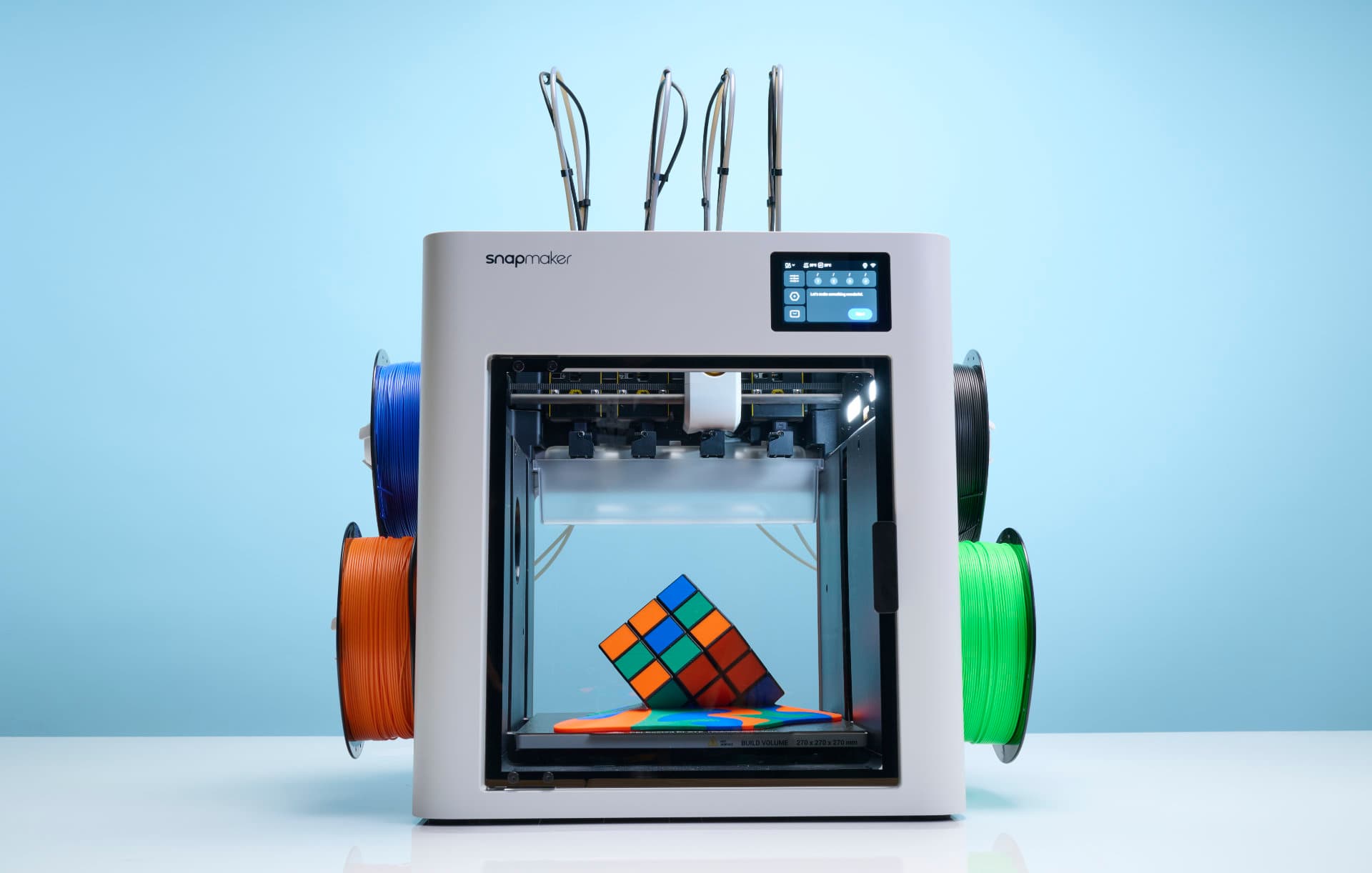
The promise of multi-color desktop printing without the towering purge column has been the central pitch driving Snapmaker's U1 since its crowdfunding campaign. A hands-on lab review by 3Dnatives, published March 26, 2026, puts that promise through its paces, and the results land somewhere between genuinely impressive and "approach with calibrated expectations."
The SnapSwap system: hardware that delivers on its core idea
The U1's headline feature is its four-toolhead SnapSwap architecture, which swaps between dedicated extruder units rather than pushing multiple filaments through a single nozzle. In the 3Dnatives review unit, the SnapSwap hardware proved mechanically robust, with toolchanges executing reliably through repeated cycles. The practical payoff is real: multi-color prints sidestep the lengthy purge towers that single-nozzle multi-material systems require, meaning less filament waste and shorter print times for many models.
The automated filament handling system deserves its own mention. Loading filament is one of those small-but-constant friction points in any multi-material workflow, and the U1's automated system simplifies the process meaningfully. Paired with active filament management and integrated monitoring, the U1 is clearly designed to get intermediate users printing rather than troubleshooting, and for the most part, it succeeds at that goal.
Where the marketing meets reality
Snapmaker's crowdfunding messaging leaned heavily on dramatic waste reduction and significant speed gains, and the 3Dnatives review offers a measured reality check on both claims. Prints do run faster for many models, and purge waste genuinely sits lower than what conventional single-nozzle multi-color setups generate. But peak advertised speeds are not typically sustainable across a broad range of materials, and the best multi-color results require careful profile tuning rather than plug-and-play simplicity.
Color registration and oozing during tool changes are two specific tolerances that need iterative calibration. Neither is a dealbreaker, but they are variables that demand time investment, particularly for users chasing tight registration on detailed tabletop miniatures or cosplay parts. The overall experience also depends on model geometry and filament behavior, meaning a model that prints beautifully in PLA with two colors may behave quite differently when you push into more challenging materials or higher color counts.
Ecosystem and software: a genuine strength
One area where the U1 earns less qualified praise is its software ecosystem. The integration with Snapmaker's Orca-based slicer comes pre-loaded with profiles and 30 print-ready models, giving new users a functional starting point without needing to hunt down community settings from day one. For intermediate users especially, having calibrated profiles available out of the box reduces the barrier to getting good results quickly, and the review specifically highlights these automated systems as reducing routine friction in the daily workflow.
That said, the review makes clear that advanced users will still lean on community-developed profiles for the best possible output. This is not unusual for any desktop printer, but it is worth setting expectations honestly: the included profiles cover the on-ramp, not the full road. The community tuning cycle that follows wide retail availability will ultimately determine how high the U1's ceiling actually sits.
Maintenance and long-term reliability: questions that time will answer
A toolchanging architecture inherently carries mechanical complexity that a single-nozzle printer simply does not. The 3Dnatives review flags this directly: kinematic interfaces that see repeated toolchange cycles are wear points, and the long-term reliability of those interfaces remains an open question until units accumulate significant hours in the field. Spare-part availability and how straightforward replacement will be for hobby users are additional considerations the review highlights as areas to watch closely.
None of this is unique to the U1; any multi-toolhead system carries similar considerations. But for hobbyists weighing the U1 against a simpler single-extruder machine, the maintenance calculus is worth factoring in honestly, particularly if the printer will live in a home workshop rather than a small-shop environment with established maintenance habits.
Who it's built for, and when to buy
With the U1 moving to retail pricing in April, the timing of this early review is genuinely useful. The use cases where the U1's architecture shines are specific and repeatable: tabletop models, cosplay parts, and custom decorative prints that benefit from clean color separation without sacrificing half a spool to the purge altar. For those workflows, the hardware approach is compelling.
The 3Dnatives review suggests evaluating sample prints in person where possible, and confirming that multi-color registration meets your specific project requirements before committing. That is practical advice: tolerances acceptable for a large decorative piece may not satisfy the demands of a 28mm miniature painter working at fine detail.
The bottom line from early lab testing is that the U1 represents an ambitious and meaningful step forward for desktop multi-color printing. The SnapSwap hardware is solid, the ecosystem reduces routine friction, and the purge waste reduction is real. What remains unwritten is the longer reliability story: months of community use, profile development, and real-world wear data will determine whether the U1's first-impression performance holds at scale. That verdict will be written by the community, not the spec sheet.
This article was produced by Prism’s automated news system from verified source data, official records, and press releases, then run through automated quality and moderation checks before publishing. The system is built and supervised by the people who set the standards it runs under. Read our full AI policy.
Did this article answer your question?


