eFoil Battery Care and Storage Checklist for Owners and Fleet Operators
Storing your Flitecell or Lift pack at full charge is the single fastest way to kill it early; here's the brand-by-brand breakdown to protect your battery and your season.
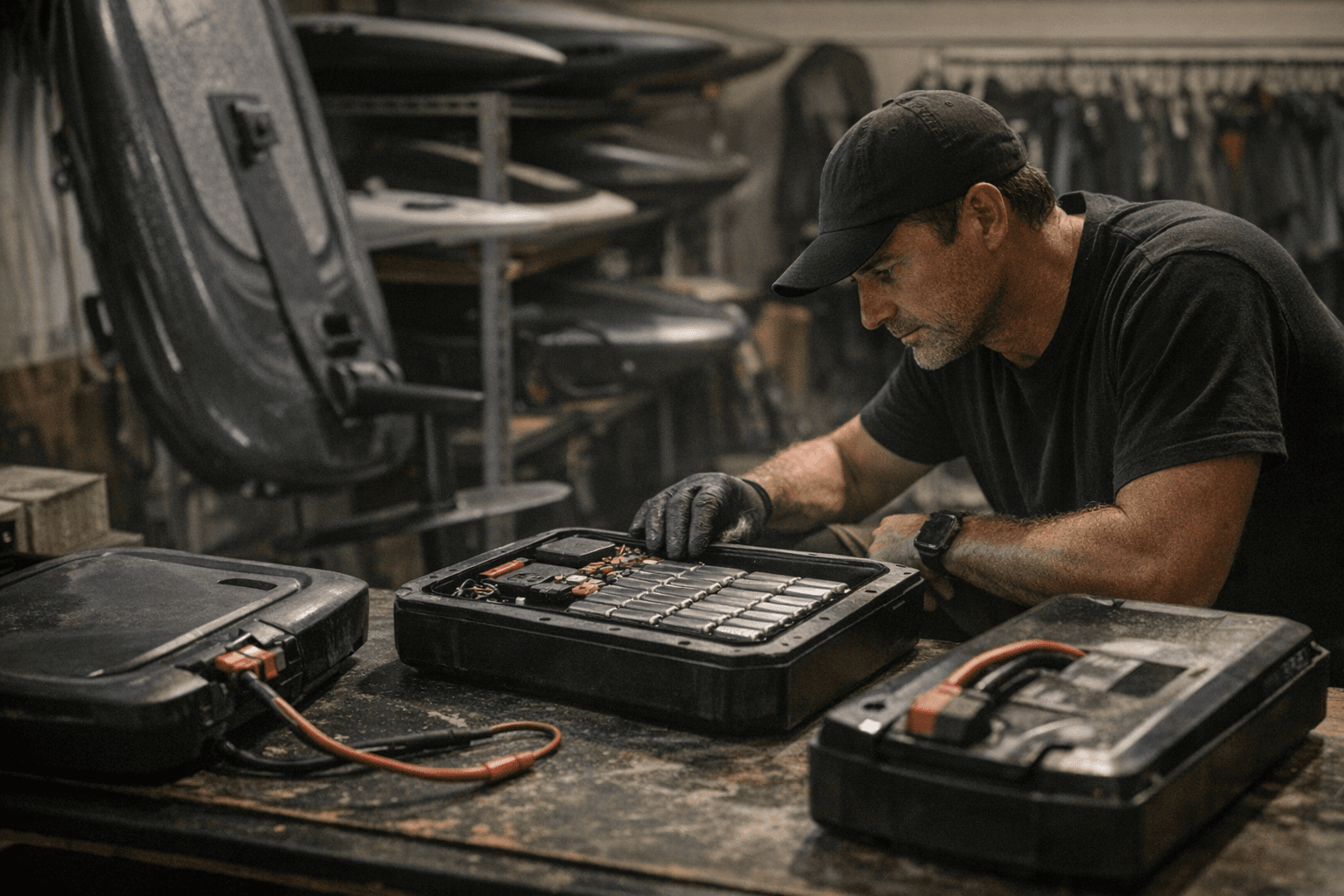
An eFoil battery pack is not a consumable you budget to replace every couple of seasons. Treated correctly, a lithium-ion eFoil pack should absorb 800 to 1,000 charge cycles before showing meaningful capacity loss. Treated carelessly, it can degrade to the point of needing replacement in a fraction of that lifespan, costing weeks of downtime while waiting for inventory, and potentially voiding warranty coverage if the damage traces to improper storage. For fleet operators running multiple boards, a single negligent off-season can cascade into staggered pack failures that chew through ride time and revenue simultaneously.
The single most common battery-killer that eFoil service technicians encounter is deceptively simple: boards stored for winter with a full charge. Every major manufacturer explicitly warns against it, and yet it remains the leading cause of early cell degradation. A lithium-ion pack held at 100% state of charge for months experiences elevated internal stress that accelerates the chemical aging of its cells, resulting in reduced capacity, rising internal resistance, and, in worst cases, compromised cell integrity that creates a safety concern. The fix costs nothing. The replacement pack costs a lot.
Brand-Specific Storage State of Charge and Temperature
Where the three dominant eFoil ecosystems differ is in the precise storage targets, and those differences are worth knowing exactly rather than approximating.
Fliteboard's Flitecell documentation specifies 40% as the optimal long-term storage state of charge. The guidance is unambiguous: only bring the pack to full charge immediately before a planned ride, never before storage. The safe storage temperature window sits between 10°C and 25°C (50°F and 77°F), while the absolute operational limits extend from 0°C (32°F) to 40°C (104°F). René Elysée, Fliteboard's Head of Customer Support, has been explicit that the Flitecell must not be used, charged, or stored outside those outer limits. A parked car in summer routinely exceeds 50°C inside, which means leaving a Flitecell in a vehicle after a session is one of the most common ways the spec gets violated without riders noticing the damage accumulating.
Lift Foils takes a slightly broader position: store the battery at 30 to 50% charge, with 30% as the target for short idle periods and 50% more appropriate if the board will sit unattended for a month or more. Lift's head of customer support Jerry Tirado has emphasised that, like all lithium-ion chemistry, the Lift pack self-discharges slowly in storage, and allowing it to drift toward zero is a separate risk from storing it too full. A pack that reaches full discharge can enter a protective deep-sleep state difficult or impossible to recover from without dealer intervention. The Gen4 Full Range Battery, Lift's current flagship pack, features a redesigned BMS specifically tuned to reduce maintenance burden during storage periods, but the storage charge discipline still applies.
Waydoo aligns closely with the broad Li-ion best practice: target 40 to 60% charge for the Flyer One battery before any extended storage period, and run a full charge and discharge cycle at least every three months during the off-season. Waydoo's maintenance guidance notes that BMS cycling matters because the system uses active charge cycles to recalibrate its own state-of-charge reporting. A pack that sits static for a quarter without a calibration cycle may display inaccurate telemetry when it re-enters service, which can lead to unexpected range shortfalls mid-session.
Pre-Storage Conditioning
The conditioning process before a long idle period matters as much as the final charge percentage. Run a short session to bring the pack up to normal operating temperature, then allow it to cool before targeting your storage SoC. Remove the battery from the board, disconnect the charger, and inspect terminals and locking connectors for salt residue, corrosion, or moisture. Where the manufacturer recommends it, apply a light coating of dielectric grease to exposed contacts to protect against oxidation during storage. Label the battery with its charge percentage and the storage date so you have a reference point for monthly top-up checks.
For tool-free quick-connect systems used on several of these platforms, clean and dry the mating surfaces before closing the bay. Salt crystals left in connector housings over a long winter can compromise both electrical contact quality and watertight sealing when the board is recommissioned in spring.
Physical Storage and Mechanical Checks
Store the board in a vertical or suspended position that takes load off the mast connection and battery bay. Remove wireless remotes and app-paired controllers and bring them inside at ambient room temperature; temperature extremes in a garage or storage unit shorten controller battery life and can corrupt pairing data. Work through the foil hardware methodically:
- Inspect the propeller and motor housing for nicks, impact damage, or any marine growth at the prop hub.
- Check mast foot fasteners and front wing attachment bolts against the torque specifications in the manual; retighten where needed.
- Replace any sacrificial zinc anodes or fittings that are more than half consumed.
- Swap out O-rings and seals showing compression set, surface cracking, or any deformation. A seal that looks marginal before storage will almost certainly fail on the first post-season session.
Firmware, App, and Safety Systems
Before returning to the water after any extended storage period, check firmware first. Both Fliteboard and Lift push periodic updates to board systems and battery management software, and some releases address known BMS calibration issues that directly affect reported range and charge efficiency. The Lift support portal tracks current firmware versions and known-issue advisories. Confirm that your mobile app is updated as well, because app-to-board pairing behavior can change between firmware versions in ways that affect telemetry display and charge limit settings.
Perform a bench test of the throttle and motor system on the manufacturer's supplied stand if available, and verify that the emergency kill switch lanyard reliably interrupts power before entering the water. This is not a formality. It is a functional safety check that takes two minutes and closes the last gap between a properly stored board and a reliably safe one.
Seasonal Recommissioning: First Session After Storage
The recommissioning sequence works best in a specific order:
1. Charge the pack to the manufacturer's recommended start level (not necessarily 100% for a first test session).
2. Power up the board and remote, confirm pairing, and verify that telemetry (battery percentage, motor temperature, ride mode) displays correctly.
3. Run an on-dock motor test at low throttle to confirm smooth spin and normal current draw.
4. Hand-check all mast-to-board and mast-to-front-wing attachment bolts before entering the water.
5. Keep the first on-water session conservative: reduced speed, moderate runtime, and active monitoring of motor temperature and remaining charge.
If runtime falls noticeably short of your pre-storage baseline, or if the BMS throws errors during that first session, contact an authorised dealer for diagnostic testing before riding again. A board that has wintered correctly but launches without a firmware check or a bench motor test has skipped the last line of defense between a smooth ride and an in-water failure.
For fleet operators, this checklist is not optional maintenance; it is the protocol that protects fleet availability, reduces warranty claims, and keeps liability exposure manageable across a full rental season. For private owners, following OEM guidance and staying current on firmware updates preserves resale value and ensures that 800-to-1,000-cycle battery lifespan is actually achievable rather than theoretical.
Printable Seasonal Checklist (Screenshot and Save)
| Task | Fliteboard (Flitecell) | Lift eFoil (Gen4) | Waydoo Flyer One |
|---|---|---|---|
| Storage state of charge | 40% | 30–50% | 40–60% |
| Ideal storage temp | 10–25°C (50–77°F) | Cool, dry location | Cool, dry location |
| Absolute temp limits | 0–40°C (32–104°F) | Avoid heat and freezing | Avoid heat and freezing |
| Monthly top-up charge | Yes | Yes | Yes |
| Full cycle every 3 months | Yes | Yes | Yes (required for BMS calibration) |
| Store while charging | Never | Never | Never |
| Store at full charge | Never | Never | Never |
| Terminal/connector inspection | Pre- and post-season | Pre- and post-season | Pre- and post-season |
| O-ring and seal inspection | Pre- and post-season | Pre- and post-season | Pre- and post-season |
| Firmware and app update check | Pre-season | Pre-season | Pre-season |
| Propeller and mast hardware torque check | Pre- and post-season | Pre- and post-season | Pre- and post-season |
| Kill switch function test | Pre-season | Pre-season | Pre-season |
| On-dock motor bench test | Pre-season | Pre-season | Pre-season |
| Remove remotes/controllers to indoors | Pre-storage | Pre-storage | Pre-storage |
| Label battery with SoC and storage date | Pre-storage | Pre-storage | Pre-storage |
Know something we missed? Have a correction or additional information?
Submit a Tip