CHERRY explains MX switch families, colors, and low-profile variants
CHERRY’s MX names make more sense once you separate feel from height. Speed Silver, Silent Red, Clear, and the low-profile families all signal different tradeoffs.
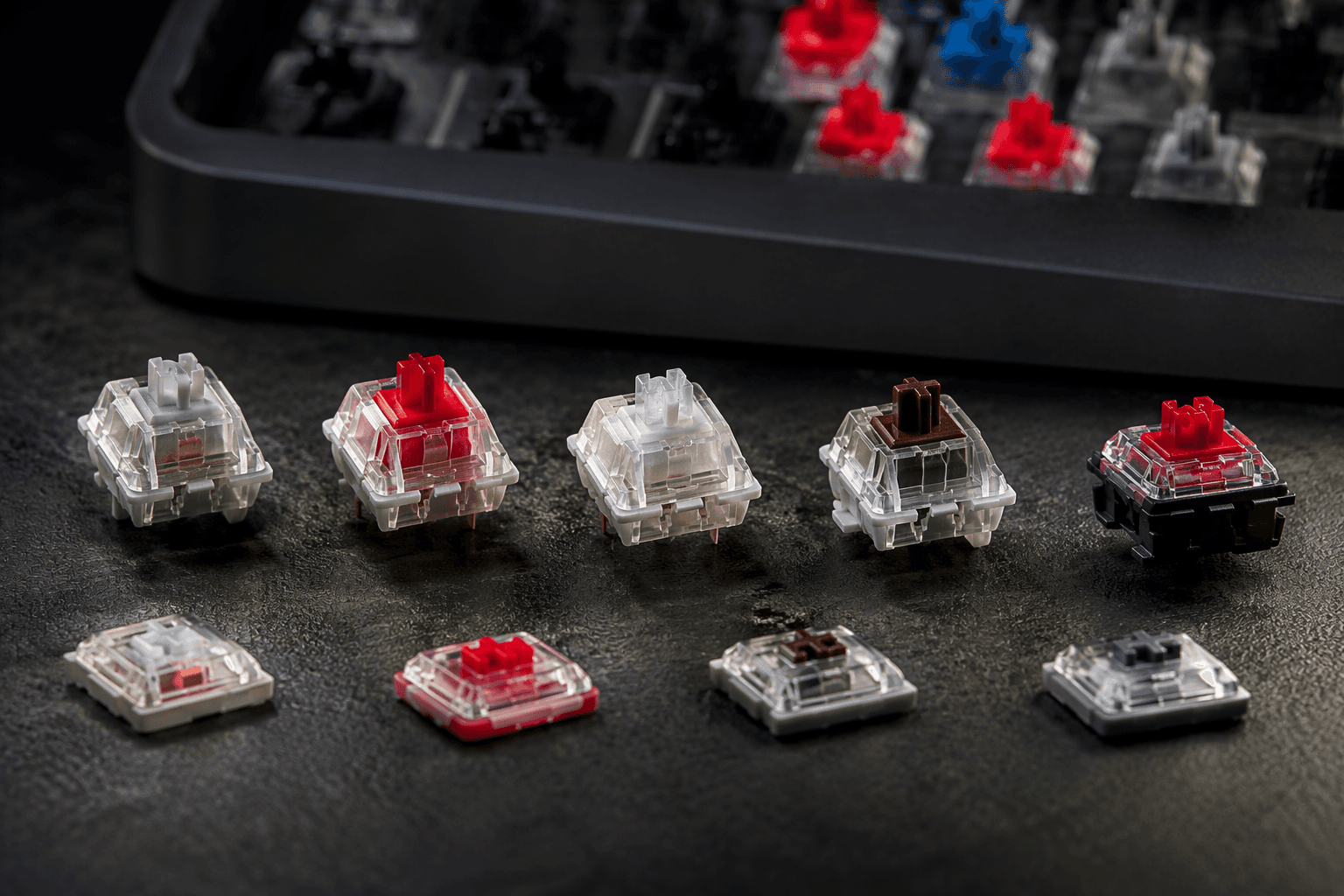
MX Speed Silver, MX Silent Red, MX Low Profile Red, and MX ULP Click all sit inside CHERRY’s MX naming, even though they describe very different keyboard feels and heights. The company splits the lineup into standard and special variants, then separately treats low-profile and ultra-low-profile as flatter families, so the same color language can describe very different keyboards. In enthusiast terms, you are not just picking a color, you are picking actuation feel, noise level, spring weight, travel, and overall height.
How to read CHERRY’s MX naming
MX is short for Mechanical X-Point, one of the most widely used mechanical switch technologies for PC keyboards. A color often signals a family trait, but it does not always tell the full story, especially once CHERRY starts layering on speed, silent, low-profile, and ultra-low-profile versions.
That is why the familiar enthusiast shorthand still matters. Linear switches move straight down without a tactile bump or click. Tactile switches give you a bump at actuation. Clicky switches add the bump plus an audible click. Silent variants try to cut the noise without changing the basic switch shape, while speed variants shorten the travel to actuation so fast input feels quicker.
What the main MX names actually tell you
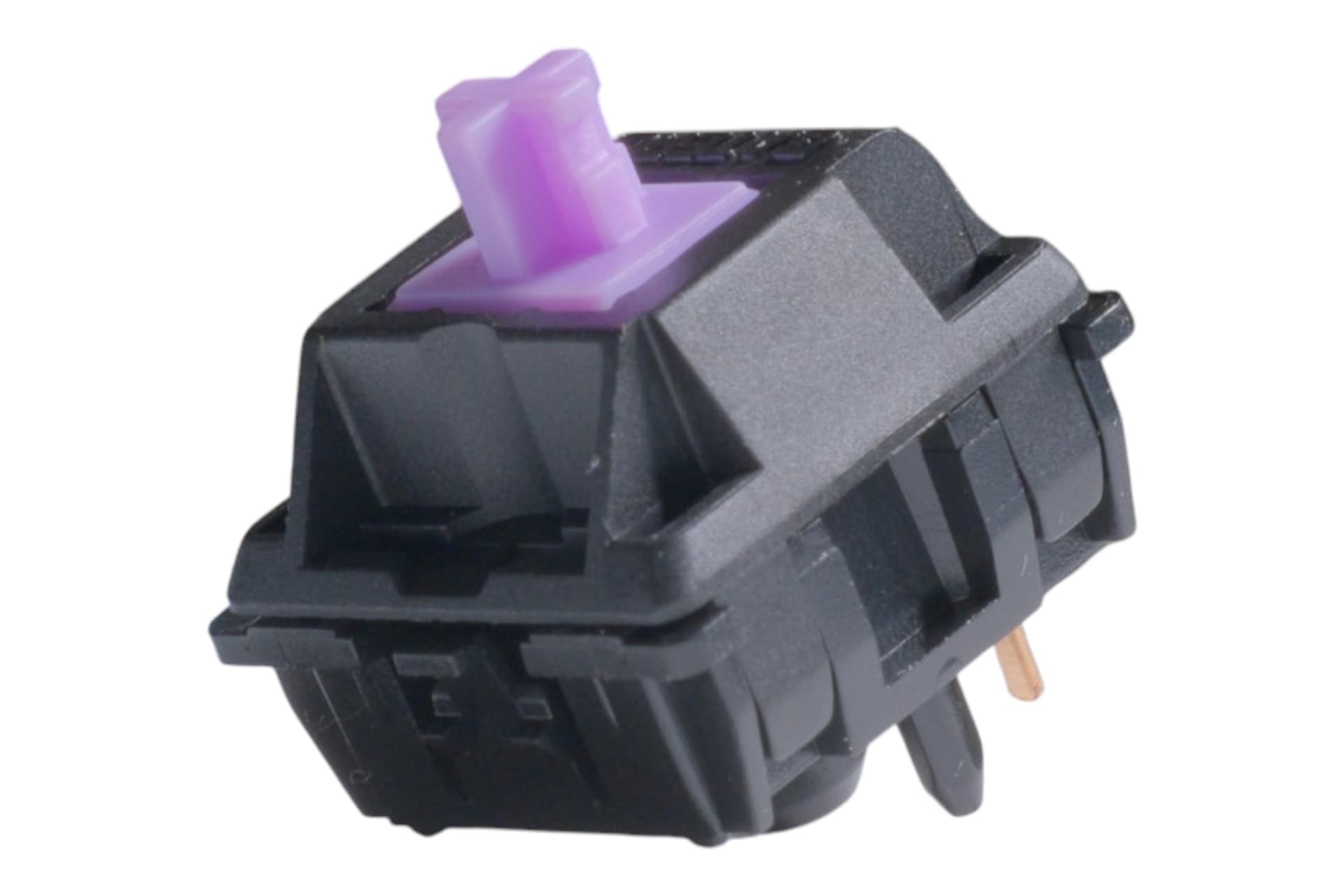
MX Speed Silver is the clearest example of CHERRY’s modern naming. In full height, it is the fastest model in the MX family, with a linear switching characteristic and low spring resistance, and it is pitched for gaming situations where milliseconds matter. The name points to light, quick, repeatable presses rather than heavy feedback.
MX Silent Red sits on the same linear side of the fence, but it uses patented damping to minimize operating noise. If you like the smooth feel of a Red but need to stop the clatter, that is the point of the name. The same logic applies to the older color system, which is why seasoned buyers often ignore the word “red” and look first for the behavioral label, whether that is silent, speed, tactile, or clicky.
Low-profile is a separate decision, not just a thinner shell
MX Low Profile is its own family. CHERRY’s MX Low Profile switches have a 35 percent lower overall height than standard MX switches, and they are positioned for notebooks and particularly low-profile high-end keyboards. Lower height changes the whole keyboard stack, from portability to hand position to the way a board sounds on the desk.
MX Low Profile Speed carries over the Speed Silver concept into that slimmer format. It combines the characteristics of MX Speed Silver with a particularly low overall height, which means you are buying the fast, direct feel of a speed switch without the full-height housing. MX Low Profile Red does the same thing for the linear crowd, keeping the low spring resistance while preserving the 35 percent height reduction.
Ultra-low-profile goes even further
MX Ultra Low Profile is not just a small version of a normal switch. These switches are built for ultra-thin keyboards and desktop applications. MX ULP Click is similar to MX Blue, with tactile feedback and CHERRY click noise, but the short travel and extremely low height make it suitable for notebooks where fast reactions and reliable inputs in limited spaces matter.
Green, Grey, and Clear are not random color swaps
MX Green, MX Grey, and MX Clear make CHERRY’s special-switch naming much easier to decode. In CHERRY’s 09/2018 material, these variants are designed for special purposes and are rarely found in keyboards, even though they sit alongside established, widely used MX switches like Red, Black, Brown, Blue, Speed Silver, and Silent.
MX Clear is the most concrete example. It is tactile with 65 cN actuation force, 2.0 mm pre-travel, and 4.0 mm total travel. It is also the sister model of MX Brown and MX Grey, which helps explain why it occupies that heavier tactile lane instead of the lighter, common Brown feel. A 36-pack is enough for two packs on a 60/65 percent keyboard, or three packs on a TKL or full-size board.
Why the color system confuses buyers in practice
The problem with CHERRY naming is that the color can suggest a category, but enthusiasts usually think in behavior first. “Red” does not tell you whether you are getting Silent Red, Low Profile Red, or another linear variant. “Blue” can mean a classic clicky switch, while ULP Click is clicky in an ultra-thin shell, and “Speed Silver” is really a performance label about actuation speed as much as a color.
That confusion is why the more useful shopping map looks like this:
- If you want a light linear for quick repeats, look at Speed Silver or Low Profile Speed.
- If you want the same smooth feel with less noise, Silent Red keeps the linear character and adds damping.
- If you want tactile feedback with a firmer press, Clear is the special-switch name to know.
- If board height matters as much as feel, move to MX Low Profile or MX Ultra Low Profile before you decide on color.
This article was produced by Prism’s automated news system from verified source data, official records, and press releases, then run through automated quality and moderation checks before publishing. The system is built and supervised by the people who set the standards it runs under. Read our full AI policy.
Did this article answer your question?