How mechanical keyboard matrices work, and why rollover matters
A keyboard’s matrix decides which keys register, which ones ghost, and when NKRO is real. Once you know the scan path, PCB and firmware choices get much clearer.
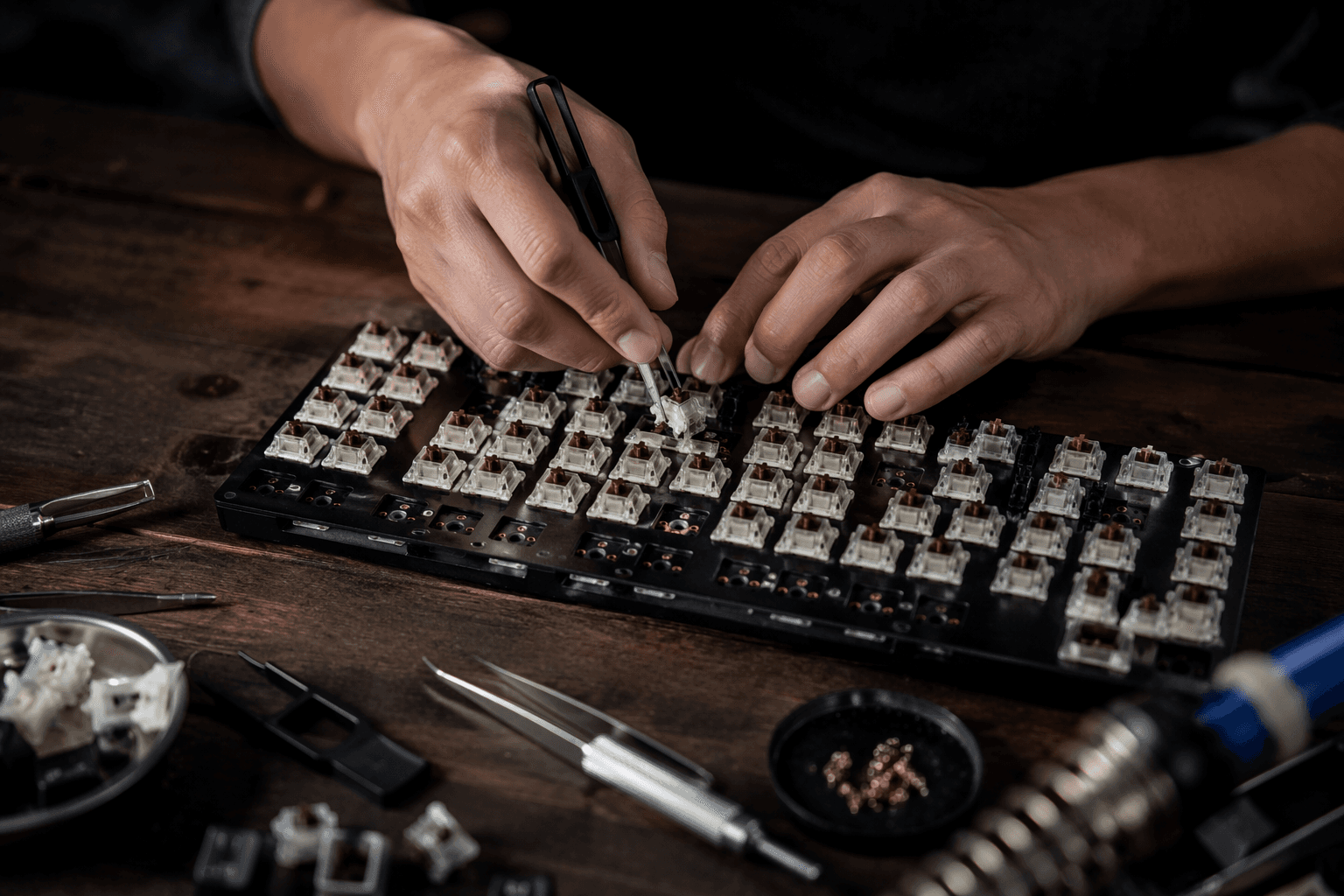
A full-size mechanical keyboard does not put every switch on its own dedicated wire back to the controller. It scans a matrix of rows and columns, which keeps the controller practical instead of turning every board into a wiring nightmare. Once you understand that loop, missed inputs, ghosting, and rollover limits stop looking random and start looking like electrical behavior you can actually diagnose.
Why matrices exist at all
Switches in a keyboard matrix are arranged in rows and columns, and QMK drives one column at a time while reading the rows. Without that shared grid, each switch would need its own dedicated wire back to the controller, which gets unwieldy fast on a full-size board. That is why matrix design is one of the first real tradeoffs in a custom build, a retrofit, or a PCB you are trying to evaluate before you buy.
The practical payoff is controller efficiency. A matrix lets a single MCU handle a full layout, but it also means the board’s behavior depends on how cleanly the scan is isolated from one key to the next. If the wiring or diode strategy is weak, the keyboard can still see a press, but it may also misread nearby positions when several keys are down together.
Where ghosting comes from
Ghosting is not a vague gaming complaint, it is what happens when shared wiring makes the controller think an unpressed key has closed. In matrix terms, one key press can backfeed through the grid and create a false path that looks real enough to firmware. That is why a board can feel fine for typing simple words and then fall apart the moment you hold a chord in a shortcut, rhythm game, or macro-heavy workflow.
Diodes stop the circuit from forming because they allow current to flow in only one direction. Microsoft also noted the cost side of the equation, since a board with more than a hundred diodes is more expensive to implement. That tradeoff matters whether you are judging a production PCB or hand-wiring a custom board, because diode placement is often the difference between clean rollover and strange false inputs.
What rollover really means
Rollover is the measurable version of that behavior. NKRO, or n-key rollover, means the keyboard can correctly detect each key even when many keys are pressed at the same time. If a board does not have full NKRO, you are not dealing with a vague limitation, you are dealing with a specific ceiling in how many simultaneous presses the scan can track accurately.
Microsoft said the SideWinder X4 could detect any combination of 17 or fewer QWERTY keys, plus seven modifiers, one hot key, and one macro key, for up to 26 reported keys.
What QMK lets you verify
QMK is where the hardware model becomes something you can inspect and, if needed, override. Its custom matrix support exists for boards with extra hardware between the switches and the MCU pins, irregular switch matrices, or mixed scanning schemes. In plain terms, if a board is not a clean row-and-column textbook case, QMK gives you a way to supplement or replace the default matrix scanning routine with your own code.
That matters for troubleshooting because the firmware can tell you what the board thinks the matrix looks like. In QMK, the matrix is a two-dimensional list of GPIO pins tied to the keyswitches, the map the firmware uses to decide what is physically possible. If a board’s behavior seems wrong, this is where you check whether the scan design itself is the problem, rather than the switch, the keycap, or your operating system.
How to judge a PCB before you build on it
A good PCB is not just about layout density or how pretty the render looks. You want to know whether the matrix is straightforward, whether each switch path is diode-isolated, and whether the board depends on custom scan code because of extra hardware or an unusual arrangement. The cleaner the matrix, the easier it is to reason about rollover and the easier it is to debug if a key starts dropping out.
- Confirm how the rows and columns are arranged.
- Check whether every switch path has proper diode direction.
- Look for signs that the board uses a custom matrix or mixed scanning scheme.
- Verify how many simultaneous keys the board is actually expected to handle.
For a QMK build, the practical checklist is direct:
That last point is where marketing language often gets fuzzy. A board can advertise anti-ghosting or gaming features without telling you whether it reaches true NKRO, partial rollover, or a more limited combination cap like the SideWinder X4 example. If you care about layered shortcuts, ortholinear utility, or fast game inputs, those limits matter before you solder anything.
Why old boards still teach the same lesson
The matrix story is older than the current custom keyboard wave. IBM designed the Model M in 1983 and 1984, then stopped producing it in 1996, and total shipments during the IBM and Lexmark years topped 10 million units.
Older keyboards and conversions could be effectively 2KRO, a point that has come up in Deskthority discussions, and diodes are the obvious fix when rollover limitations show up in a matrix.
This article was produced by Prism’s automated news system from verified source data, official records, and press releases, then run through automated quality and moderation checks before publishing. The system is built and supervised by the people who set the standards it runs under. Read our full AI policy.
Did this article answer your question?