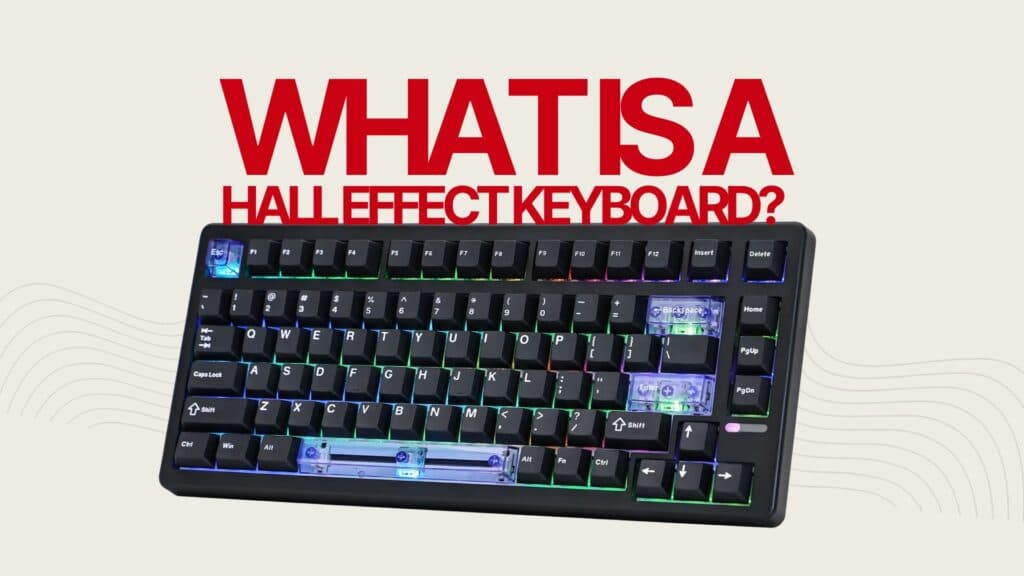
MechanicalKeyboard.net explains keyboard sizes by key count, from 60% to full-size
The real split is not 60% versus full-size, it is which keys you can live without. This guide turns layout into a desk-and-workflow choice, not a marketing label.
Two boards can look “compact” on paper and still feel completely different on the desk because one keeps the F-row, another drops the numpad, and a third folds navigation into a tighter cluster. Key count is the cleaner way to compare layouts: it tells you what stays, what moves, and what disappears when you sit down to type, game, or work.
Why key count matters more than the badge on the box
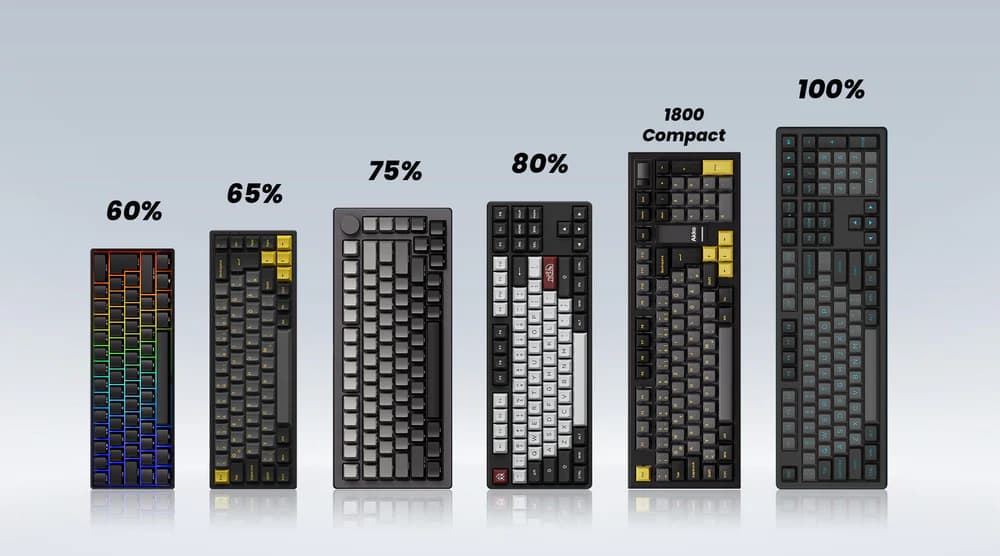
Exact key count cuts through the usual marketing shorthand. Full-size boards are not just larger versions of tenkeyless models, because they keep the number pad and a broader navigation layout instead of simply stretching the same typing block. On the other end, 96% and 1800-style keyboards compress that same functionality into a tighter footprint, which matters if you want to save desk space without surrendering dedicated keys.
A label like “compact” sounds neat, but it says almost nothing about whether your arrows are isolated, whether your nav cluster is still dedicated, or whether the numpad is intact. Once you start comparing by key count, the conversation gets practical fast: you can see exactly how much functionality you are trading for a smaller board.
60% and 65%: the smallest layouts ask the most from layers
At the compact end, 60% and 65% boards push more of the keyboard onto FN layers. You gain desk space, but you have to remember shortcuts more often because fewer keys are dedicated on the surface. For people who are happy to learn the muscle memory, that can be a worthwhile exchange, especially on crowded desks where every inch matters.
These sizes are less forgiving if your daily work depends on direct access. The more you rely on layered commands, the more the board becomes a workflow decision instead of a simple hardware purchase. If you spend much of the day typing, switching windows, or bouncing between mouse and keyboard, the compact layouts reward habits that are already comfortable with shortcuts and punish routines that still want dedicated keys within reach.

75% is the sweet spot for a lot of everyday use
The reason 75% boards keep showing up in hobby conversations is simple: they preserve a lot of the useful structure while trimming the part many people use least. A 75% layout keeps the F-row, arrows, and a navigation column, but drops the numpad. That combination makes it one of the strongest “do almost everything well” formats for a single desk that handles work, gaming, and general typing.
An example like the Aula F75 family fits the appeal: it gives you the most commonly used dedicated keys without the bulk of a full number pad. If you want a board that still feels familiar but does not claim as much horizontal space, 75% lands in a very defensible middle ground.
TKL keeps the familiar typing block without the number pad
Tenkeyless remains one of the most straightforward answers for people who want a smaller board but still need a normal navigation experience. It keeps the familiar typing block and the arrow cluster, then removes the number pad. That makes it easier to adapt to than the smallest layouts, because the main alphanumeric area and directional keys stay where your hands expect them.
TKL also plays well on desks where mouse movement matters. Dropping the numpad gives the mouse more room without forcing you to relearn everything around layers, and that is a big reason TKL keeps its hold on typing-first setups and wireless use alike. If your work is built around a standard typing feel and you do not need a dedicated numpad every day, TKL offers a cleaner compromise than jumping straight to a tiny board.
Full-size, 96%, and 1800-style boards solve a different problem
Full-size boards preserve the number pad and the broader navigation layout, which makes them the right answer when dedicated keys are part of the daily routine. They are not just oversized TKLs. They are built around a different expectation: more direct access, less compromise, and a layout that can handle spreadsheets, data entry, and heavy shortcut use without leaning on layers.
For buyers who want more desk space but are not ready to give up the numpad, 96% and 1800-style keyboards compress the layout instead of removing it. You keep much of the functionality of a full-size board, but the footprint shrinks enough to make room for the mouse or simply make the desk feel less dominated by the keyboard.
How to choose based on the way you actually work
The best layout choice comes down to how often you touch specific key groups, not to which size sounds most enthusiast-approved. If you use the numpad every day, full-size or a compressed 96% or 1800-style board makes sense because it preserves direct access. If you rarely use it, TKL or 75% gives back space without taking away the keys that matter most for typing and navigation.
The same logic applies to compact boards. A 60% or 65% layout works best when you are comfortable leaning on FN layers and shortcuts, while 75% and TKL make life easier if you want the board to feel more conventional. Mouse travel, productivity habits, gaming posture, and desk geometry all feed into the same decision: the right keyboard size is the one that gives you the keys you need often enough that you never miss the ones you left behind.
This article was produced by Prism’s automated news system from verified source data, official records, and press releases, then run through automated quality and moderation checks before publishing. The system is built and supervised by the people who set the standards it runs under. Read our full AI policy.
Know something we missed? Have a correction or additional information?
Submit a Tip