Meshtastic-Apple adds compact node list view for crowded meshes
Meshtastic-Apple is tackling a new kind of problem: when a mesh gets big, the node list gets unwieldy. The new compact view trims scrolling without losing the details you need.

A bigger mesh demands a different kind of node list
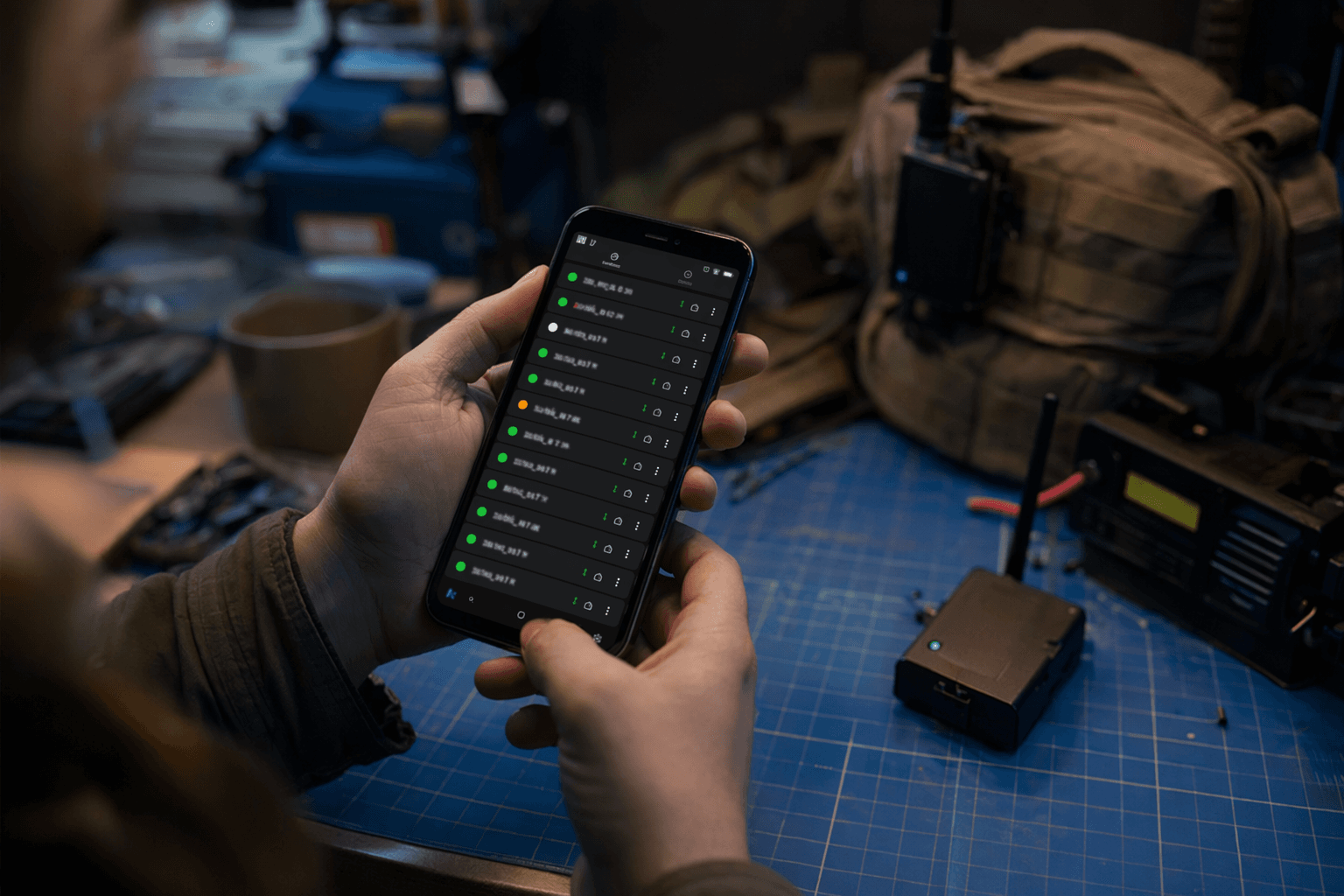
Meshtastic-Apple is moving to solve a problem that only shows up when a mesh stops being quaint and starts getting busy. The new node list layout spec, created on May 4, 2026, on the `compact-view` branch and marked implemented, adds a choice between Complete and Compact views for the node list. The core use case is plain enough: if you are running a mesh with 100 or more nodes, you want less scrolling and less visual clutter, not more.
That sounds like a small UI tweak, but in a dense community network it is operationally important. A crowded node list is not just harder on the eyes, it slows down the work of spotting who is active, who is stale, and which radios deserve attention right now. Meshtastic-Apple is treating the node list like infrastructure, not decoration.
Why density matters once Meshtastic scales up
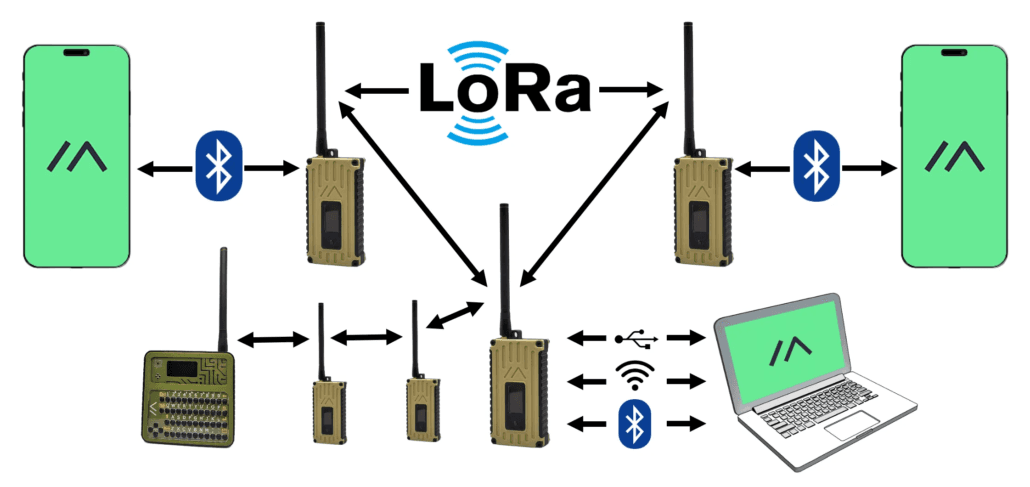
Meshtastic itself is built for exactly the kind of growth that exposes this problem. It describes the project as an open-source, off-grid, decentralized mesh network built on affordable, low-power devices, and its getting-started guidance says you can connect a phone or computer to a radio over Bluetooth, Wi-Fi, or USB without any cell service or internet infrastructure. That makes the software flexible enough to start small, then expand as a local group, neighborhood, event team, or club adds more nodes.
The compact node list spec reflects that reality. A list that is fine for a handful of devices becomes a burden when the mesh turns into a living, breathing network with dozens or hundreds of names, signal readings, and telemetry bits to scan through. In that setting, reducing scrolling is not a luxury feature. It is how the app keeps pace with the network itself.
How the new layout switch works
The new design uses a segmented picker to move between Complete and Compact views. That matters because it gives you an immediate density decision without burying the setting in a maze of menus. In the document’s user story, someone with a large mesh opens Settings, switches the node layout density, and sees the list re-render right away.
That live update is a useful detail. It means the app is not asking you to guess what the new density will feel like after you save and back out. You can watch the list change in real time, which makes the tradeoff between detail and compactness easy to understand before you commit. The selected density is also meant to persist across app launches using app storage, so you are not forced to reconfigure the view every time you reopen the app.
Compact mode is not just “smaller,” it is more selective
The spec goes beyond a simple compact or complete toggle. In Compact mode, it adds per-field controls so you can hide information you do not care about, including telemetry icons, while keeping the fields that matter most to you, such as last-heard time or signal. That is the sort of control power users expect once a mesh starts to look less like a hobby project and more like a live network.
This is also why the spec’s user-story framing matters. The density switch is the main mechanic, and the compact-specific toggles depend on it. In practice, that means the app is acknowledging that different operators read their node lists differently. Some want every possible indicator visible. Others want a cleaner operational view that surfaces the essentials without turning the screen into a wall of symbols.
The live preview node updates in real time as these settings change, which is a smart touch for a feature like this. When a mesh has 100-plus nodes, every line of vertical space becomes valuable. Showing the effect instantly helps you decide whether the compact layout is trimming the right kind of fat.
The real-world pressure behind the feature
There is a clear reason this spec feels urgent rather than theoretical. In a GitHub issue from August 2024, one user reported that once their node list grew to around 300 nodes, the device shut down and the node registry was wiped clean before rebuilding. That same report said the practical limit seemed to be around 99 nodes. Another August 2024 issue said signal information was not populating correctly in the node list, even though it did appear in the node info screen.
Those reports tell the story behind the new layout work. The node list is not just a place where information sits. It is a working surface, and once the mesh scales up, that surface can become unstable, noisy, or hard to trust. The compact view does not solve every scaling issue on its own, but it directly addresses one of the most visible symptoms: too much screen, too much scrolling, and too many rows competing for attention.
There is also a subtle human factor here. When the list gets long enough, operators stop reading it carefully and start skimming for familiar names or obvious anomalies. A denser layout can help restore legibility by putting more nodes on screen at once, which makes patterns easier to catch and stale entries easier to spot. In a busy mesh, that can be the difference between fast situational awareness and a tedious hunt through the app.
What this means for Meshtastic-Apple going forward
The fact that the spec is already marked implemented suggests the team is not treating this as a future wish list item. It has already crossed the line from concept to product behavior, which is a strong signal that Meshtastic-Apple sees layout density as a core usability concern. That is important for a platform whose user base keeps growing beyond the small, hands-on clusters that once defined the experience.
This is how mature mesh software evolves. The first challenge is getting connected at all. The next challenge is making the interface scale with the network. Meshtastic-Apple’s compact node list view is a good example of that shift, because it solves a problem born from success: the mesh works, it grows, and the app now has to help you manage the crowd without burying the signal in noise.
For anyone watching the Meshtastic ecosystem closely, the lesson is clear. As meshes get denser, usability stops being cosmetic and becomes part of the operating model. The compact node list is not just a tidier screen. It is the interface catching up with the size of the network.
This article was produced by Prism’s automated news system from verified source data, official records, and press releases, then run through automated quality and moderation checks before publishing. The system is built and supervised by the people who set the standards it runs under. Read our full AI policy.
Did this article answer your question?