Meshtastic TCP command fails intermittently in scripted device setup
Five Meshtastic commands, two transports, one intermittent Error 111: a scripted Heltec V4 setup hit a flaky tcp step that can derail automation.

An intermittent Error 111 in Meshtastic’s tcp path is enough to break scripted provisioning, remote control, and lab workflows even when the radio itself looks healthy. The June 23 issue, opened by roberthadow and labeled needs-review, described the failure on a Heltec V4 running firmware 2.7.25.
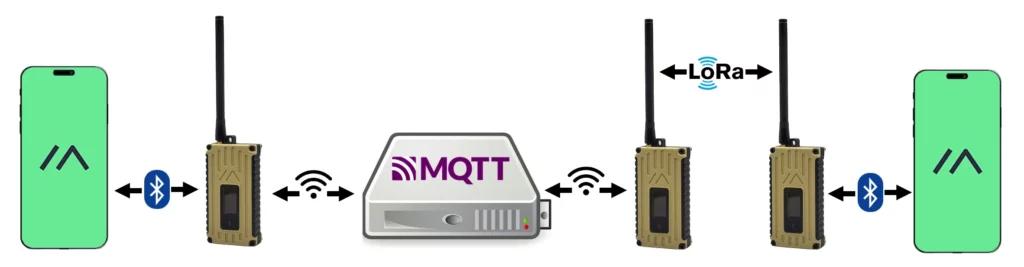
The reported setup used a bash script with five Meshtastic commands in sequence. The first two ran over USB with port to apply network configuration, then the remaining commands switched to tcp for the finer details. That is where the trouble surfaced: the TCP step failed irregularly, which points to a timing problem, a device-readiness problem, or an interaction between the earlier USB changes and the later network connection.
For operators who use Meshtastic as infrastructure rather than only as a phone-app mesh, that kind of failure lands hard. A one-off retry is inconvenient; a repeated TCP miss can break repeatable setup, force manual intervention, and make a scripted deployment feel unreliable the moment it leaves the bench. It is especially painful when the same workflow is meant to provision multiple nodes or slot radios into a broader test pipeline.
Meshtastic’s own client API documentation makes the stakes clear. The project supports three current transport paths for phone and PC clients: BLE, Serial or USB, and TCP. The Python Meshtastic documentation also says the pip package installs a meshtastic command-line tool for sending packets and viewing serial debugging output. On top of that, the Python library exposes separate SerialInterface and TCPInterface classes, and the TCP interface opens a socket connection to a hostname or IP address with a default port of 4403.
That makes a flaky tcp command more than a narrow bug. It touches the documented path for remote and network-based control, while the same ecosystem also offers an HTTP API for browser-based clients and a separate Meshtastic UI for direct device interaction. The result is a stack with multiple control surfaces, where trouble in one transport does not sink the whole project, but can still quietly poison the exact automation path advanced users depend on.
For anyone mixing USB setup with later TCP access to the same node, the warning is already visible in roberthadow’s five-command script. When the transport changes halfway through provisioning, connection state and retry logic are no longer edge details. They are the difference between a clean handoff and a setup that stalls on Error 111.
This article was produced by Prism’s automated news system from verified source data, official records, and press releases, then run through automated quality and moderation checks before publishing. The system is built and supervised by the people who set the standards it runs under. Read our full AI policy.
Know something we missed? Have a correction or additional information?
Submit a Tip