Battle Kiwi’s Mission Terrain Areas map out Warhammer 40,000 11th Edition boards
Battle Kiwi’s new terrain areas turn 11th Edition board setup into a repeatable step, giving painters a faster path to cleaner layouts and better-looking tables.
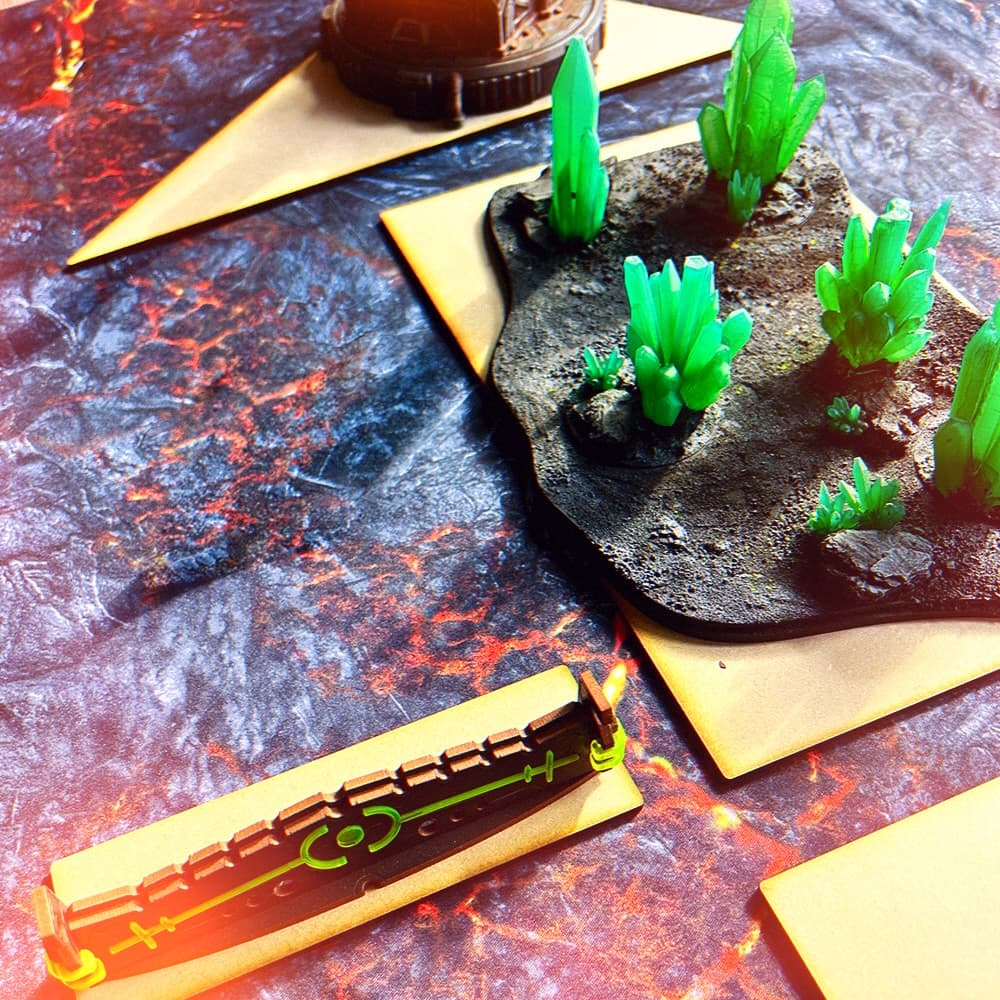
Battle Kiwi has turned the first pass at an 11th Edition board into something you can lay down, trace, and build around. Its Mission Terrain Areas are designed from measurements taken from Games Workshop’s recent Warhammer 40,000 previews, which means the shape of the table is no longer guesswork for people who want their boards ready when the new edition lands.
What Battle Kiwi is selling
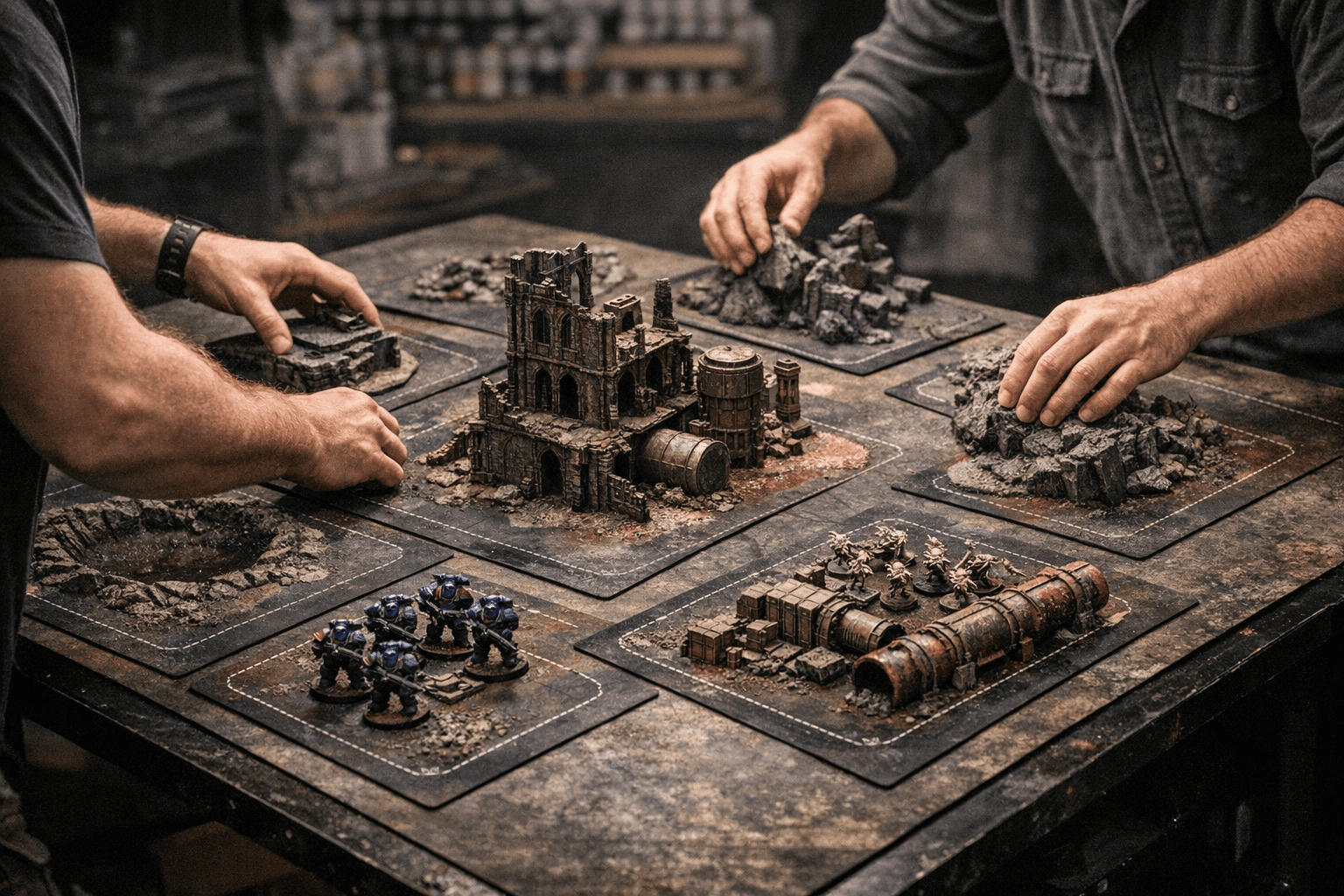
Battle Kiwi’s WH40K 11th Edt Mission Terrain Areas are not a finished terrain set in the usual sense. They are MDF terrain areas laser cut to the precise size requirements for WH40K 11th Edition, so the product functions more like a planning tool than a fully built display piece. You place the template first, then build or position your terrain to match the footprint, which gives you a clear map for a board that fits the new mission structure.
That matters because the set is priced at NZD $40.00, making it an accessible entry point for anyone who wants a repeatable board layout without buying a whole new table’s worth of scenery. In practical terms, it helps cut down the most annoying part of terrain building: wondering whether your hill, ruin, or forest base will actually sit where the mission expects it to sit.
Why 11th Edition terrain changes the job
Games Workshop has split terrain in the new edition into two parts: terrain features and terrain areas. That split changes how you think about the board, because the footprint on the table now matters as much as the model you put on top of it. GW also says most objectives are now secured by claiming a terrain area rather than just standing next to a token, which makes the board layout part of the mission itself.
The other big change is visibility. Hidden models are usually only visible to enemy units within a 15-inch detection range, a rule that immediately puts more weight on where your terrain sits and how your board is shaped. Warhammer Community says the new system is meant to support more diverse battlefields and simplify play, and that combination is exactly where a template like Battle Kiwi’s starts to earn its keep.
For gamers, that means quicker table setup. For painters and builders, it means a board that can be planned around the mission instead of being improvised after the fact.
Why painters should care
Terrain is no longer just the thing you put under the models. In miniature painting culture, it is part of the full visual presentation, and a good board can elevate painted armies, improve photography, and make a game night or event feel more immersive. If your force has a strong visual identity, the board should carry the same language, whether that means rusted industrial slabs for grimdark Marines or broken stone and dead foliage for a more muted army scheme.
Battle Kiwi’s approach is useful here because it gives you a fixed footprint before you start painting. That makes it easier to decide where your focal points, color accents, and weathering effects should go. You are not just painting a piece of terrain, you are painting a part of the table that has to work with the rest of the army when it is photographed, displayed, or played on.
A few practical painter advantages stand out:
- You can batch-plan your terrain colors around your army palette before gluing the first detail in place.
- You can keep a consistent edge profile, which makes boards look more deliberate and less like a pile of scattered scenery.
- You can paint to the template, then place the finished piece into a mission-ready zone without rethinking the layout every time.
That kind of repeatability is a real hobby bottleneck solver. It saves time, reduces measuring mistakes, and makes it easier to finish a home table that looks intentional instead of patched together.
How to build faster without losing the look
The strongest appeal of Battle Kiwi’s Mission Terrain Areas is that they support speed without forcing blandness. The concept is not revolutionary, because area terrain has been around for decades, but standardized footprints can actually unlock more creativity, not less. Once the boundaries are fixed, you can put more of your energy into surface texture, paint finish, and how the terrain speaks to the army beside it.
A fast paint workflow fits this kind of terrain well:
1. Prime the MDF and lay down your main base color early.
2. Use broad drybrushing or heavy edge highlights to define the form quickly.
3. Add a small number of repeated accents, such as hazard stripes, rust, moss, or glowing tech details.
4. Match the final weathering to the wear on your army bases and vehicles so the whole table feels unified.
That approach keeps the terrain from eating the same hours you want to spend on miniatures. It also helps home boards look polished enough for photos, battle reports, and casual play nights without demanding display-case levels of labor.
A familiar Warhammer idea, updated for the next edition
If this feels familiar, that is because Games Workshop has been here before. Battlezone: Manufactorum was an earlier Warhammer 40,000 terrain expansion that used structured terrain pieces and special rules to make boards feel more tactical and thematic. The new 11th Edition terrain system keeps that tradition alive while simplifying how players interact with the board.
That continuity is important. Warhammer has long treated terrain as part of the game’s identity, not just an accessory to it, and Battle Kiwi is moving quickly to support that ecosystem. OnTableTop noted that the company is one of the first hobby accessory makers to respond to the new terrain framework, which gives the product a useful place in the launch window for players who like to prepare early.
The broader takeaway is simple: the shape of the battlefield now matters more than ever, and Battle Kiwi has given hobbyists a way to lock that shape in from the start. For painters, that means easier planning, stronger visual cohesion, and a home table that looks ready for the next edition instead of waiting for it.
Know something we missed? Have a correction or additional information?
Submit a Tip