BatchMark Pro automates watermarking and metadata for Mac photographers
BatchMark Pro goes after the last slow step in a photo workflow, adding logos, EXIF data and copyright text before export lands on disk.
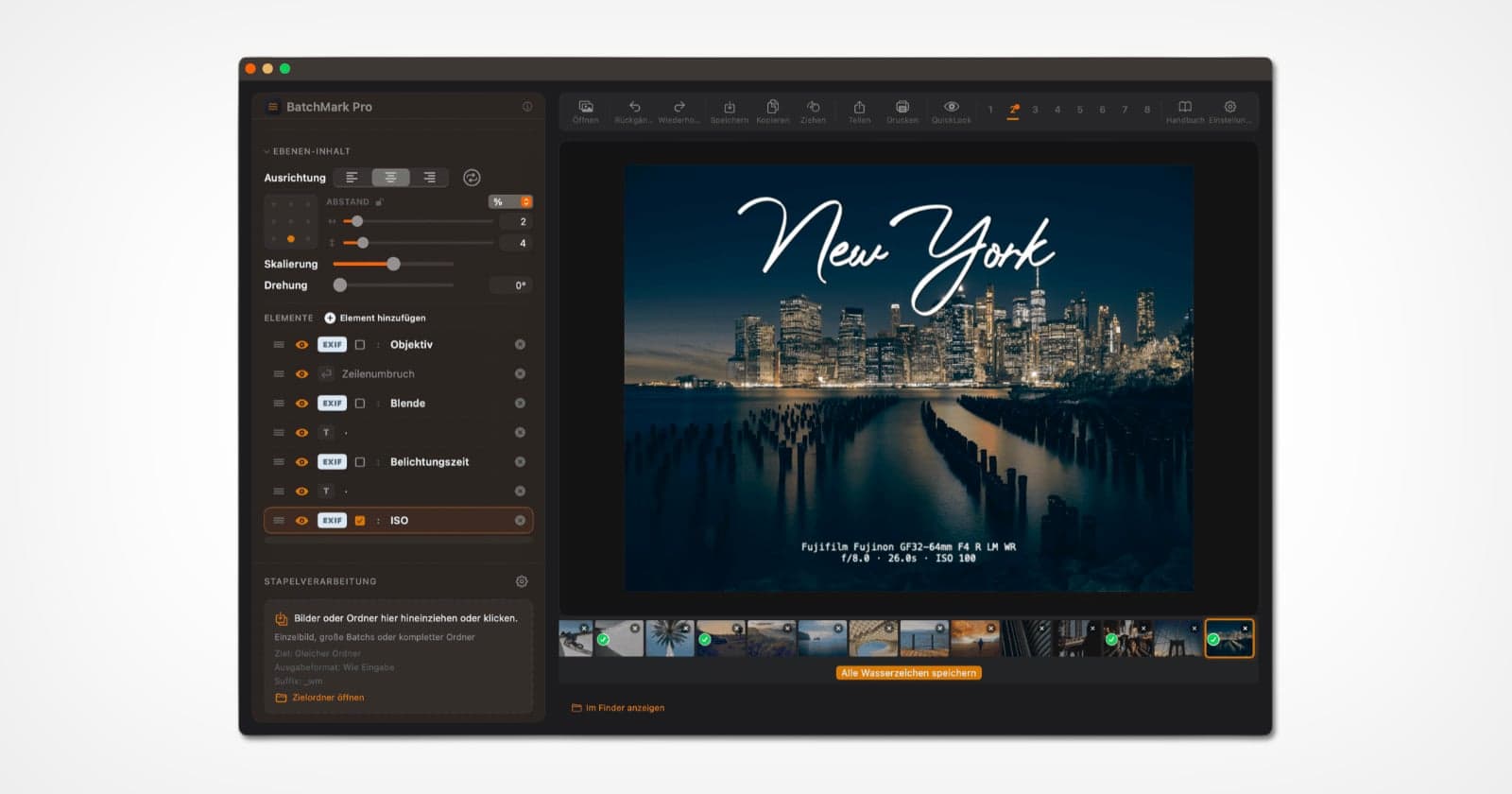
The slowest part of a delivery job is often not the edit. It is the last pass, when a finished file still needs a watermark, a logo, copyright text and technical metadata before it can leave the machine.
BatchMark Pro is built for that exact bottleneck. The macOS utility plugs into Lightroom Classic and Capture One export flows so branding happens automatically before the file lands in the output folder. It also works by drag-and-drop on folders or single files, which gives it a second life outside catalog-based workflows. For photographers who live on proof galleries, event dumps, press selects or social repost protection, that is the point: one less handoff after export.

The app is priced as a one-time €39 purchase, with no subscription. It is a Universal Binary, Apple-notarized, and runs on macOS 13 Ventura or later on both Apple Silicon and Intel-based Macs. The developer says it can process 100 photos in seconds, and the pitch is clearly built around batch work rather than one-off retouching. Originals remain unchanged while branding is applied to the output files, keeping the utility in the finishing lane instead of the editing lane.
BatchMark Pro’s core is a layer-based system that lets users stack multiple logos, text fields, EXIF data and graphic overlays into a single preset. From there, photographers can control position, opacity, scale, rotation, alignment and even the background styling for text. The product page says it includes 8 presets available via shortcut, 40 EXIF placeholders, unlimited layers and SVG or PNG logo support. That combination makes it more than a simple watermark stamp. It is a repeatable branding template for client proofing, portfolio exports and social posts that need to look consistent at scale.

The real question is not whether watermarking exists already. Lightroom Classic has offered built-in watermark editing for years, including preset saving and preview controls, and Adobe documents Ventura compatibility for Lightroom Classic 12.x. BatchMark Pro’s argument is that the built-in tools still leave photographers doing too much of the same work by hand, especially when every export needs the same logo and metadata treatment. That makes it useful for event shooters, news photographers and commercial studios that need speed and consistency. If you export only a few selects and are happy staying inside Lightroom Classic, it looks like a convenience. If you are shipping hundreds of files and want the branding step to disappear into export, it looks like a real workflow fix.
This article was produced by Prism’s automated news system from verified source data, official records, and press releases, then run through automated quality and moderation checks before publishing. The system is built and supervised by the people who set the standards it runs under. Read our full AI policy.
Did this article answer your question?


