Nik Collection 9 tackles masking, grading, and blend workflow pain points
Nik Collection 9 goes after the edits that eat your evening: masks, blend cleanup, grading, and those last creative polish moves.
Nik Collection 9 tackles the jobs that usually drag a session into overtime
The best thing about Nik Collection 9 is not that it can do more. It is that it tries to do less of the annoying stuff that slows you down. DxO calls it the biggest update in the suite’s history, and the parts that matter most are the ones that cut out brushwork, layer juggling, and the endless back-and-forth that turns a simple edit into a small project.
1. Masking that stops you from painting every strand and twig
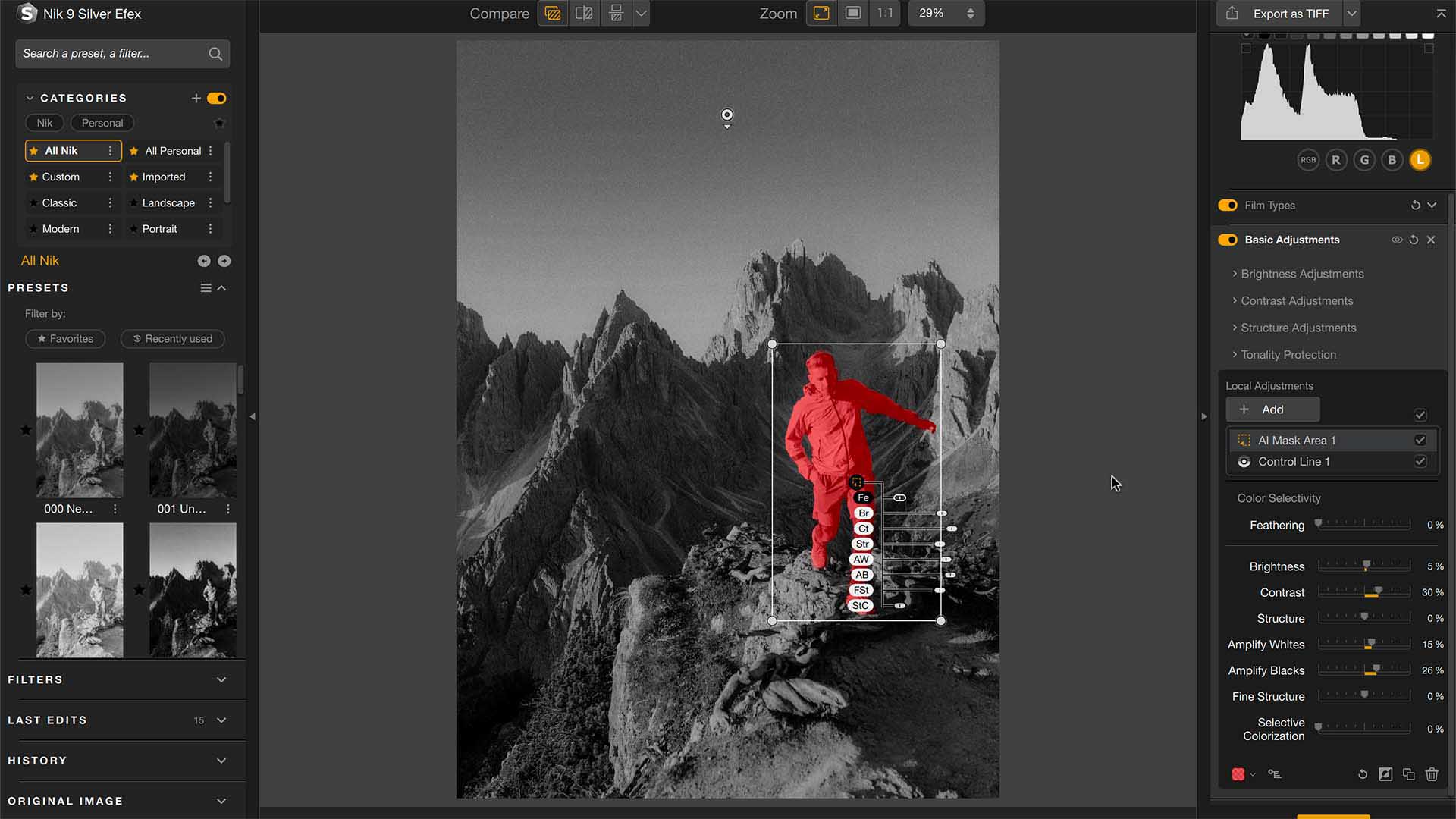
The old pain point is familiar: you want one localized adjustment, and suddenly you are zoomed in at 300 percent tracing hair, branches, or the edge of a jacket against a messy background. Nik Collection 9’s AI Masks and Depth Masks are built to replace a lot of that hand-painting, and DxO says the masking happens locally on your machine rather than sending image data out to external servers.
Before, the workflow meant building a selection, cleaning the edge, then fixing the places your brush missed. After, the idea is to let the software do the initial heavy lifting so you spend your time refining the look instead of drawing the mask. For portrait work, tangled foliage, and anything with a lot of occlusion, that is a real time saver. If masking is the step you dread most, this alone starts to justify the upgrade.
2. Local adjustments without the usual edge-cleanup tax
AI masks help, but the real win is how they change the rhythm of local edits. Instead of making a selection, switching tools, checking the edge, and repeating that cycle, you can move faster through the actual correction work. That matters in the kind of everyday editing where you are trying to dodge and burn a face, lift shadow detail in one corner, or tame a bright patch without flattening the whole frame.
The before-and-after here is simple. Before: selection first, polish later, and a lot of cleanup in between. After: a quicker path from intent to result. Nik Collection 9 does not eliminate all manual refinement, but it cuts down the number of times you have to stop and fix the mask before you can even judge the image.
3. Targeting tricky scenes without a full brush marathon
DxO and PetaPixel both point to a mask-by-distance idea as part of the update, which is aimed at helping you isolate specific areas with less manual brushing. That is exactly the kind of thing that matters when the subject is threaded through a busy scene, like a person in front of branches, gear against a wall of detail, or a subject separated by depth rather than by obvious edges.
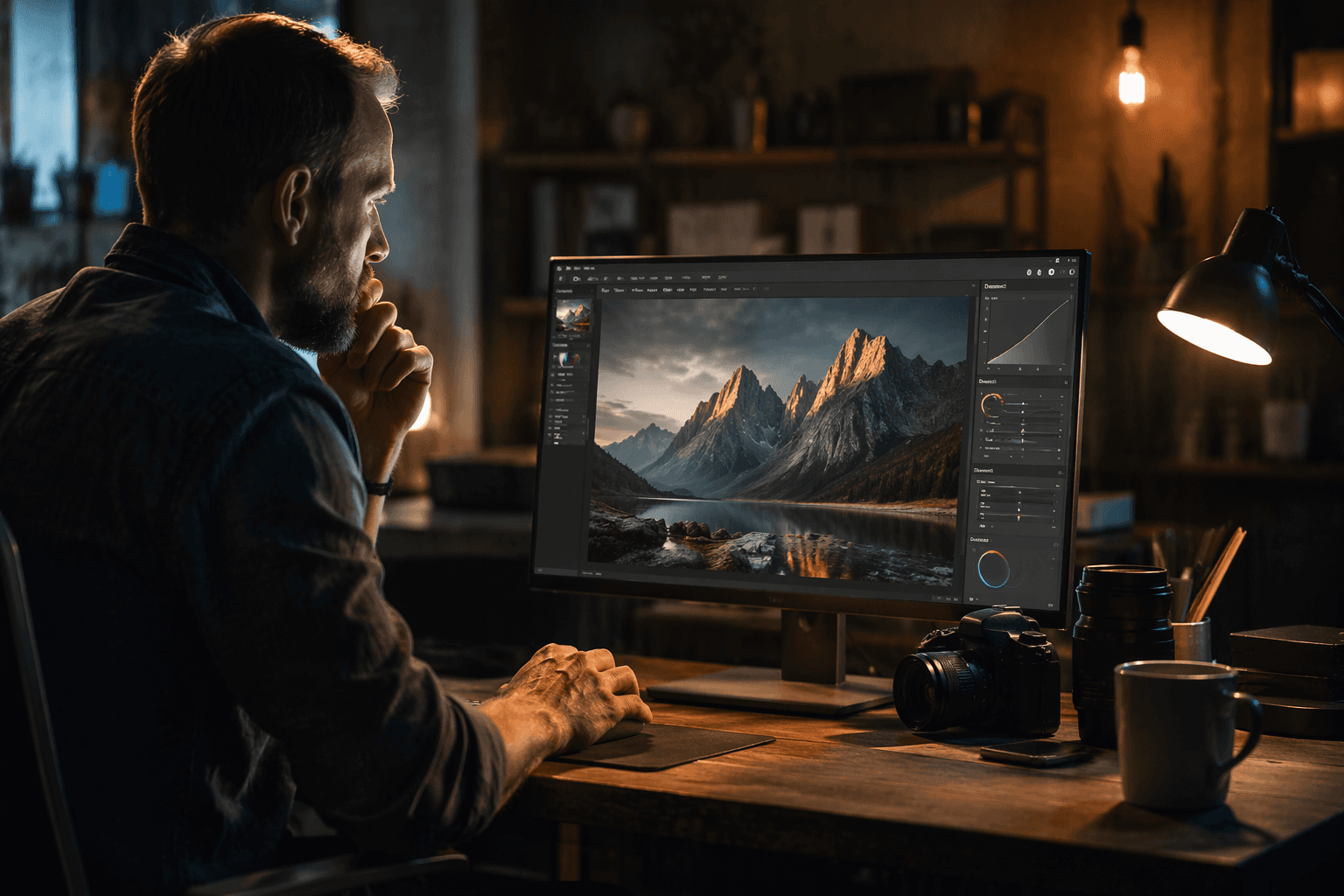
The old workflow in those scenes is tedious: brush, subtract, zoom, undo, repeat. The new one is supposed to give you a cleaner starting point so you are not spending half the edit fighting the selection itself. If you shoot lots of real-world mess, not studio-clean frames, this feels less like a novelty and more like a practical correction to how photographers actually work.
4. Grading that does not require a detour through a bigger app
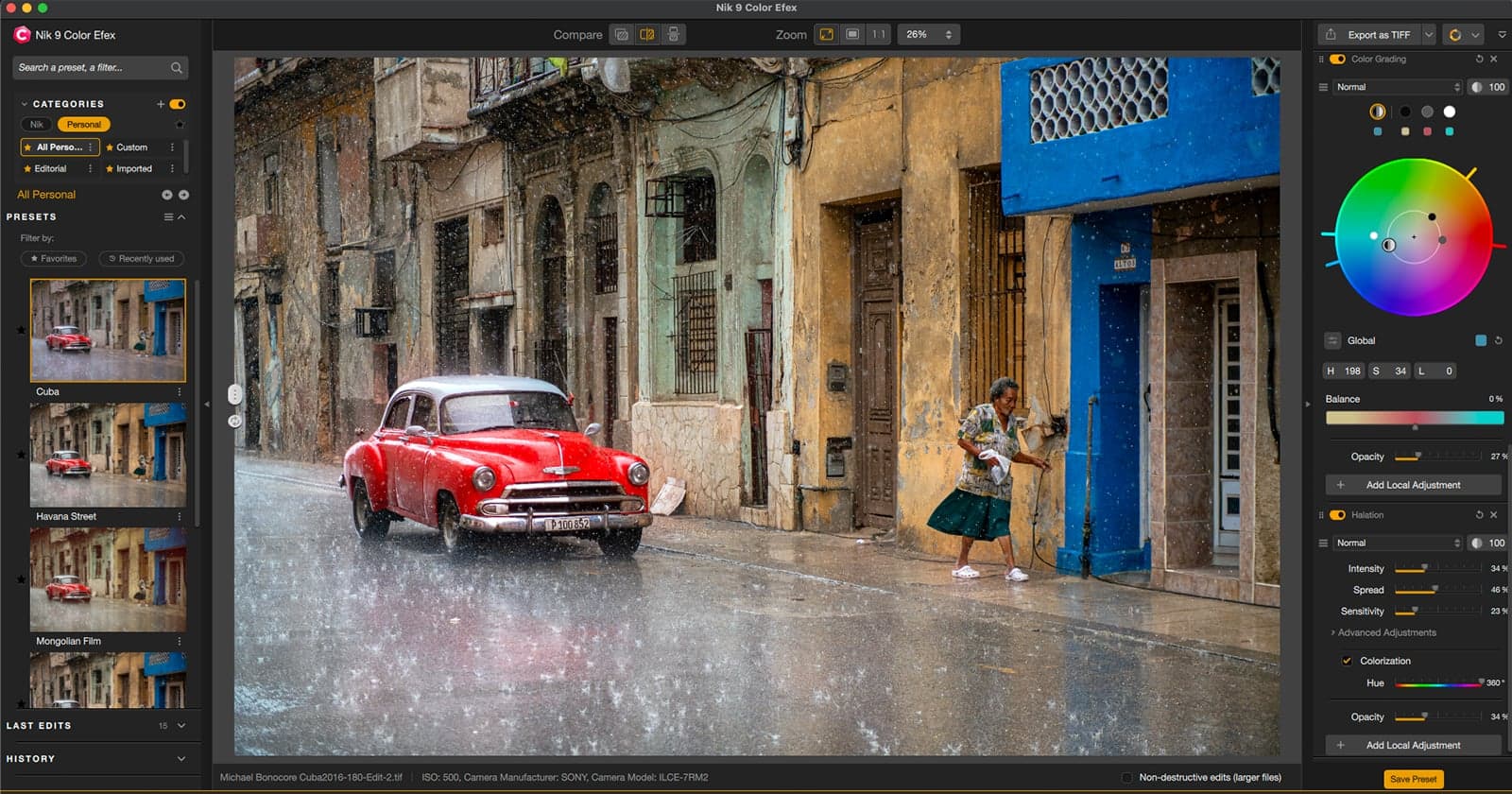
Nik Color Efex now includes a new Color Grading tool, and that is a bigger deal than it sounds because it keeps one of the most common finishing jobs inside the suite. Instead of bouncing to another editor just to balance tones, you can stay in the Nik environment and work with color more independently across tonal areas.
The before workflow is familiar: make the adjustment, export, open another app, tweak again, export again. The after version trims a few of those hops. Three-zone grading gives you more control over how shadows, mids, and highlights sit together, which is especially useful when you want a cohesive look across a set rather than a one-off hero frame. For photographers who finish in a hurry, that is exactly the sort of feature that saves time without feeling gimmicky.
5. Fixing the “almost there” blend without jumping back to Photoshop
Blend work is one of those jobs that rarely shows off in demos but always shows up in real life. You soften a transition, merge a layer, or try to make an effect sit more naturally, then realize you need a heavier editor just to finish the job. DxO says Nik Collection 9 improves blending, and that is one of the most useful workflow upgrades in the package.
Before, Nik could get you partway there and then hand you back to Photoshop to finish the merge or smooth the seam. After, the goal is to stay in the suite longer and bounce out less often. That does not replace Photoshop, Lightroom Classic, Affinity Photo, or DxO PhotoLab, which Nik Collection still plugs into, but it does mean fewer unnecessary round-trips for small jobs that should not take a full desktop detour.
6. Bringing back analog character without fake-looking gimmicks
Some edits are not about correction at all. They are about mood. Nik Collection 9 adds Halation, Chromatic Shift, and Glass Effect, and those filters are clearly aimed at people who want a digital file to feel less clinically clean.
Halation recreates the glow around bright light sources. Chromatic Shift takes its cue from misregistration and graphic-art color offsets. Glass Effect simulates the distortion of looking through patterned or textured glass. The before version of this kind of styling usually meant layering effects in another app or stacking a bunch of approximations. The after version is more direct: pick the effect, shape it, and move on. If you like tasteful imperfection, these tools are more useful than they first sound.
7. Keeping a consistent look across a whole set
One of the most common editing frustrations is not a single bad image. It is the inconsistency that creeps into a batch. One frame skews warm, the next goes muddy, and suddenly your set no longer feels like it came from the same shoot. The new grading tools, combined with Nik’s classic finishing filters, give you more ways to standardize the tone without building a whole custom pipeline every time.
The practical win is repeatability. You can use the same creative logic across multiple files and keep the results tighter than if you were improvising each image in a separate app. For anyone who delivers small galleries, that consistency can matter as much as the single best-looking frame.
8. Getting a local, non-subscription tool that still feels like a serious edit suite
DxO still sells Nik Collection 9 as a lifetime license, not a subscription, and that alone will matter to a lot of photographers who are tired of monthly software bills. The current pricing is $179.99 for a new license and from $99.99 for upgrades, with the upgrade price applying to Nik Collection 7 or 8. DxO also says you can activate it on up to three computers and use it offline for 37 days after activation.
That setup fits the way many photographers actually work: one desktop, one laptop, maybe a travel machine, and a strong preference for software that does not need cloud dependence for every move. Add in the fact that the masking AI runs locally, and Nik Collection 9 lands in a useful middle ground. It is not trying to replace every app in your stack. It is trying to make the parts you repeat over and over less painful.
DxO acquired the Nik Collection assets from Google back in October 2017, and version 9 feels like the clearest sign yet that the line is still being pushed forward rather than simply maintained. If your editing bottlenecks are the same ones that haunt most photographers, this update is pointed in the right direction: fewer brush strokes, fewer detours, and fewer reasons to leave the image half-finished while you wrestle the software into place.
This article was produced by Prism’s automated news system from verified source data, official records, and press releases, then run through automated quality and moderation checks before publishing. The system is built and supervised by the people who set the standards it runs under. Read our full AI policy.
Know something we missed? Have a correction or additional information?
Submit a Tip