PetaPixel challenges the megapixel race, do photographers really need 60MP?
More megapixels can help with crops and big prints, but they also mean bigger files, slower edits, and pricier gear for gains many shooters never see.
The megapixel trap
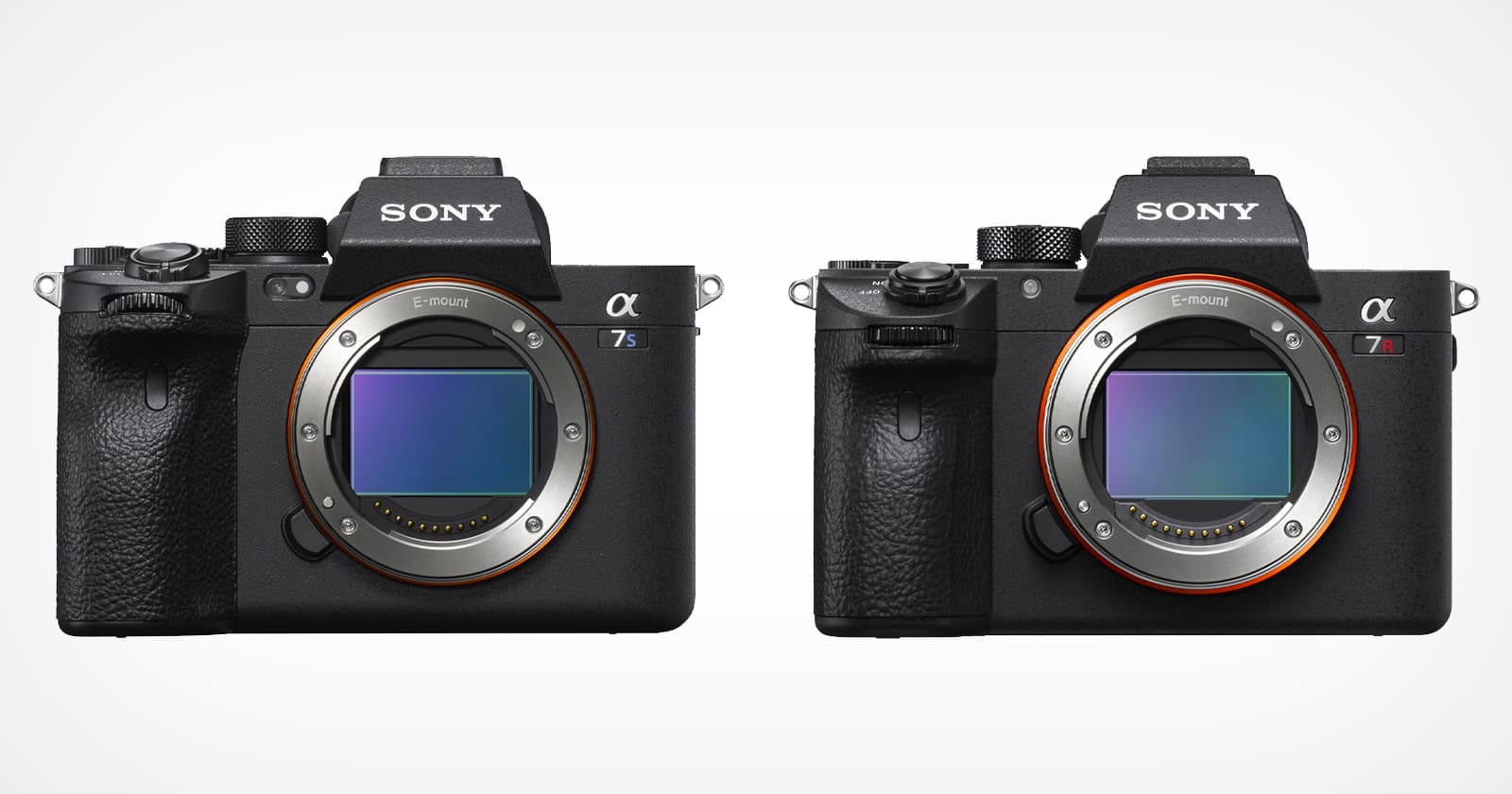
The seductive part of a 61-megapixel sensor is the promise of future-proofing. The catch is that the bill shows up immediately, in bigger files, slower edits, and a storage habit that gets expensive fast. PetaPixel’s pushback is blunt: “Many of us don’t need all the 40- or 60-megapixel resolution some modern cameras deliver.”
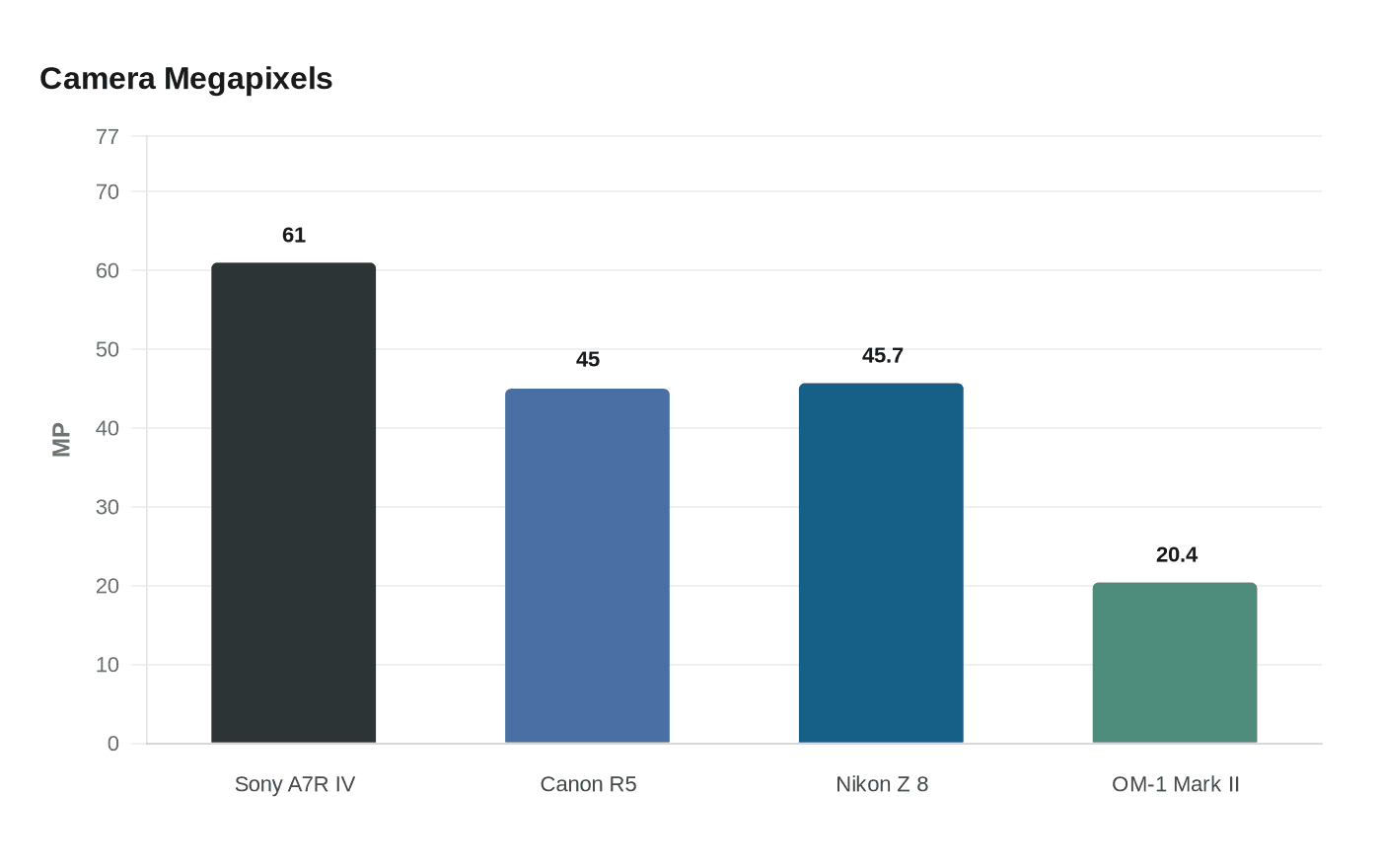
That matters because the high-resolution end of the market is no longer some exotic niche. Sony’s Alpha 7R IV sits at 61.0 megapixels, Canon’s EOS R5 uses a 45-megapixel full-frame sensor, and Nikon’s Z 8 runs a 45.7-megapixel stacked sensor. At the other end of the philosophy, OM System’s OM-1 Mark II uses a 20.4-megapixel sensor and leans hard into speed and portability, with up to 50 fps continuous autofocus and computational photography instead of raw pixel count.
What the extra pixels really cost
This is where spec-sheet culture gets slippery. More megapixels are easy to market, but they do not come free once the shutter clicks. Sony notes that RAW files take more memory storage than JPEG, PNG, BMP, and TIFF files, and that is before you start duplicating backups, culling hundreds of frames, and waiting for your computer to chew through them.
The practical drag is real. Bigger files mean more card space, more hard drive space, more cloud storage if that is your habit, and more time for imports, previews, exports, and edits. High-resolution bodies can also put more pressure on the rest of your kit, because the whole chain has to keep up, from lenses and focus precision to the computer doing the work.
There is also a subtle trap here: high resolution can make you feel like every flaw is the camera’s fault. In practice, it often just makes blur, missed focus, and shaky technique harder to ignore. That is useful when you need the detail, but punishing when you do not.
Print size is not the same thing as print quality
The cleanest myth-buster in the whole debate is the difference between pixels, PPI, and DPI. Pixels are the image file itself. PPI, or pixels per inch, is the image resolution that influences print density. DPI, or dots per inch, is the printer’s own ink-dot behavior. Those are related, but they are not the same thing, and treating them like one magic number leads to a lot of bad buying decisions.
Adobe says 300 ppi is the industry standard for high-quality prints, but it also points out that lower resolutions can work well for large-format prints viewed from a distance. That is the part spec obsessives skip over. A wall print does not get judged like a contact sheet on a desk, and the viewing distance changes the game.
PetaPixel makes that concrete with a 20.4-megapixel OM System OM-1 Mark II image that it says can be printed at A3 and A2 with upscaling software. That is the right way to think about output: not “How many megapixels does the camera have?” but “How big is the print, how close will people stand, and how much detail does the subject actually need?”
When 60MP is genuinely useful
High resolution is not a scam. It is simply specialized, and the sweet spot is narrower than the marketing suggests. Sony’s a7R IV page explicitly points to bird photography as a use case where 61 megapixels helps with cropping, and that is a very real advantage when the subject is distant, small in frame, or impossible to approach.
The same logic applies any time you know you will crop aggressively or make large prints that reward fine detail. Landscapes, commercial work, and some studio subjects can all benefit when you actually need the extra information, especially if the final output is big enough to justify it. The point is not that 60MP is overkill by definition; it is that it only pays off when the output demands it.
OM System’s OM-1 Mark II shows the other side of that tradeoff. A 20.4-megapixel body with 50 fps continuous autofocus is a better fit when speed, reach, and portability matter more than sheer file size. That is a very different tool, and for a lot of real shooting it is the smarter one.
The real question is what you shoot for
PetaPixel’s broader argument is that photographers have been trained to confuse higher numbers with better pictures. The history backs that up. The site notes that 10 megapixels was once something to celebrate, and 20 megapixels later became the target, which is a good reminder that the industry has been moving the goalposts for years.
That is why the pixel war feels less like progress and more like pressure. Camera companies can keep escalating resolution, but photographers have to live with the consequences: larger libraries, slower workflows, and a constant nudge toward upgrades that may never show up in the final image. If your prints are modest, your subjects are web-first, or your style does not involve heavy cropping, the extra pixels are often just expensive overhead.
The smartest move is still the least glamorous one: match the sensor to the job. If you need every last pixel for birds, billboards, or surgical cropping, buy accordingly. If you mostly need good files, fast handling, and a camera that disappears into the work, 20 to 24 megapixels is still a very serious sweet spot.
The allure of 61 megapixels is easy to understand, because it sounds like insurance. The reality is more practical: if your output does not need that kind of file, the megapixel race is mostly asking you to carry more weight for a picture you were already going to make.
This article was produced by Prism’s automated news system from verified source data, official records, and press releases, then run through automated quality and moderation checks before publishing. The system is built and supervised by the people who set the standards it runs under. Read our full AI policy.
Did this article answer your question?


