Amiberry 8.1.6 adds native Windows ARM64 support, improves stability
Native Windows ARM64 support is the real headline in Amiberry 8.1.6, and the payoff is steadier JIT behavior on Snapdragon X machines. It is a quieter release that makes the emulator easier to trust.
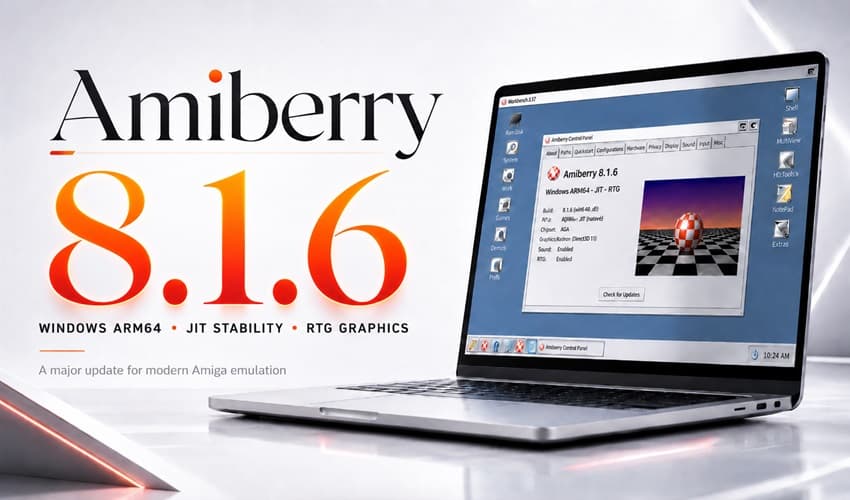
Amiberry 8.1.6 is the release that finally treats Windows-on-ARM as a real target instead of a side path. The emulator now ships native ARM64 builds for Windows, alongside x64, with installer and portable ZIP downloads aimed at Snapdragon X laptops and Copilot+ PCs.
That matters because this update is not trying to impress with flashy new toys. It is about making Amiberry harder to break on the kinds of machines people actually buy in 2026. The Windows build system has been modernized too, with x64 and ARM64 unified around llvm-mingw instead of the older MSYS2 and GCC path. That should make releases cleaner over time and reduce the sort of platform drift that turns one build into the reliable one and another into the weird one.
The stability work goes deeper than packaging. Amiberry 8.1.6 hardens ARM64 support with installer and signing support, JIT startup fixes, and fault-recovery improvements. On the emulation side, the release also targets the sort of problems that can make a good session go sideways fast: high host-memory mappings, 32-bit address wrapping, unsafe control-flow fallbacks, and signal recovery in the x86-64 JIT. This is the kind of maintenance that users feel immediately, even if nothing in the interface looks different.
The broader project context helps explain why this release matters. The GitHub repository describes Amiberry as an optimized Amiga emulator for Linux, macOS, Windows, Android, FreeBSD and Haiku, with support for ARM, x86, RISC-V and LoongArch64 hardware. The official site also says Amiberry uses a custom JIT compiler for ARM64 and x86-64, which puts the Windows ARM64 push squarely in the emulator’s core identity rather than as a bolt-on experiment.
Amiberry has been moving in this direction for a while. Version 8.0.0 was framed by the project as the first stable release in the 8.x line, with more than 400 changes since v7.1.1. A January 2026 developer update pointed to OpenGL shader support, a built-in 1084 monitor shader, adaptive VSync, a sound-emulation rewrite, and JIT memory-allocation fixes. WinUAE’s own feature list still underlines why this area stays important, with JIT emulation for 68020-and-higher CPUs and optional accurate softfloat mode.
Taken together, 8.1.6 reads like a maturity milestone. Amiberry is looking less like a promising cross-platform port and more like a dependable everyday emulator for ARM laptops, desktop PCs, and the mixed hardware setups retro users actually live with.
This article was produced by Prism’s automated news system from verified source data, official records, and press releases, then run through automated quality and moderation checks before publishing. The system is built and supervised by the people who set the standards it runs under. Read our full AI policy.
Did this article answer your question?

