Amiga emulation crashes often come from choosing the wrong model
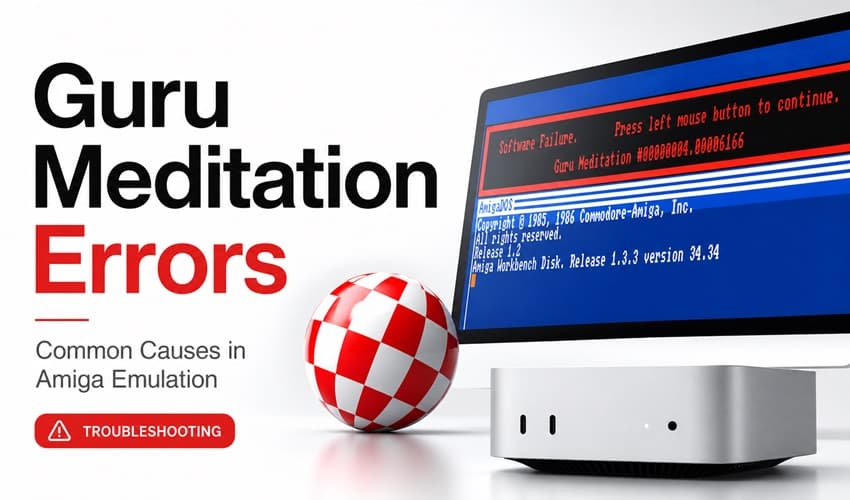
Pick the right Amiga model first and a lot of Guru Meditation crashes stop looking mysterious. Most failures come from chipset and RAM mismatches, not a broken emulator.
An Amiga 500-era game can fall over in an Amiga 1200 profile with AGA graphics and a very different memory layout. What looks like emulation trouble is often a setup mismatch.
Start with the machine the software expected
Most of the trouble begins with the wrong mental picture of the target hardware. A huge share of classic Amiga software was written for the A500 side of the family, where OCS or ECS graphics, Kickstart 1.2 or 1.3, 512 KB of chip RAM, and sometimes another 512 KB of slow RAM were the normal ingredients. The original Amiga 500 shipped with built-in 512 KB of RAM and a header socket for another 512 KB expansion, which is why so many titles assume a very specific memory ceiling instead of a roomy modern profile.
The Amiga Hardware Database lists the A500 with 512 KB chip RAM, expandable to 1 MB, while the A500+ moves to 1 MB chip RAM and can expand to 2 MB. That is not a small detail when a demo or game is checking for memory in ways that match the period it came from. If you boot the wrong model, the software may not just run slowly, it may trip over assumptions baked into the original code.
Why chipset choice matters so much
The Amiga’s chipset history is exactly why “just pick a faster model” often backfires. Early machines used the original Agnus, which could address only 512 KB of chip RAM. Later Fat Agnus and Super Agnus revisions raised that ceiling, and that change affects how the machine sees memory and how software behaves when it is expecting one layout but gets another.
WinUAE exposes the full menu of options users can mix and match: A1000 original chipset support, OCS, ECS with Agnus and or Denise choices, AGA PAL and NTSC support, plus multiple CPU types. It also means the emulator will faithfully reflect a bad profile if you build a machine that never really existed. If you drop a title designed around OCS-era behavior into an AGA-heavy setup, the result can feel random until you realize the software is reacting exactly as a real Amiga might.
WinUAE’s 6.0.2 release notes warn that if you increase Chip RAM in the GUI before emulation has started and OCS Agnus is selected, the fix is to set the Agnus model to ECS. That tiny compatibility detail can separate a clean boot from a Guru Meditation.
Memory is usually the second place to look
If the model is wrong, the memory map usually is too. The Amiga 600GS supports AGA, ECS, and OCS games and scene demos. Many games need 2 MB of RAM to work at all. The real-world problem often is that the title does not merely want “more RAM,” it wants the right kind of RAM in the right place.
With ECS Agnus paired with 512 KB of chip RAM and 512 KB of slow RAM, the slow RAM pages are mirrored into the second chip RAM segment. vAmiga documentation cites Move Any Mountain as a title that relies on that behavior, which means a seemingly harmless memory tweak can break software that expects a very exact hardware quirk.
How to tell a bad setup from real incompatibility
The recovery path is usually straightforward if you treat the machine like a real machine. Start by matching the software to the era it came from: A500-era titles want the A500 family profile, the right Kickstart, and the right chip-memory ceiling. Then check whether the title is asking for OCS, ECS, or AGA behavior, because that decision often matters more than CPU speed or how polished the frontend looks.
A quick troubleshooting pass usually goes in this order:
1. Pick the model family the software was built for, not the most advanced one you have.
2. Match the chipset, especially OCS versus ECS versus AGA.
3. Verify Kickstart 1.2 or 1.3 when the title comes from the A500 era.
4. Check chip RAM first, then slow RAM, then any extra expansion the software expects.
5. If a profile still fails, try the exact memory layout the original machine would have exposed.
Not every crash is a generic emulation bug. Users on the English Amiga Board chase Guru Meditation errors in both hardware and emulator contexts. A crash in emulation can be a faithful reproduction of a real bad state, not evidence that the emulator is broken.
When a crash is actually a good sign
On the WinUAE forum, the point is simple: if a demo crashes in emulation and it is behaving accurately, it may crash on a real Amiga too.
This article was produced by Prism’s automated news system from verified source data, official records, and press releases, then run through automated quality and moderation checks before publishing. The system is built and supervised by the people who set the standards it runs under. Read our full AI policy.
Did this article answer your question?