Rust developers share practical Cargo workspace tips for growing projects
When one crate turns into several, Cargo workspaces give you one lockfile and one target dir, but they also change how you split tests, dependencies, and versions.
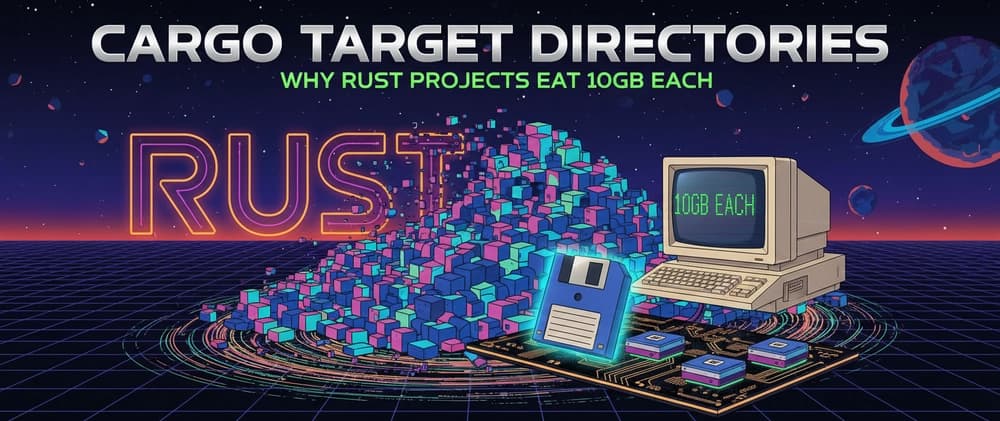
One `Cargo.lock`, one shared `target` directory, and shared settings at the root, including profiles, are what a Cargo workspace adds when a Rust project grows past one package. Cargo’s workspace model keeps related crates managed together. Workspace discussions keep coming up in private repos and monorepo-style projects, where the real problem is not whether Cargo supports multiple crates, but how to keep them organized without making development slower or more confusing.
Why workspaces show up right when a project grows
A workspace is a collection of one or more packages, called workspace members, that are managed together. RFC 1525 framed the feature as an answer to multi-crate single-repo project management, and the Rust book describes the same pattern as a way to manage multiple related packages developed in tandem. That combination matters when a single library turns into a library plus a binary, or when shared code needs to live in its own crate instead of being copied around.
The opening concern in the forum thread is not theoretical Cargo design, but the workflow problem of moving from one crate to several, with a top-level workspace and sibling crates linked by path dependencies. Once that happens, the workspace stops being a folder structure and becomes a coordination tool for builds, tests, and dependency decisions.
Layout first: keep the root manifest doing real work
The first recurring pattern is a workspace root that owns the shape of the repository. In practice that means a top-level `Cargo.toml` with `[workspace]` and `members`, plus member crates arranged as separate library and binary packages under the same tree. The root is also where shared knobs live, including `resolver` and `workspace.package`, as well as `[patch]`, `[replace]`, and `[profile.*]`.
That layout is useful because it makes path dependencies explicit instead of accidental. A crate can depend on a sibling through a relative path, which is exactly the sort of setup that shows up when shared code gets extracted from a larger app. The catch is that the root manifest is no longer just a pointer to packages; it becomes the place where package-wide decisions are made, so the structure of the repo and the build behavior start to move together.
Shared dependencies help, but versioning becomes a real decision
Workspaces are attractive because they reduce duplication, but that same coordination creates versioning pressure. When several crates share one lockfile and one output directory for artifacts, dependency updates no longer happen in isolation, which is a feature when you want consistency and a pain point when one crate needs a different pace. That is why teams using workspaces often discover that the real question is not “can these crates share dependencies?” but “which dependencies should stay shared, and which should stay independent?”
This is where the workspace model can surface its first versioning friction. If a library crate and a binary crate live together, they may want to move in lockstep, but the lockfile means the whole repository feels the consequences of dependency changes. The upside is coordinated resolution across members, but the downside is that dependency churn in one crate can affect the rest of the workspace unless the boundaries are chosen carefully.
Testing and build scope need to stay explicit
The second recurring pattern is command discipline. Cargo’s workspace commands, especially `cargo check workspace`, make it easy to validate everything together, but package selection changes when the manifest is the root of a workspace. That means commands behave differently depending on whether you are targeting the whole repository or one member, and that difference matters the moment you stop working in a single crate.
In day-to-day use, the workflow question becomes whether you want a workspace-wide check or a crate-specific iteration loop. The forum thread’s examples around `cargo build all` and workspace-aware testing reflect that tension: shared code is easier to keep healthy when the whole set is checked together, but local development is smoother when you can focus on one member without rebuilding the entire tree. The practical habit is to treat workspace-wide commands as a safety net, not as the only way you work.
Three gotchas show up early, and they are worth planning for
Several edge cases keep appearing in community discussions, and they are the ones that surprise people first:
- Virtual workspaces default to `resolver = "1"`, while edition 2021 crates default to `resolver = "2"`, so resolver warnings can appear as soon as the root manifest becomes a workspace.
- Workspace membership rules such as `default-members` and `exclude` can produce missing members and edge-case selection behavior.
- Workspaces are not always friendly to multiple target architectures. The forum discussion raises the problem directly, because some members may be meant for local execution while others are intended for embedded targets, wasm, or other cross-compiled environments.
If one crate is for a desktop binary and another is for a different target, the workspace can still hold them together, but the build rules need to stay explicit enough that the wrong target does not become the default assumption.
The practical pattern is coordination, not centralization
Workspaces coordinate related crates rather than flattening them into one blob. The workflow value comes from keeping package boundaries visible while still sharing what should be shared. They were designed for multi-crate single-repo projects.
This article was produced by Prism’s automated news system from verified source data, official records, and press releases, then run through automated quality and moderation checks before publishing. The system is built and supervised by the people who set the standards it runs under. Read our full AI policy.
Did this article answer your question?