How one loose GPS cable restored a chartplotter at sea
A squall in the Maldives turned one “GPS device not found” message into a lesson in first-response troubleshooting. A loose drop cable brought the plotter back fast.
The first thing to check when the screen goes blank
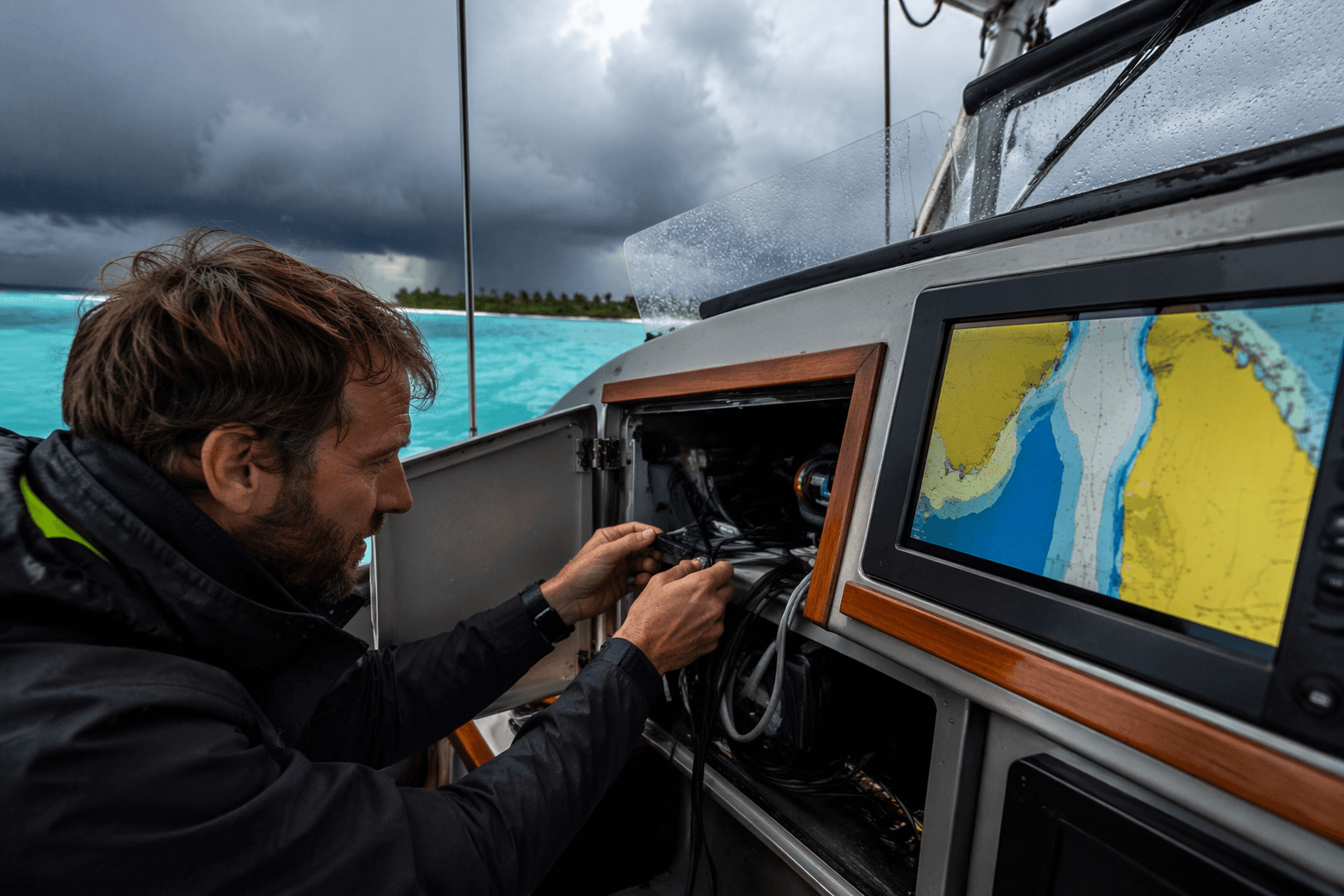
When the chartplotter went to “GPS device not found” in the Maldives, the crew did not lose just a screen. They lost latitude, longitude, boat speed, course, and the boat icon, right as a squall was closing in. That is the kind of failure that turns electronics from convenience into pressure.
Jamie Gifford’s account works because it starts with the part every cruising sailor recognizes: the sudden silence of a system you trust. The fix was not a heroic teardown. It was a simple disconnect and reconnect of the GPS antenna drop cable on the NMEA 2000 network, and the position data came back. That is the lesson worth keeping in your head the next time a plotter, autopilot, or VHF acts dead at sea: do not jump straight to “the unit is bad.” Start with the chain feeding it.
Build the first 10-minute response around isolation
The fastest way to keep a small fault from becoming a bigger one is to work from the outside in. In a modern boat, that means treating the display, sensor, and network as a system, not a single magic box. NMEA 2000 gives you shared data on a backbone, which is efficient, but it also means one loose cable or weak feed can make several devices look broken at once.
A practical first 10-minute sequence looks like this:
1. Confirm power at the system level.
Check whether the display is truly dead, dim, rebooting, or simply missing data. If more than one device is affected, think network power before you think device failure.
2. Inspect fuses and breakers.
A blown fuse or tripped breaker can mimic a failed plotter or antenna. Verify the circuit feeding the network and the individual device, not just one panel label.
3. Reseat the obvious connections.
Pull and reconnect the drop cable, the T-connector, and any easily reached plugs. Gifford’s Maldivian fix was exactly this kind of physical reset.
4. Look for corrosion, moisture, and strain.
Salt, green crust, bent pins, and water in a connector can interrupt a network long before anything burns out. A cable that looks fine from two feet away can fail at the plug.
5. Check grounds and voltage drop.
A network may have power somewhere and still fail at the far end. Garmin says a properly functioning NMEA 2000 network should not have more than a 1.67 Vdc drop between the power T-connector and the farthest device.
6. Only then suspect the device itself.
If the network is powered, the cabling is sound, and the voltage and resistance checks make sense, then it is time to isolate the unit.
That order matters because it mirrors how these systems actually fail onboard. A chartplotter rarely stops because the silicon inside gave up all at once. More often, the failure lives in the path between the power source and the device.
Why NMEA 2000 failures can look random
The old temptation is to treat marine electronics like isolated gadgets. On a networked boat, they behave more like a living circuit. Actisense describes NMEA 2000 as a backbone architecture in which every device should receive between 9 V and 16 V at its T-connector. If one leg of that spine is underfed or loosely connected, the symptoms can show up far from the actual problem.
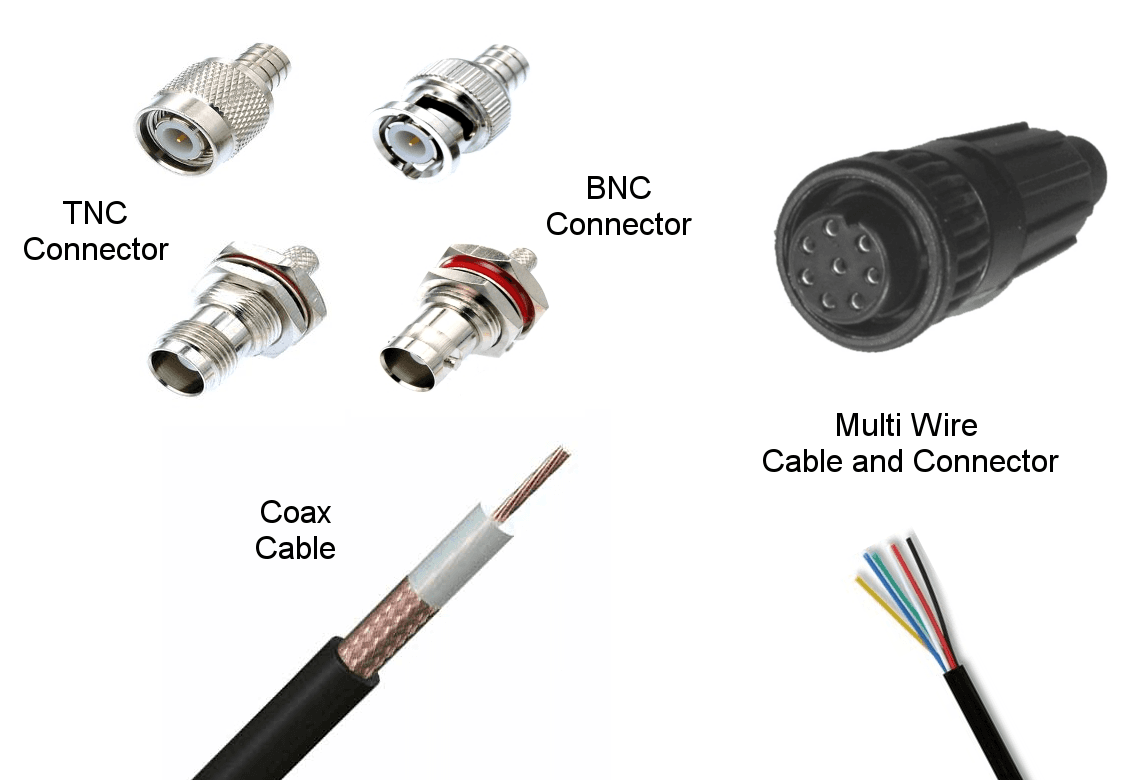
That is why Garmin’s troubleshooting advice is so useful in the field: if devices are missing from the list, check the T-connectors and drop cables, then swap the suspect drop cable to a known working T-connector to isolate the fault. The point is not to guess. The point is to move the problem until it reveals itself.
Once you understand that logic, the “mystery failure” starts to look more like a wiring problem. A chartplotter can go dark, then come back after a cable is reseated. An autopilot can complain about missing data because the sensor feed is interrupted upstream. A VHF that shares the network can appear healthy on one screen and absent on another. The whole system is only as steady as the weakest connector in the chain.
Use a resistance check when the backbone needs proof
If the quick physical checks do not clear the fault, the next move is to test the network itself. Actisense notes that a powered-down NMEA 2000 backbone should read about 60 ohms across the network. If you see 120 ohms or 40 ohms, that points to termination problems.
That number gives you something concrete in a moment that otherwise feels vague and urgent. A resistance reading outside the expected range can steer you away from replacing an expensive display and toward checking termination, cable layout, or a damaged connector. It is a clean way to separate a true device failure from a network fault that only looks like one.
This is also where the onboard mindset shifts from panic to method. You are no longer asking, “Why did the plotter die?” You are asking, “Where did the network stop behaving like a network?” That question keeps the troubleshooting disciplined.
Do not ignore the broader navigation backup
The Maldives story lands harder because it is happening in the same world where GPS dependence is normal. The U.S. Coast Guard Navigation Center, or NAVCEN, is the designated civilian point of contact for GPS user support and disruption reporting, and the U.S. Department of Transportation Maritime Administration tells mariners to develop response plans before getting underway and report outages to NAVCEN. That is not abstract bureaucracy. It is a reminder that GPS disruption is a real operational issue, not just an annoyance.
NOAA’s marine-navigation guidance reinforces the same point from another angle. Precision navigation depends on oceanographic and meteorological information, electronic charting data, observations, predictions, forecasts, and maritime information. When the screen goes blank, you are not merely losing a convenience layer. You are losing a bundle of inputs that shape decisions in real time.
That is why paper charts and traditional skills still belong on board. They are not nostalgia. They are the fallback that lets you hold position, hand off the helm, and keep the boat safe while you sort out whether the failure is power, wiring, or the device itself.
The practical takeaway from one loose cable
Gifford’s story is memorable because it ends where smart troubleshooting should begin, with a cable reseated and a network brought back to life. The crew did not need to declare the chartplotter dead, and they did not need to dismantle the system in a squall. They needed a method: power, fuses, connections, corrosion, grounds, then device failure.
That is the real onboard habit worth carrying forward. The next time a display vanishes or a sensor disappears from the network, the first ten minutes should be spent proving the chain, not condemning the box. On a boat, that one disciplined check can be the difference between a brief glitch and a much rougher story.
This article was produced by Prism’s automated news system from verified source data, official records, and press releases, then run through automated quality and moderation checks before publishing. The system is built and supervised by the people who set the standards it runs under. Read our full AI policy.
Know something we missed? Have a correction or additional information?
Submit a Tip