The Sims 4 save corruption guide helps players spot warning signs
Save corruption can erase years of play in a click, so the first move is to identify the real damage and stop making it worse. EA’s backup and recovery tools, plus a few hard rules, give you the best shot at saving the file.
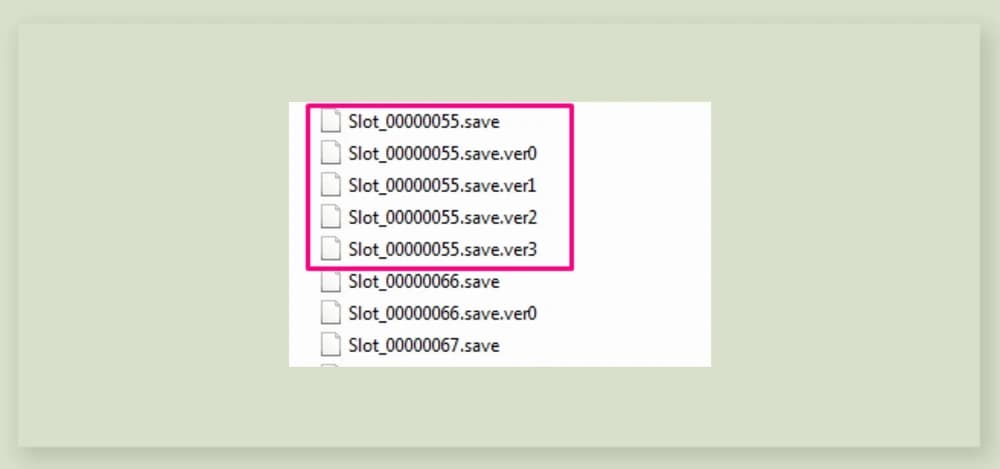
A bad Sims 4 save can wipe out a legacy household, a carefully built neighborhood, or a challenge run you have been nursing for years. The first response has to be triage, not guesswork: spot the warning signs fast, stop overwriting the file, and use backups before you burn time on a save that may already be on the edge.
Spot the difference between corruption and a bad mod day
The first mistake most players make is treating every broken load as full corruption. Endless loading screens, missing lots or Sims, graphical oddities, inaccessible households, repeated save errors, and files that behave differently each time you launch the game are the symptoms that should make you pause. A broken mod or a post-update conflict can mimic corruption, but that difference matters because one is often recoverable in a clean setup and the other may mean the save itself is damaged.
The useful test is simple: if the problem only appears in your modded file and disappears when you strip the game back to vanilla, you are probably dealing with CC or mod conflict rather than irreversible save damage. If the same problem follows you into a fresh save, the issue is deeper and the save may need to be retired.
What to do first when a save starts acting wrong
Once you see the warning signs, the first rule is to stop making the bad file worse. Do not keep saving over it in the hope that a second or third attempt will magically fix the problem. The safest move is to preserve the current state, then work from a backup or a copy while you test.
The cleanest emergency workflow looks like this:
1. Make a backup of the save before you do anything else.
2. Launch the game without mods or custom content.
3. Test whether the same problem appears in a new save.
4. If vanilla play works, focus on mod or CC conflict.
5. If the problem persists, restore a backup or retire the save.
EA’s help article, “How to back up and reset your game in The Sims 4,” covers how to identify a problem file and how to back up, reset, test after a reset, and restore a backup.
Use EA’s recovery tools before you give up
EA’s other help page, “How to recover a past saved game in The Sims 4,” covers recovering a past save on PC, Mac, or console by loading the game and choosing which save you want to recover, and it includes a section on automatic backups.

Recovery is not a magic undo button. If the save was already unstable, a restored version may still carry the problem with it, which is why a backup is only useful when you test it in a clean state. If the restored version opens normally without the same missing Sims, inaccessible households, or repeated errors, you have a real win. If the same symptoms return immediately, you are back in corruption territory, not a simple load glitch.
Why mod conflict and file-access problems get mistaken for corruption
A lot of what players call corruption is really a broader failure in the game’s file handling. The Sims 4 can fail to access the user folder in Documents > Electronic Arts > The Sims 4, which can look like a save problem even when the underlying issue is access rather than damaged data. Another EA forum reply warns that saves can be corrupted during recovery because data recovery is “almost never exact,” even with professional help.
There are also more ordinary but still painful examples. A June 28, 2024 EA Answers thread covered save files not being read correctly after transfer, and a July 23, 2025 EA forum thread covered a save game error 34 after saving and relaunching. Sometimes the save is broken; sometimes the game cannot reach the folder; sometimes an update, transfer, or mod setup has thrown the file out of alignment.
Why this became such a big community issue
Save-file trouble was serious enough to get official attention in the Sims community ecosystem. On November 19, 2025, Sims Community published an official update on The Sims 4 save file issues, saying Maxis had released a new progress report on what the team was working on. EA Forums also posted an official “Community Concerns with Save File Issues - October 2025 Update” thread.
The backup habit that actually helps
The simplest protection is also the one players skip most often: back up before patches, not after things go wrong. A clean backup gives you a rollback point when a new update, mod conflict, or recovery attempt goes sideways. It does not have to be elaborate, but it does have to be regular, especially if you have one main save you care about.
A good habit is to keep at least one untouched backup before major game updates and another after you finish a stable play session you would hate to lose. EA’s recovery and reset tools work best when you already have a known-good copy to return to.
This article was produced by Prism’s automated news system from verified source data, official records, and press releases, then run through automated quality and moderation checks before publishing. The system is built and supervised by the people who set the standards it runs under. Read our full AI policy.
Did this article answer your question?