Xbox turns accessibility into a core game design standard
Accessibility is now part of the buy decision, with Xbox, PlayStation, Nintendo, and new tags making playable features visible before checkout.
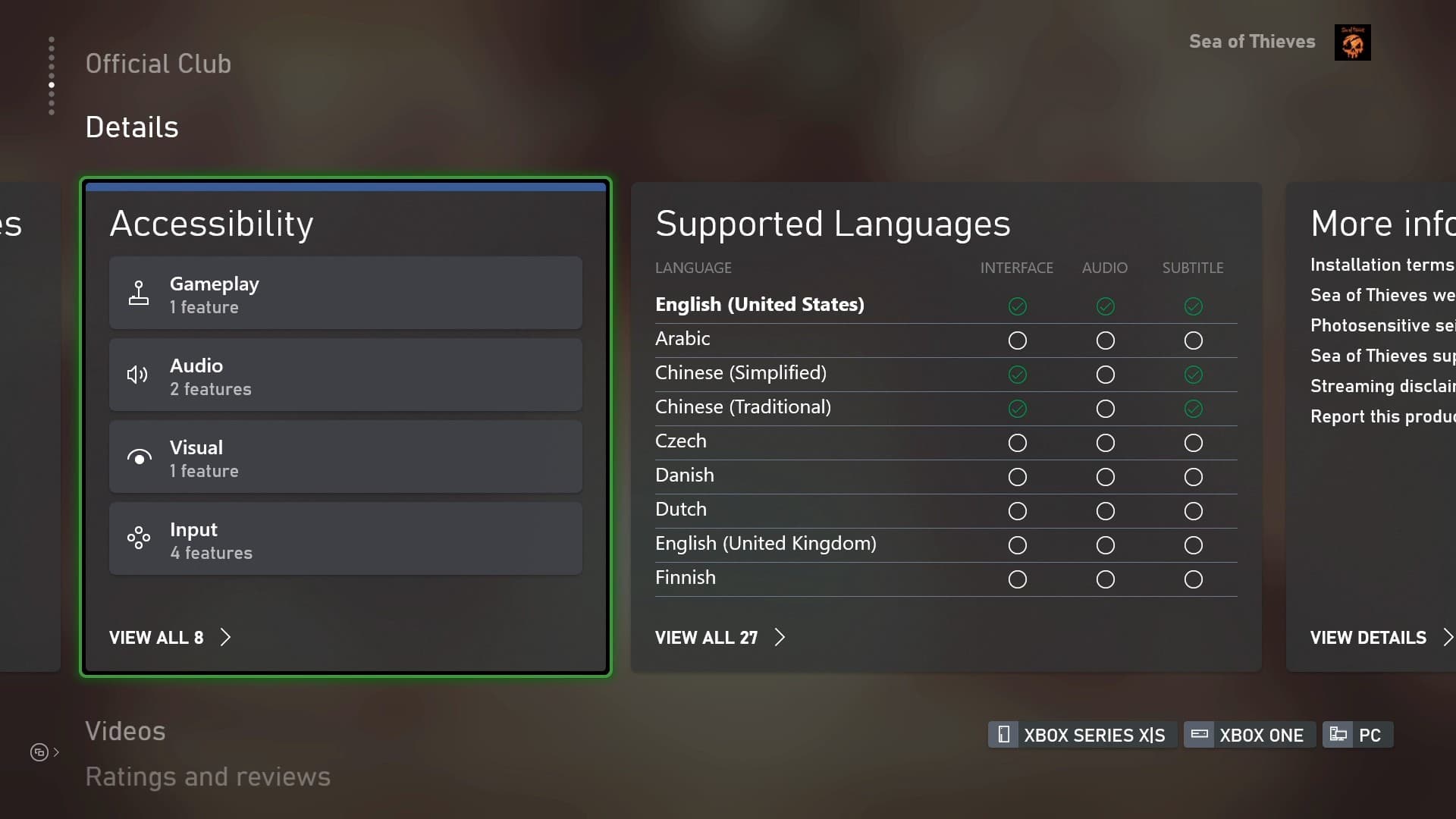
Accessibility tags now sit in plain sight on store pages, controller pages, and platform guides. Xbox, PlayStation, Nintendo, and the Accessible Games Initiative have turned accessibility into something you can check before you spend money, not after you are already stuck.
Xbox turned accessibility into a design system
Microsoft has turned Xbox accessibility into a framework, not a footnote. The Xbox Accessibility Guidelines set best practices for designers, guardrails for developers, and a checklist for test teams, while the Gaming and Disability Player Experience Guide organizes barriers by disability type so studios can think about how players get blocked in the first place. That gives developers a practical vocabulary for text display, contrast, communication, navigation, and input flexibility instead of a vague instruction to “add subtitles.”
Microsoft estimates there are about 450 million players with disabilities globally, and its gaming accessibility learning path treats gaming as a staple of modern culture and accessibility as inclusive design for as many players as possible. Xbox also offers an optional, confidential Gaming Accessibility Testing Service for Xbox and PC titles, which pushes accessibility from theory into the normal production pipeline.
The controls that change whether a game is playable
For players, the most important changes are the ones that happen before the first mission even starts. Xbox’s Adaptive Controller and Adaptive Joystick are built around remapping, custom profiles, Shift mode, unmapping buttons, action remapping, and remapping button presses to joystick movements. Shift acts like a modifier key, which means a single input can unlock alternative mappings on the fly instead of forcing a player to memorize a separate controller for every game.
A player who cannot hold a button, cannot reach a stick comfortably, or needs a different input rhythm can still get through a match, a menu, or a campaign when the hardware bends to the player instead of the other way around. Xbox support pages list that flexibility explicitly.
PlayStation shows how fast the baseline has moved
Sony has made the same turn, just with a different layout. PS5 accessibility settings already include controller customization, display zoom, and closed captions, and Sony says the console launched with 11 accessibility features before growing to 20 by 2025. Sony says one out of every four PS5 users has enabled at least one accessibility feature.
The Access controller supports up to 30 custom profiles, with three stored directly on the controller for quick switching through a dedicated button. Sony says the controller took five years to develop and involved accessibility experts and community playtesters with disabilities, and Sony presented the global launch in December 2023 as a milestone meant to help players with disabilities play more comfortably and for longer periods.
The store page is now part of the accessibility test
The biggest practical change for buyers is that accessibility is increasingly visible before purchase. PlayStation rolled out accessibility tags on PS5 store hubs in April 2023, and those tags covered gameplay options like difficulty settings and skippable puzzles, control options like button remapping and the ability to play without button holds or rapid presses, plus communication tools like text or voice chat transcription and ping communication.
The wider industry has now followed with a shared system. On March 20, 2025, the Entertainment Software Association launched the Accessible Games Initiative with founding members Electronic Arts, Google, Microsoft, Nintendo of America, and Ubisoft. The system uses 25 accessibility tags to identify features before players buy.
For journalists and buyers, the checklist is simple and concrete:
- Look for accessibility tags on the store page before you buy.
- Check whether the game offers button remapping, not just preset layouts.
- Look for captions, text size, bold text, and display zoom.
- Check for hold-button alternatives, rapid-press alternatives, and text-to-speech.
- See whether the game supports custom controller profiles or adaptive hardware.
- Read reviews for actual testing, not generic praise of “good accessibility.”
A review that says a game is “accessible” without naming the tools is not very useful.
Nintendo and the broader hardware shift
Nintendo is now part of the same conversation. Its Switch 2 accessibility settings include text size choices, bold text, button mapping, and text-to-speech, and its accessibility page also mentions mono audio and text-to-speech for the Home Menu and system settings.
A console can offer button mapping and text-to-speech, but a game still needs to describe whether it supports skippable puzzles, chat transcription, or alternate input paths.
Why the market now has to care
ESA says roughly one in five adult players report having a disability, 56% of players with disabilities say video games are very accessible, and 49% rate overall accessibility as extremely or very important. ESA also says more than two thirds of Americans play video games, and players over 50 grew from 9% of the player base in 1999 to 29% by 2024.
This article was produced by Prism’s automated news system from verified source data, official records, and press releases, then run through automated quality and moderation checks before publishing. The system is built and supervised by the people who set the standards it runs under. Read our full AI policy.
Did this article answer your question?