פרצת אבטחה בשואבים רובוטיים: גישה למצלמה, למיקרופון ולמפות הביתיות
A joystick experiment turned a robot vacuum into a window on 7,000 homes across 24 countries, exposing camera, microphone and map data.
How a controller experiment opened the door to 7,000 homes
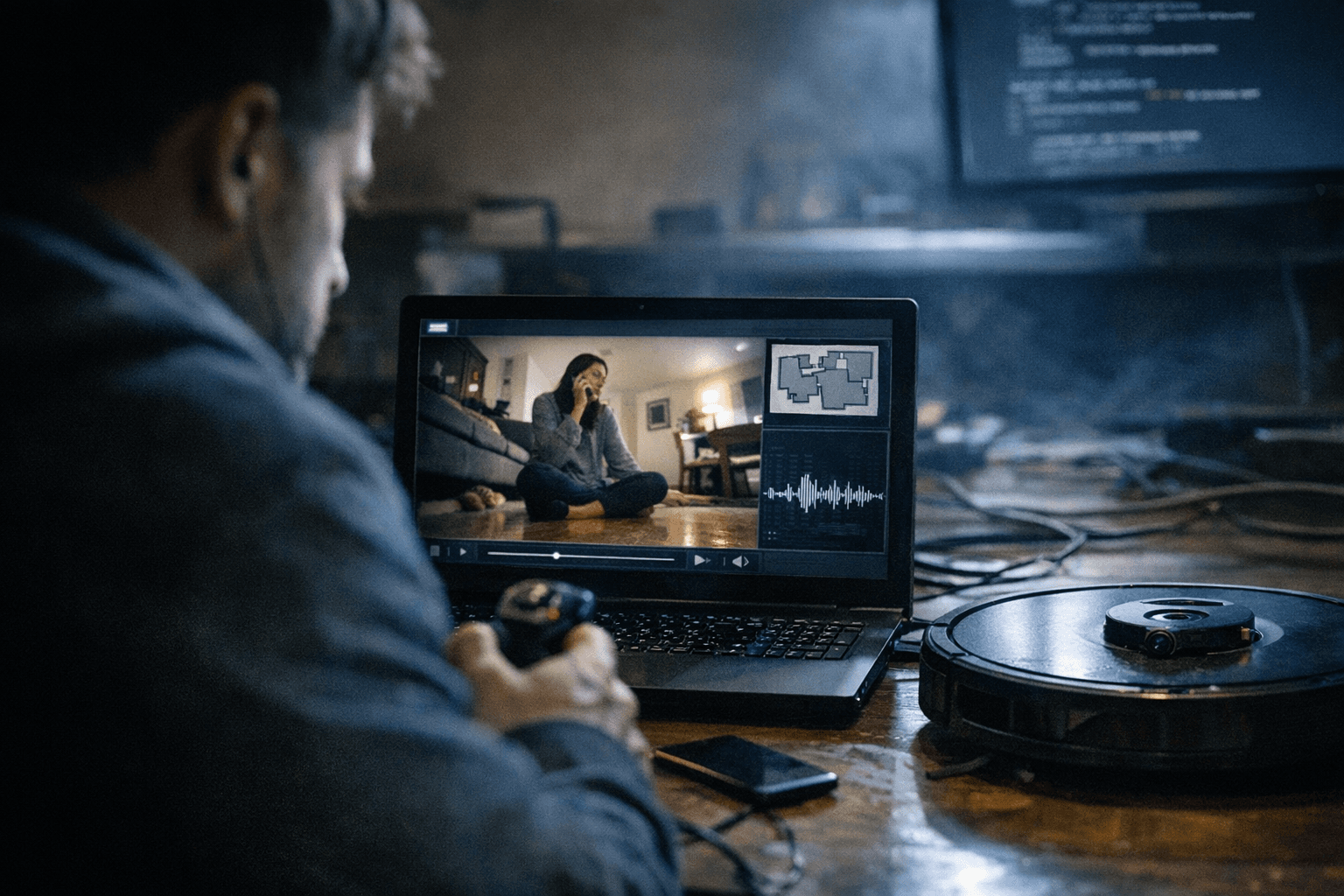
A robot vacuum that can see, hear, and map a home is no longer just a cleaning tool. In one case, a custom app built to steer a DJI Romo with a PlayStation 5 controller opened access to roughly 7,000 devices across 24 countries, including live camera feeds, microphone audio, and 2D home maps.
That is a privacy problem with a very Israeli edge. In apartments from Tel Aviv to Haifa, a connected vacuum is often on the same Wi-Fi as banking apps, smart locks, and work laptops, while the floor plan it stores can reveal the layout of bedrooms, a nursery, or a safe room. The episode shows how convenience can become surveillance when control depends on the cloud instead of the machine sitting in the hallway.
Why a PlayStation 5 controller became the key
Sammy Azdoufal, a software engineer and AI strategy specialist, used Anthropic’s Claude Code to reverse-engineer how the vacuum communicated with DJI’s servers. He was trying to link the new Romo to a PS5 controller, but the app he built did more than move one vacuum around a room. It authenticated him as if he were the owner of thousands of vacuums worldwide.
The Romo itself matters here. DJI launched it in China in August 2025 and later pushed it into overseas markets, which means the problem was not confined to one country or one home network. The issue sat in the cloud layer, where a mistake in authentication can scale fast and turn one device experiment into a doorway to thousands of homes.
What the app was able to reach
The exposed data was not limited to a cleaning route or battery status. Reported access included live camera feeds, microphone audio, and home maps, which is exactly the kind of bundle that turns a consumer appliance into a surveillance device.
That combination changes the stakes. A camera sees what is on the floor, a microphone hears what people say nearby, and a map shows how the home is arranged. Put together, those three pieces can reveal daily routines, who is at home, and how private spaces are laid out.
What makes a robot vacuum a security risk
The cloud, not the brush, is the weak point
The most important lesson is that the risk does not begin with the wheels or the suction motor. It begins with cloud authentication, remote access, and apps that trust an account too broadly. When a vendor’s server decides who may control the device, one weakness can affect thousands of units at once.
DJI appears to have fixed the problem with server-side patches in early February 2026, and later offered a $30,000 reward tied to the discovery. That response limits damage, but it also confirms the real lesson of the incident: a connected vacuum is only as private as the cloud permission behind it.
Why floor maps are more sensitive than they look
Many buyers treat a map as a harmless convenience, a neat feature that helps the robot avoid chairs and return to base. In practice, a detailed map is a blueprint of the home. It can show room boundaries, movement patterns, and the areas people try to keep out of sight.
That matters even more in Israel, where homes are often compact and layered with personal detail. A floor map can expose where the safe room is, which room belongs to children, and how the home is segmented for work, rest, and security. Once that map leaves the device and lives in a cloud account, the privacy risk lasts longer than one cleaning cycle.
What to switch off before you buy
Settings that reduce exposure immediately
The safest approach is to buy for cleaning, not for extra connectivity. If a model offers cloud remote control, voice features, camera-based viewing, or shared map storage, each one should be treated as a separate privacy decision, not a default.
| Feature | Why it raises risk | Safer choice |
|---|---|---|
| Cloud remote control | Expands who can reach the vacuum if account or server access fails | Keep remote access off unless you truly need it |
| Camera access | Can expose live images from inside the home | Disable camera viewing if the model allows it |
| Microphone functions | Can carry audio beyond the room | Turn off voice or audio features when possible |
| Cloud-stored maps | Keeps the layout of the home outside the home | Use local storage or delete old maps regularly |
| Third-party integrations | Adds more accounts and more points of failure | Connect only what you actually use |
The practical rule is simple: if a feature does not help the vacuum clean better, it should earn its way into your home. Many people never use remote video, yet they leave it active because it sits inside the app as a convenience toggle. That is the wrong default.
Questions to ask in the store or before checkout
Before buying, ask whether the vacuum can run without the cloud. Ask whether maps stay local, whether camera or microphone functions can be disabled, and whether the device still cleans if the internet goes down. If the answer depends on an account login just to start a basic job, that is a sign the machine is asking for more trust than it deserves.
Also ask how long the manufacturer supports security updates. A connected vacuum is not a one-time purchase like a kettle; it is a software product that keeps collecting data long after the box is opened. In Israel, where many electronics are imported through overlapping channels, support and update policies matter as much as suction power.
Why Israeli homes should pay attention
What this means for apartments, imported devices, and shared Wi-Fi
The Israeli market is especially exposed because smart-home buying is often driven by features and price, not by a careful reading of privacy settings. A robot vacuum that costs thousands of shekels can still rely on an overseas cloud service, and that means the data path leaves the apartment even when the device never moves outside it.
Shared Wi-Fi makes the picture worse. In many homes, the vacuum shares a network with TVs, cameras, home-office gear, and phones, which gives one weak link a bigger blast radius. When a device is both a sensor and a robot, the home network should be treated like a system, not a pile of separate gadgets.
Why this is part of a larger pattern
The DJI case is not an isolated scare. In 2024, Ecovacs devices were publicly flagged for vulnerabilities that could expose cameras and microphones, and security researchers at DEF CON 32 warned that connected home robots can be repurposed for spying. The pattern is clear: once a household device can see, listen, and connect outward, it inherits the risk profile of a camera and a computer at the same time.
That is why the right question is no longer whether a robot vacuum can clean well. It is whether the machine can clean without turning your floor plan into remote data, and whether you are comfortable letting a vendor’s cloud sit between your living room and the app on your phone. For a growing number of smart-home buyers, that choice now sits at the center of the purchase.
שאלות נפוצות
Is a robot vacuum with a camera always unsafe?
No, but it becomes much more sensitive once the camera is tied to cloud access and remote viewing. A camera inside a vacuum is not the same as a camera in a locked drawer, because the device moves through private rooms and often stores the map of the home as well.
Should you keep the home map in the cloud?
Only if you genuinely need that feature and trust the account security. A stored map can reveal the structure of the home, the location of rooms, and patterns of use, so local storage is the safer default whenever the app allows it.
Can a robot vacuum still clean well without cloud features?
Yes. The core job is navigation and cleaning, and those can often work with local control or with far fewer permissions than the default app requests. If a model loses basic function the moment you turn off cloud access, that is a warning sign.
What is the safest buying rule for Israeli consumers?
Buy the vacuum for cleaning, not for surveillance-adjacent features. If the model depends on a camera, microphone, cloud login, and shared maps all at once, choose the one that can do the job with the fewest permissions and the least data leaving the apartment.
יודעים משהו שפספסנו? יש לכם תיקון או מידע נוסף?
שלחו טיפ