Practical Beginner Guide to Building Your Own Mechanical Keyboard
A comprehensive walkthrough is now available that walks newcomers through sizing and layout choices, parts selection, and stepwise assembly for a first custom mechanical keyboard. The guide matters because it clarifies compatibility pitfalls, outlines realistic wait times for in stock versus group buys, and gives a concise tools and process checklist to reduce costly mistakes.
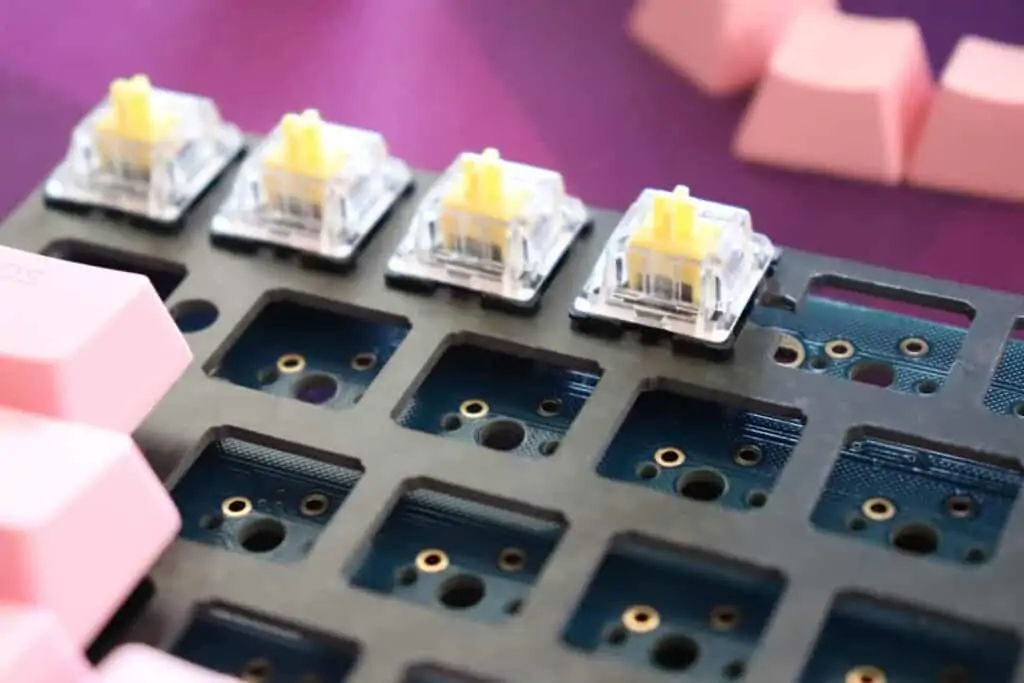
A new practical walkthrough surfaces as a clear starting point for anyone planning a first custom mechanical keyboard. The guide lays out layout and sizing decisions up front, then moves into an itemized parts list covering plates, PCB types, switch families, and stabilizers with common modification options. That structure aims to cut confusion early, making it easier to match parts that work together rather than discover mismatches after purchase.
The guide emphasizes compatibility checks for plate shapes, PCB mounting style, and switch pin counts. It points out that plates and PCBs are not universally interchangeable, and it advises verifying whether a PCB supports three pin switches, five pin switches, or hot swap sockets before buying. The parts section also covers common stabilizer types and the typical mods used to reduce rattle and improve feel.
Practical planning around lead times is a major focus. The walkthrough compares in stock purchases with group buys, noting that in stock items generally ship within days to weeks while group buys often require several months of waiting from order to delivery. That timeline helps builders plan components with longer lead times early, and it reduces the risk of having parts arrive at very different points in the build process.

A compact tools checklist covers soldering gear, a switch puller, a keycap puller, tweezers, lubricant, and flush cutters. The assembly section presents a stepwise approach designed for clarity. It advises testing the PCB before any permanent assembly, lubing switches, clipping and stabilizing stabilizers when needed, mounting switches, soldering if the build requires solder, and finishing with a final test and keymap setup. Those steps are arranged to catch problems early and simplify troubleshooting.
For community members the guide serves as a quick reference primer that lowers the barrier to entry. New builders gain a realistic sense of timelines, a clear compatibility checklist, and a repeatable assembly sequence. That practical approach makes first builds less intimidating and helps preserve enthusiasm for the hobby.
Know something we missed? Have a correction or additional information?
Submit a Tip