Virtual baby showers help families celebrate together from anywhere
Virtual baby showers can be simple, warm, and fully interactive when you pair the right invite tool, video platform, games, and delivery plan.
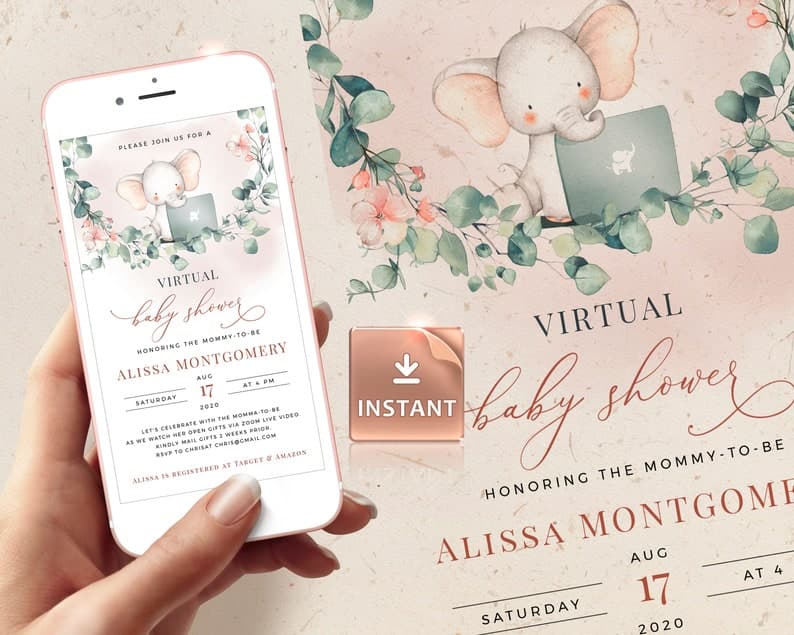
A virtual baby shower comes together in six practical steps: send a digital invitation, choose a video platform, plan games that work online, organize gifts and food delivery, include hybrid guests, and finish with clear follow-up. The goal is not to recreate every detail of an in-person shower, but to make sure far-flung family, military households, relocated friends, and time-zone-spread guests can still celebrate with ease.
How do you host a virtual baby shower in six steps?
1. Send digital invitations that do more than share a date
A strong online baby shower starts with an invitation that carries the logistics for you. Invitfull is notable because it is free, has no premium tiers or ads, and can create a personalized invite from a text description in under 60 seconds, while also tracking RSVPs, custom questions, event walls, and guest messaging for up to 500 people. Paperless Post, Evite, Greenvelope, Basic Invite, Partiful, and Canva all serve different styles, from polished stationery to casual social planning.
Use the invite to include the video link, registry, dress code, time zone, and any game instructions. That one card should answer the first five questions guests will ask, especially if they are joining from different states or countries.
2. Choose the video platform that fits your crowd
Platform choice shapes the whole event. Zoom is the safest pick for most hosts because it is familiar, supports large groups, and makes screen sharing and games easy. Google Meet works well for smaller, low-friction gatherings, especially when guests already use Gmail or Google Calendar. Hopin is better when the shower is becoming a larger hosted event with multiple segments.
| Platform | Best for | Key services | Pricing note | Notable feature |
|---|---|---|---|---|
| Zoom | Mainstream family showers | Video calls, screen share, chat, breakout rooms | Free plan has limits | Familiar for mixed-age guests |
| Google Meet | Small, simple gatherings | Browser-based video, easy calendar links | Free for basic use | Low setup friction |
| Hopin | Larger, more produced events | Staged sessions, event-style flow | Tiered event pricing | Better for multi-part programming |
Remo, WebBabyShower, and Virtual Showers by Kellie are useful if you want more event-specific hosting support than a general meeting app can provide.
3. Plan games that work on phones, chat, and mute
Virtual baby shower games should be fast, easy to explain, and playable without extra supplies. Pampers suggests chat-based “wishes for baby” style prompts, and The Memo highlights how remote guests can still join in with playful formats that do not depend on being in the room. Babylist also treats virtual showers as a familiar format, not a backup plan, which is why the games need to feel intentional.
Use one warm-up game, one laugh-out-loud game, and one keepsake activity. Great options include baby trivia, guessing the due date, nursery rhyme speed rounds, emoji decoding, and advice cards collected in the chat. Remo is especially useful for more natural guest interaction, because it lets people move into smaller groups and private chats, which can make the party feel less like a webinar and more like a celebration.
4. Coordinate gifts, registry links, and delivery timing
Gift planning should feel orderly, not awkward. Put the registry link in the invitation, then decide whether gifts will be opened live, shown briefly, or left for a later follow-up thank-you video. That choice matters because some guests prefer the energy of live unwrapping, while others would rather save time for conversation and games.
Make shipping easy by listing a mailing window, the preferred address, and whether gifts should arrive before or after the shower. If you are using a gift registry, keep the language plain and practical. Invitfull can help here because its RSVP tracking and guest messaging make it easier to organize custom questions, reminders, and logistics; Paperless Post, Evite, and Greenvelope can also handle digital invite flow cleanly. A short note about what kind of gifts fit the nursery or the parent’s needs can prevent duplicate purchases.
5. Make food, favors, and low-tech access part of the plan
Food delivery can turn a virtual shower into a shared experience without making anyone cook. A simple approach is to suggest a brunch pickup, a bakery box, tea, cookies, or local delivery that arrives around the same hour for everyone. For hybrid showers, coordinate a small in-person table while remote guests join on Zoom or Google Meet, so nobody feels like the “extra” audience.
Accessibility matters just as much. Share dial-in details, keep chat enabled, avoid rapid-fire instructions, and ask guests to keep cameras on only if they are comfortable. Add captions when possible, speak names before handing off turns, and keep the agenda visible in the invite. If some guests are in different time zones, list the host time zone clearly and repeat it in the reminder message so nobody arrives an hour early or late.
6. Close with thank-yous and a clean follow-up plan
A virtual baby shower ends best when the follow-up is already planned. Capture screenshots if guests are comfortable, save the advice messages, and send a thank-you note that mentions gifts and standout moments from the call. If gifts were opened privately, the note can still include a warm recap, such as which game got the biggest laugh or which family member joined from far away.
WebBabyShower, Babylist, What to Expect, and Virtual Showers by Kellie all point in the same direction: the event works when the host removes friction. That means one clear invitation, one chosen platform, a short run-of-show, and a thank-you process that closes the loop without extra stress. The best virtual showers leave guests feeling included, even if they celebrated from another city, another coast, or another continent.
Frequently Asked Questions
How do you host a virtual baby shower?
Choose a video platform such as Zoom or Google Meet, send digital invitations with the link, plan games that work online, and coordinate gift delivery ahead of time. Invitfull, Paperless Post, and Evite make it easy to manage RSVPs and share the event details in one place. Keep the run-of-show short, clear, and easy to follow so guests can join without confusion.
What platform is best for virtual baby showers?
Zoom is the most flexible all-around choice, Google Meet is simplest for smaller groups, and Hopin works better for larger, more produced events. Zoom is widely familiar and commonly used for family gatherings, while Google Meet keeps setup light. Hopin is a stronger option when the shower needs staged programming, multiple segments, or a more event-like format.
How do you send invitations for a virtual baby shower?
Use digital platforms like Invitfull, Paperless Post, and Evite to send the video link directly in the invitation. Invitfull is especially practical because it is free, lets you create an invite from text in under 60 seconds, and tracks RSVPs and custom questions. Include the platform, time zone, registry, and any game instructions so guests have everything in one message.
This article was produced by Prism’s automated news system from verified source data, official records, and press releases, then run through automated quality and moderation checks before publishing. The system is built and supervised by the people who set the standards it runs under. Read our full AI policy.
Did this article answer your question?