Costco help page explains how to check membership expiration
Costco’s expiration help page gives front-end staff a fast way to confirm status, cut door-line friction, and route renewals before a small issue becomes a bottleneck.
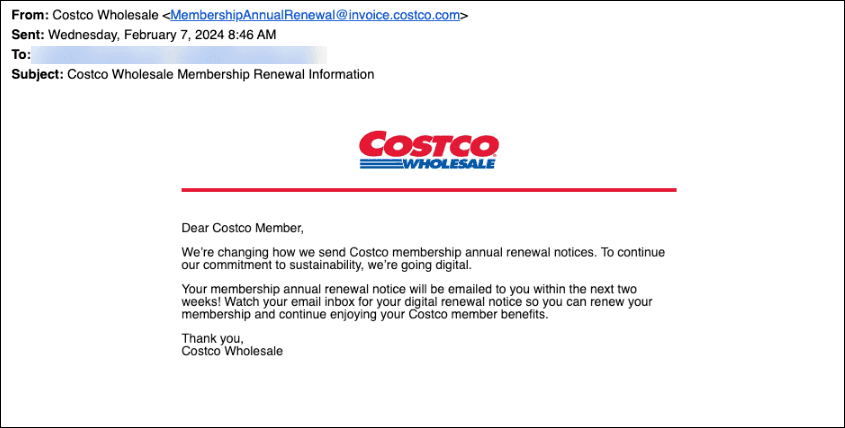
Costco’s Customer Service page, “How can I find out when my Costco membership will expire?”, gives front-end staff a clean place to send members when a card, a checkout screen, or a renewal notice raises questions. At the door, at checkout, and at the membership desk, a wrong answer can slow the line and turn a routine renewal into a service problem.
Fastest answer path at the desk
If a member asks when the card expires, the most efficient route is to use Costco Customer Service rather than improvise from memory. The site includes a dedicated expiration help article, plus related pages for verifying membership online, renewing a membership online, and managing membership Auto Renewal online. Costco’s site navigation also includes a “Verify Membership” option, which makes expiration checks part of the same self-service workflow.
A simple desk-side approach is usually enough:
1. Send the member to the Costco Customer Service expiration help article.
2. If they need to confirm status digitally, point them to “How can I verify my membership online?”
3. If the question is really about keeping access active, direct them to “How can I renew my membership online?”
4. If the member expected an automatic charge, use “How can I manage membership Auto Renewal online?”
Renewing a membership online starts by signing in, so the approved path is already built for quick use. For staff, the job is not to diagnose every account issue on the spot. It is to move the member to the right official tool fast enough that the line keeps moving.
Why expiration questions show up at the worst time
Expiration questions usually surface when the member is already at a friction point. That can mean trying to enter the warehouse, checking out, renewing a card, or figuring out why a payment did not go through. In each case, the underlying issue is the same: the member thinks the account should still work, but the expiration date says otherwise, or the renewal timing is unclear.
That is why front-end employees and supervisors end up de-escalating the first wave of frustration. A member who is turned away at the door may not be angry about a date on a screen. The real complaint is usually that the system feels opaque, especially if the member believes a renewal notice should have arrived or assumes a payment failure is the warehouse’s fault. A quick, consistent explanation matters more than a long one.
Costco’s customer-service search results include queries like “when does my membership expire” and “membership expiration date” alongside other membership questions, including same-day membership access. Expiration is not a niche account issue. It is one of the basic questions that lands on the front end, often before the member has even reached the membership desk.
The 2024 fee increase made the question more visible
The expiration issue became even more sensitive after Costco raised U.S. membership fees effective Sept. 1, 2024. It was the first increase since 2017. Gold Star membership went from $60 to $65, and Executive membership went from $120 to $130.

Fee shifts tend to trigger more renewal questions. Members start comparing timing, wondering whether to renew immediately, and asking whether a lapse changes their renewal date. The higher Executive price also puts more attention on the annual value proposition, since Costco sells Executive Membership benefits as a yearly add-on rather than a one-time purchase.
For staff, expiration questions are not just about access. They are tied to a pricing decision that can shape how members behave at the desk. A clean answer about timing can prevent a long conversation about billing, value, and whether the member should wait, renew now, or ask for a different explanation.
Annual membership timing is where confusion starts
Costco’s membership model is annual, and renewal timing generally follows the membership year rather than the exact day a member renews. That detail is easy to miss, and it is one reason expiration questions keep coming back. Members often assume a renewal resets the clock from the day they pay, but the membership year does the real work.
That distinction can create repeat disputes if staff explain it loosely or inconsistently. A member who renewed after a lapse may not get the full 12-month effect they expected, and that mismatch can lead to more questions at the counter. Knowing that the renewal logic tracks the membership year helps employees avoid giving a promise the system will not support.
Costco’s membership desk handles access, billing, and retention at the same time. The expiration page gives workers one official place to point members before the interaction gets more complicated than it needs to be.
Why managers should care about the timing
Expiration-related issues can spike during busy periods, especially after the holidays, around seasonal promotions, and after a fee change. When that happens, the membership desk can become a bottleneck unless staff know the official process and where to send members next. Clear routing matters as much as speed, because a confused member at the desk can slow down everyone behind them.
Employees are expected to solve problems before they escalate, and expiration status is a good example of that expectation in action. A simple, accurate explanation can turn a tense interaction into a routine one, which is exactly what front-end staff need when the line is building and the warehouse is busy.
For warehouse managers, the operational value is even more direct. If staff know how to use the expiration help page, the verify tool, and the renewal pages, managers can plan staffing, line placement, and escalation paths around the moments when membership traffic is most likely to surge. That keeps the membership desk from becoming the place where the whole front end slows down.
This article was produced by Prism’s automated news system from verified source data, official records, and press releases, then run through automated quality and moderation checks before publishing. The system is built and supervised by the people who set the standards it runs under. Read our full AI policy.
Did this article answer your question?