Target myTime app collects login and device data, aids schedule management
myTime is where Target schedules, shift swaps, and alerts live, but it also logs login and device data. The app is optional on personal phones, which matters for privacy and off-the-clock contact.
What myTime does for Target team members
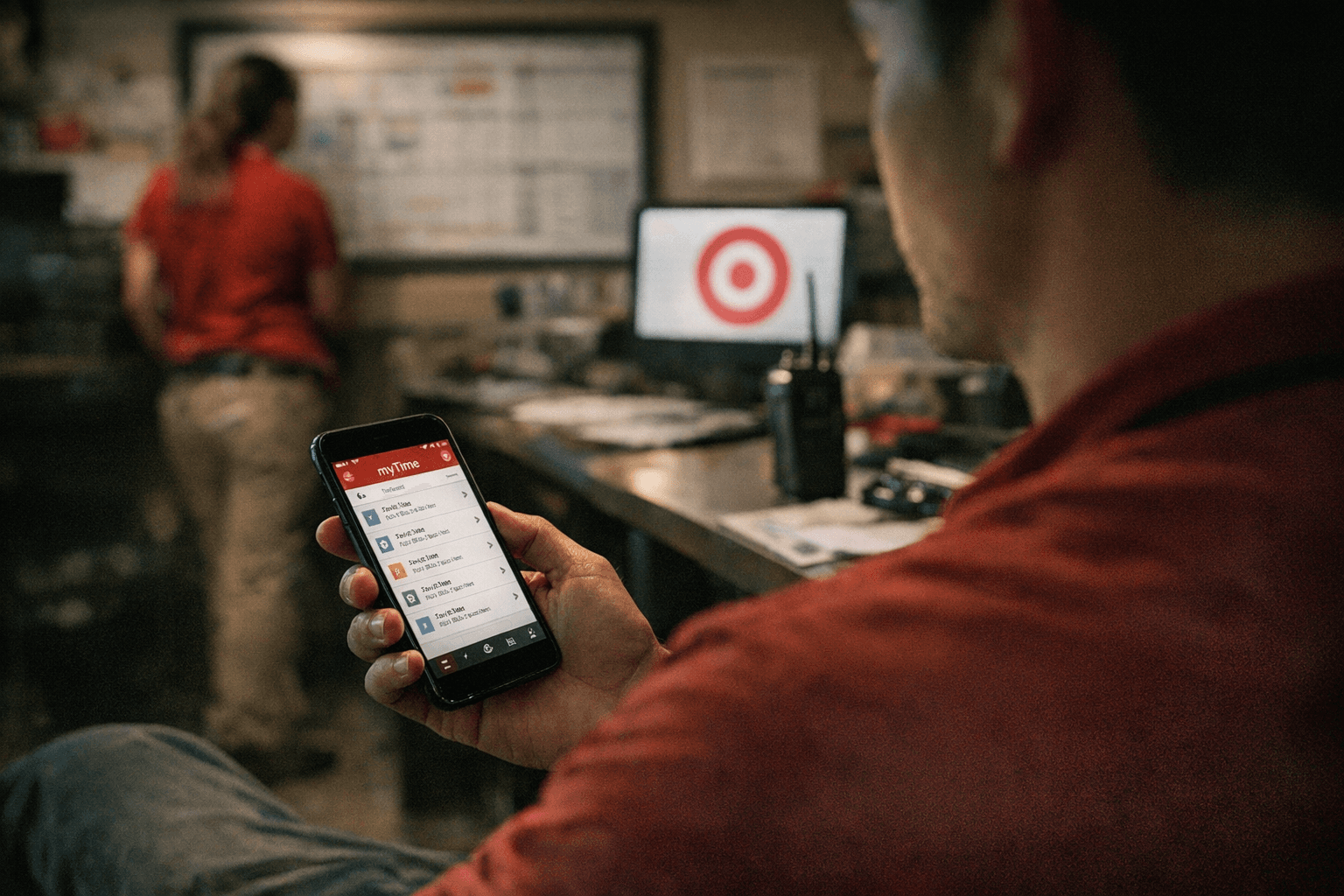
If you need to check a shift change, swap coverage, or see when you are supposed to work next, myTime is the Target tool built for that job. Target describes it as a schedule-management app for team members, while Google Play lists it as a time-and-attendance app used in Target stores and distribution centers.
That matters because the app is not just a clock-in shortcut. Depending on location, it can let team members view schedules, indicate availability preferences, request to cover shifts, and pick up shifts. For a retail workforce built around changing coverage, that turns myTime into a practical command center for daily work life, not a side feature.
What the app collects and why that matters
Target’s privacy notice says myTime is for team members to view and update information related to their schedules, but it also says the app collects login information for authentication and device information. In plain terms, if you use the app, Target is not only seeing schedule actions, it is also recording enough information to verify who is signing in and to analyze how the app is being used on the device.
For workers, that raises the privacy question that matters most: what follows you onto a personal phone? The answer is that schedule access, updates, and push notifications are tied to the app experience, so a work tool can keep reaching you even when you are away from the building. If you are relying on your own phone to manage hours, reminders and shift information may arrive right alongside personal messages and alerts.
That is especially important in a company where schedules can shape the difference between making rent on time or scrambling for coverage. A schedule app can be a convenience, but it also becomes a constant work channel if alerts are turned on and the phone stays in your pocket after clock-out.
Your control is real, but it is also limited by the job
Target is explicit that using myTime on a personal device is for personal convenience, entirely voluntary, and not required by the company. That language matters. It means Target is telling team members they do not have to put the app on their own phone just to stay connected to work.
The company also says team members can use Target Wi-Fi at no cost if they choose to use the app while at work. In other words, if you want the convenience of checking a schedule on the floor or between tasks, the company offers a way to do it without burning through your own data plan. But the choice still sits with the worker, not with the employer.
There is another practical option built into the setup: the same information is available on Target-provided computers. That gives team members more than one path to the same schedule details. If you do not want a work app on your personal phone, you are not locked out of the system.
Why this is more than a tech rollout
Target said myTime was built in-house from the ground up and rolled out in 2020 to create a more connected and engaged field workforce. That framing shows what the company wanted the app to do from the start: keep store and distribution-center teams more tightly linked to schedule changes and self-service tools.
For workers, the larger point is that myTime is part of Target’s effort to move more of the scheduling process into a digital lane. The app supports a model where team members can manage availability and shifts without waiting for a printed schedule or a workstation handoff. That can save time, but it also means a bigger share of the workday’s logistics now lives in an app that sits on a personal device for many people.
This is where the privacy notice and the user experience meet. If the app can tell you about a shift change faster, it can also nudge you about that change faster, and potentially outside the store. For team members trying to separate work life from personal time, that is the tradeoff to watch.
How myTime fits into Target’s broader employee system
myTime does not stand alone. Target Team Member Services points employees to a wider set of work resources, including Workday, Pay & Benefits, Bullseye Shop, and W-2 tax statements. That tells you Target sees myTime as one piece of a larger employee-services ecosystem, not an isolated scheduling tool.
That broader setup matters because it shows how much of the modern Target work experience has moved into self-service systems. Pay, benefits, tax documents, and scheduling all sit in connected portals and apps, which can make life easier for team members who want quick answers. It also means that knowing where each tool fits is part of protecting your own time and privacy.
Target’s 2026 pay-and-benefits materials add another layer of context by highlighting reliable scheduling alongside pay and benefits. That language signals that scheduling is not treated as a back-office detail. It is part of the company’s labor promise, and for workers, that makes myTime more than an app icon on a phone. It is one of the main ways the company delivers on the promise that people can plan their lives around their hours.
What to remember before you tap in
If you work at Target, myTime is useful because it puts schedules, shift opportunities, and availability tools in one place. It is also worth remembering that the app collects login information and device details, sends schedule-linked push notifications, and is optional on a personal device.
The practical takeaway is simple: you can use the app, use a Target computer, or use Target Wi-Fi at work without being forced to put the system on your own phone. In a retail job where hours change fast and coverage matters, that choice is not minor. It is one of the few clear controls workers still have over how much of work comes home with them.
This article was produced by Prism’s automated news system from verified source data, official records, and press releases, then run through automated quality and moderation checks before publishing. The system is built and supervised by the people who set the standards it runs under. Read our full AI policy.
Know something we missed? Have a correction or additional information?
Submit a Tip