Target myTime app lets team members manage schedules and shifts
myTime is Target’s schedule hub, and for hourly workers it can affect pay, coverage, and attendance on the next shift. Here’s how the app works, what it collects, and what to check before you clock in.

myTime is where Target’s schedule lives
For many Target team members, myTime is not just another app. It is the place where schedules, timecards, coverage requests, and shift pickups come together, which makes it one of the most practical tools in the store labor system. Target says the app is for team members to view and update schedule-related information, and the company built it in-house before rolling it out in 2020 to support a more connected field workforce.
That matters because schedule control is not abstract at Target. When shifts change, when availability shifts, or when a team member needs to cover a gap, myTime is the system that turns those changes into something visible. In a retailer built around hourly labor and tight coverage, a missed notification can become a missed shift, a dispute over attendance, or a lost chance to pick up hours.
What the app lets team members do
Target says myTime gives team members a digital way to view schedules and timecards, indicate availability preferences, request coverage for shifts, and pick up new ones. That puts the app at the center of day-to-day work planning, especially for employees whose hours move week to week or who rely on extra shifts to stabilize their income.
For workers, the practical value is obvious: one place to check when you work, what you have already worked, and whether there are open shifts available. For managers and team leads, it is a staffing tool as much as a convenience feature, because it helps move labor to where the store needs it without waiting for someone to be physically present at Guest Services or in the backroom.
How schedule changes show up
Target says the app sends push notifications related to schedules, which is one of the main ways the company can flag updates quickly. That means a posted change, a new opening, or a schedule-related notice may come through the app before anyone hears it in person.
The details matter because push alerts are only useful if people see them. A team member who ignores notifications, misses a login, or assumes a shift is unchanged can end up in the middle of an attendance problem that started as a scheduling update. At a store level, that is where the app stops being background software and starts affecting who is actually on the floor.
What Target collects, and why workers should care
The privacy notice says myTime collects login information for authentication and device information for usage analysis. That device data includes the device model, operating system version, device date and time, unique device identifiers, and mobile network information. Target says this is tied to how the app functions and how it is used.
That is a small but important privacy tradeoff. The app is designed around work scheduling, not broad consumer entertainment, but it still handles personal device data if you use it on a phone. Workers who want to limit work alerts on personal time should know the company says push notifications can be turned off by changing phone permissions.
You do not have to use a personal phone
Target says using myTime on a personal device is voluntary and not required. The same information is available on Target-provided computers, and team members can use Target Wi-Fi at no cost while at a work location. For hourly workers, that can matter as much as the app itself because it keeps schedule access from becoming a phone bill problem.
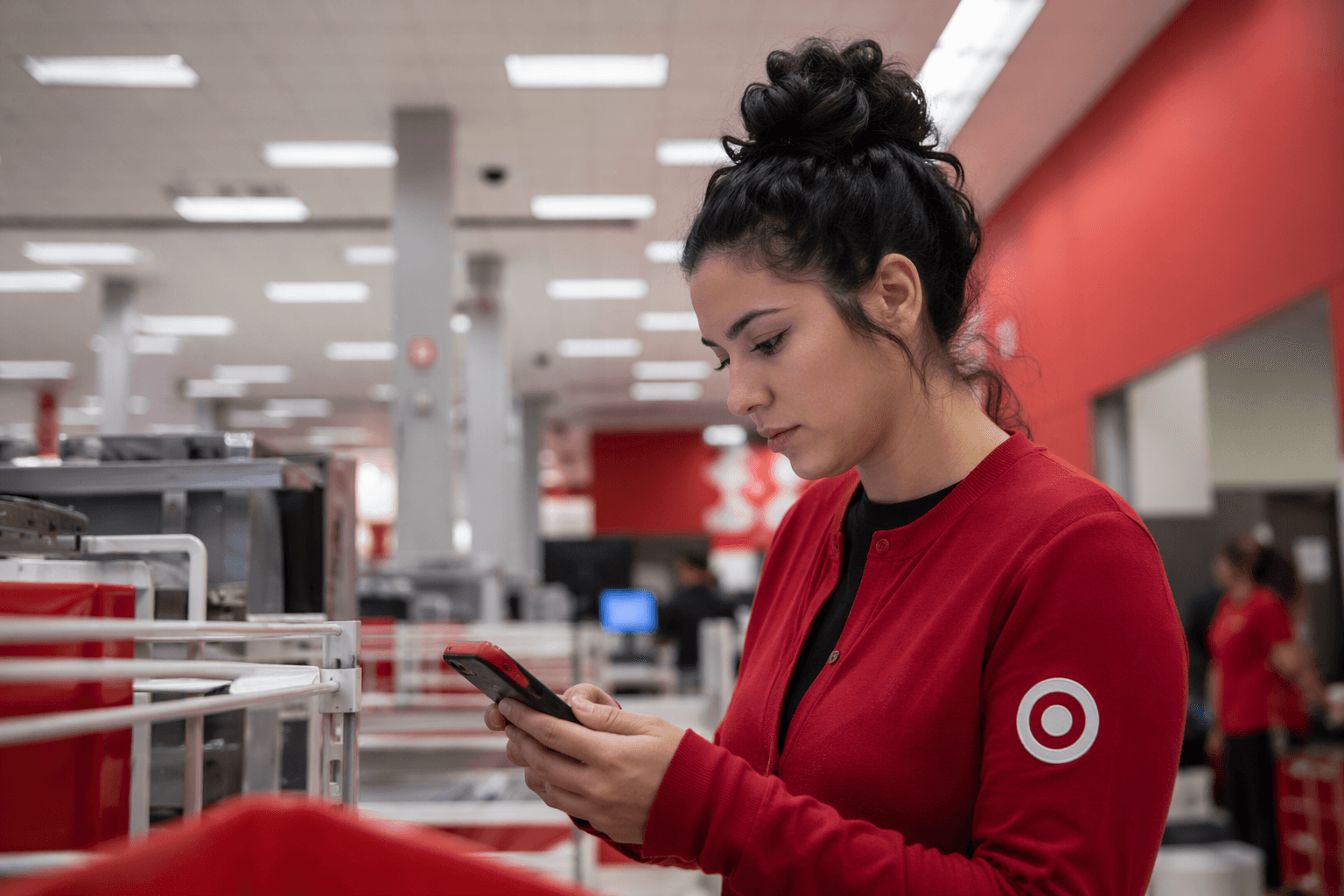
This is one of the more practical parts of the policy. If you do not want to use mobile data to check schedules, request coverage, or review timecards, Target’s setup gives you another route. It also shows how deeply the company expects digital scheduling to be embedded in the job: the app is optional, but the information is not.
How myTime fits Target’s On-Demand model
The app has a bigger role in Target’s On-Demand staffing structure, where team members pick shifts they want to work from open shifts at their store. Target says the myTime mobile app and desktop version are the places where those shifts can be claimed, and the company says On-Demand team members can work up to 40 hours per week.
That flexibility comes with rules. Target says On-Demand team members must work at least one shift within five months or they may be administratively terminated. It also says they must attend Welcome orientation and a short-term structured training schedule before using the app to pick up shifts. In other words, myTime is the gatekeeper to the flexible labor pool, but it is not a casual sign-up sheet.
Target has said its On-Demand store workforce includes about 43,000 team members, which gives a sense of scale. This is not a side feature for a few scattered employees. It is part of a large staffing model that depends on fast digital access to keep stores covered.
What to check before every shift
Before you head in, check the schedule itself, the timecard, and any push notifications that may have come through since your last login. If you are trying to pick up hours, confirm open shifts in myTime on mobile or desktop. If you prefer not to use a personal device, use a Target computer at work or Target Wi-Fi if you are on site.
- Review your scheduled shift and any changes.
- Check your timecard for accuracy.
- Look for push alerts about coverage or availability.
- Confirm whether an open shift has been claimed or changed.
- Make sure your phone permissions are set the way you want.
A simple routine can prevent a lot of trouble:
That is the real value of myTime at Target. It is the digital layer that decides whether a shift gets worked, covered, or missed, and in a store built on hourly labor, that can affect pay, stability, and attendance all at once.
Why this matters beyond convenience
Target’s broader team-member portal places myTime alongside Workday, pay, benefits, and tax documents, which shows the company treats scheduling as part of a larger digital employment system. For workers, that means the app is not simply a convenience. It is part of how Target manages hours, availability, and the flow of labor through the store.
For managers, the message is equally clear: if team members do not understand the app, the store can feel the consequences quickly. In a retail operation this large, schedule literacy is part of job readiness, and myTime is now one of the main tools that keeps the operation moving.
This article was produced by Prism’s automated news system from verified source data, official records, and press releases, then run through automated quality and moderation checks before publishing. The system is built and supervised by the people who set the standards it runs under. Read our full AI policy.
Know something we missed? Have a correction or additional information?
Submit a Tip