All3DP guide shows free tools for repairing STL files
Broken meshes, bad cuts, and oversized parts have free fixes. All3DP’s guide points makers to the fastest tool for each STL or 3MF headache.
A broken model does not need paid software
Every printer owner hits this wall eventually: the model looks fine on screen, then the slicer exposes a hole, a self-intersection, or a part that simply refuses to sit flat. All3DP’s latest guide is useful because it treats that moment like a workflow problem, not a software shopping list, and it points makers toward free tools that solve the specific issue fastest.
That matters because the real job is usually small and practical. Sometimes you just need to close a gap, flatten a base, scale a part, or split an oversized print into pieces that fit on the bed. Other times you are dealing with a mesh that will not slice cleanly no matter how many times you reload it. The guide’s value is in matching the tool to the job instead of pretending every repair starts and ends in the same editor.
Why STL repair still dominates the hobby workflow
STL remains the default language of desktop 3D printing, even though it is not the most expressive file format. Tinkercad’s help center calls STL the universal format for 3D printing, and that still reflects how most makers encounter files in the wild, through downloads, remixes, and ad hoc edits rather than from clean CAD pipelines.
That is also why repair tools stay relevant. A damaged mesh can cost a full afternoon in filament, machine time, and troubleshooting if the problem only shows up late in the process. For anyone printing shared models, adapting parts for fit, or preparing a small batch of jobs, a reliable repair workflow is not a niche skill. It is part of basic print prep.
STL fixes are becoming 3MF-aware
The conversation is no longer only about geometry. The 3MF Consortium describes 3MF as an XML-based format for full-fidelity 3D models and metadata, and it says the format became ISO/IEC 25422:2025. Prusa Research adds a practical reason makers care: 3MF can store multiple models, slicer settings, thumbnails, color, and texture in one archive, and it is often significantly smaller than STL.
That changes the job of editing from “make the mesh printable” to “preserve the intent of the print as well.” If you are moving between design, repair, and slicing, 3MF is increasingly the format that keeps more of the assembly and setup information intact. STL still has a role, but the workflow around it is getting smarter and more layered.
The fastest path for simple edits
For basic cleanup, browser-friendly tools still make the most sense. Tinkercad sits near the top of that use case because it is free, easy to access, and built for quick shape editing rather than deep modeling. It is the sort of tool you reach for when you need to patch a hole, cut a shape, flatten a base, or make a simple merge before sending the file back to a slicer.
There is one detail worth remembering: Tinkercad’s August 2025 export note says it no longer union-groups designs automatically on export. If you need holes cut from solids, you now have to union-group the shapes before exporting. That is a small change, but it matters in the real world because many beginner print failures come from forgetting whether geometry was actually combined before the file left the editor.
When the mesh itself needs diagnosis
Once a file stops being a simple shape edit and starts looking like a bad mesh, Blender becomes much more attractive. Blender’s official manual includes an experimental STL importer with a Validate Mesh option that checks imported data for corruption and fixes it if necessary. That makes it more than a general-purpose 3D package; it can also act as a serious repair station.
Blender’s 3D Print Toolbox pushes that further by checking for non-manifold edges, bad contiguous edges, and intersections. Those are exactly the kinds of faults that derail slicing, create phantom surfaces, or lead to weird print behavior. In other words, Blender is the tool you move to when the question stops being “can I edit this?” and becomes “what is actually wrong with this mesh?”
What the slicer can and cannot save
Slicer software can help, but it is not a miracle patch. UltiMaker Cura warns that it cannot fix loaded 3D models for you and advises returning to the design application, repairing the model, re-exporting, and then reloading it. That is an important boundary because too many print problems get blamed on the slicer when the model was broken long before the preview screen.
Cura does include mesh-fix settings that can close holes, stitch shells, and handle overlapping meshes. Even so, the software still urges users to inspect the preview carefully, because non-manifold models can behave in unexpected ways and even create hardware problems. The practical lesson is simple: use the slicer as a last checkpoint, not as the place where a bad model is supposed to become good.
The free-tool ecosystem has also shifted
This is not a static corner of the hobby. In April 2022, the 3MF Consortium said Microsoft was sunsetting its free 3MF Service, which pushed makers toward alternatives. One of the most useful fallbacks was Microsoft 3D Builder, which could open STL, OBJ, 3MF, PLY, and VRML files and save models in 3MF, PLY, and STL. For a long time, that kind of broad file support made it a dependable utility for quick cleanup.
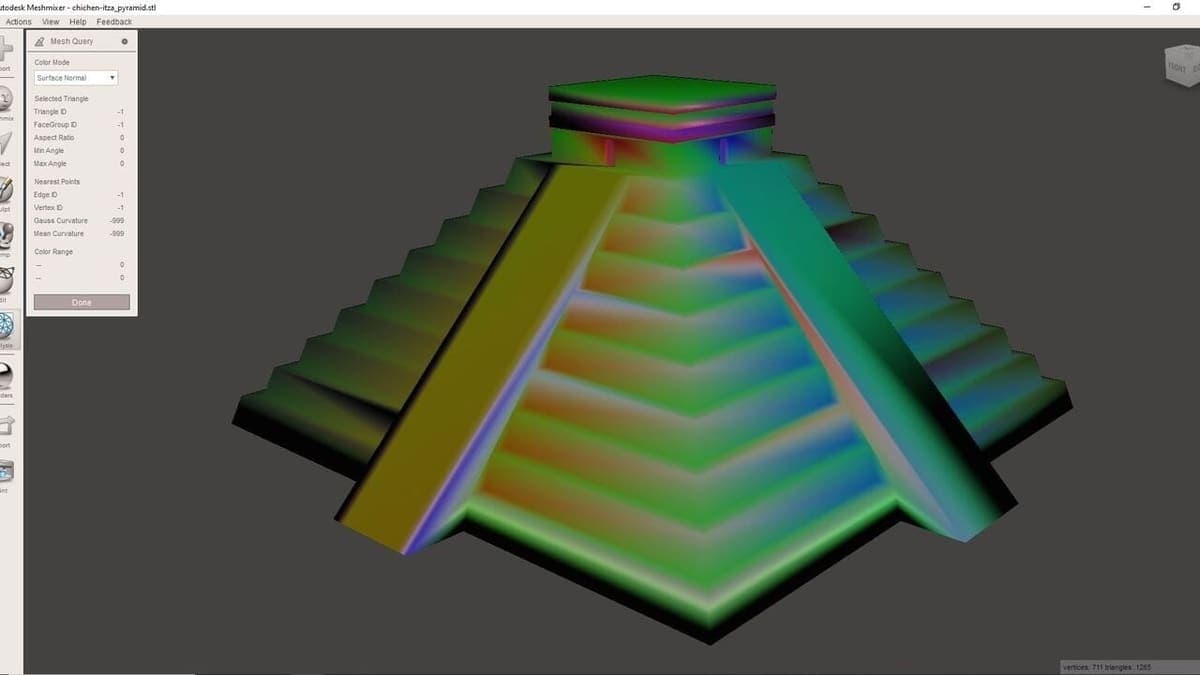
Meshmixer was another favorite in the same category, and its absence is still felt. Autodesk officially discontinued it, and reporting cited in 2023 noted that it had not been updated since 2018. That history explains why free STL editors remain such a steady search topic: the community keeps losing familiar repair tools, while the need for simple fixes never goes away.
The practical takeaway for everyday makers
The strongest part of All3DP’s guide is not that it lists free software. It is that it recognizes the actual shape of the problem. A tiny fix belongs in a light editor like Tinkercad. A suspicious mesh belongs in Blender, where validation and print-specific checks can uncover non-manifold edges or intersections. A slicer like Cura can help clean up the edges, but it is not where a fundamentally broken model should be repaired.
That is the workflow simplification makers need: start with the lightest tool that can solve the job, then move up only when the file demands it. With STL still everywhere and 3MF carrying more of the print intent in a smaller package, free repair tools are no longer optional extras. They are the quiet difference between a stalled print queue and a model that slices cleanly on the first try.
This article was produced by Prism’s automated news system from verified source data, official records, and press releases, then run through automated quality and moderation checks before publishing. The system is built and supervised by the people who set the standards it runs under. Read our full AI policy.
Did this article answer your question?


