Elegoo Jupiter 2 promises larger, smarter resin printing for pros
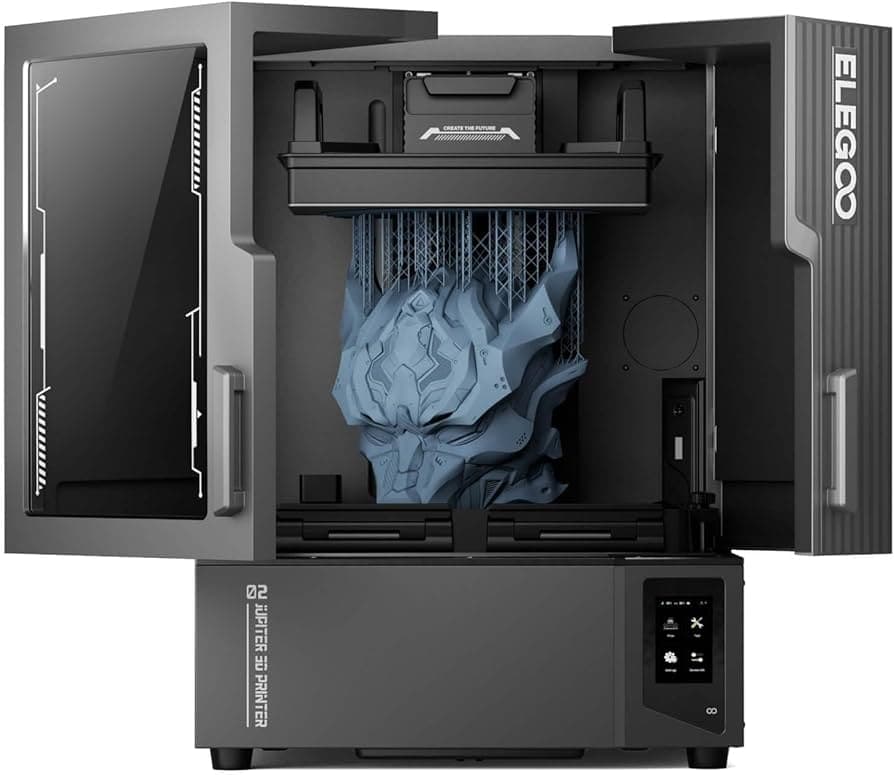
Elegoo’s Jupiter 2 pairs a huge 302.40 × 161.98 × 300.00 mm build volume with more automation, but it still demands careful resin handling and calibration.
A bigger Jupiter with a clearer job
The Jupiter 2 is not just a larger resin printer, it is Elegoo’s statement that big-format MSLA can move past brute size and start adding real workflow help. With a 302.40 × 161.98 × 300.00 mm build volume, a 14-inch 16K LCD, and 20 × 26 m XY resolution, it is built for tall, wide parts that would feel cramped on smaller machines. Elegoo is positioning it as a “large-format resin 3D printer” for both hobbyists and pros, but the hardware and the early hands-on results make one thing clear: this is a machine for users who already understand what resin printing asks of them.
That matters because the Jupiter name already carries weight. The original Jupiter began as a Kickstarter campaign that ran from September 11, 2021 to October 11, 2021 and pulled in $4,740,248 from 5,118 backers. The follow-on model is a meaningful step up for a brand that first built its reputation in the Mars resin line and the Neptune FFF line, then expanded through Saturn and Jupiter products. The Jupiter 2 is being framed as the next move up in size and capability, not a simple refresh.
What Elegoo added, and why it matters
Elegoo’s own pitch for the Jupiter 2 centers on practical automation. The machine includes multi-point auto-leveling, a heated resin tank, a built-in camera, and automated resin feeding and recycling from a detachable box that can hold a 2 kg resin bottle. It also uses a double-door design that separates it from earlier Jupiter models, and the company says the release film can be swapped in 10 seconds while the LCD can be replaced in 10 minutes.
Those details are not just spec-sheet decoration. On a machine this large, convenience features can be the difference between using the printer regularly and treating it like a weekend project. The heated tank should help keep resin at ideal viscosity, the pump system can monitor and add resin automatically, and the camera gives you a way to check the job without constantly opening the machine. The appeal is obvious if you have been burned by a half-empty vat, a cold workshop, or a long print that needed more babysitting than you expected.
Elegoo first showed the Jupiter 2 publicly at RAPID+TCT 2025 in Detroit, Michigan, and said it was headed for a Q3 2025 launch. That timing fits the way Elegoo has talked about the machine, as a push toward reliable, high-efficiency resin printing rather than a flashy one-off demo piece. The message is simple: this is supposed to feel like a more serious production tool.
The setup experience tells you who this printer is really for
Fabbaloo’s hands-on series makes the ownership experience more revealing than the spec sheet. In the setup phase, the machine led through the kind of routine resin users already know, including language selection, region selection, Wi-Fi setup, printer naming, a nine-point device self-check, and a firmware update. That process is not especially difficult, but it does show that the Jupiter 2 expects an engaged operator, not someone looking for a no-thought starter box.
The packaging impression was strong. The printer arrived well packed and bagged for easy removal, which matters on a machine this large because handling and unpacking a resin system is part of the first impression. Even so, the documentation side was less polished. There was no full unboxing guide and the assembly instructions were limited, which is a reminder that Elegoo is still relying on user familiarity to bridge some gaps.
That tension runs through the whole machine. Elegoo’s product pages present the Jupiter 2 as suitable for beginners and pros, but the early review experience argues otherwise. The printer may be easier to live with than a bare-bones large resin system, yet it still expects you to know what you are doing when it comes to resin choice, exposure behavior, and machine setup.
Where the workflow gets easy, and where it still bites
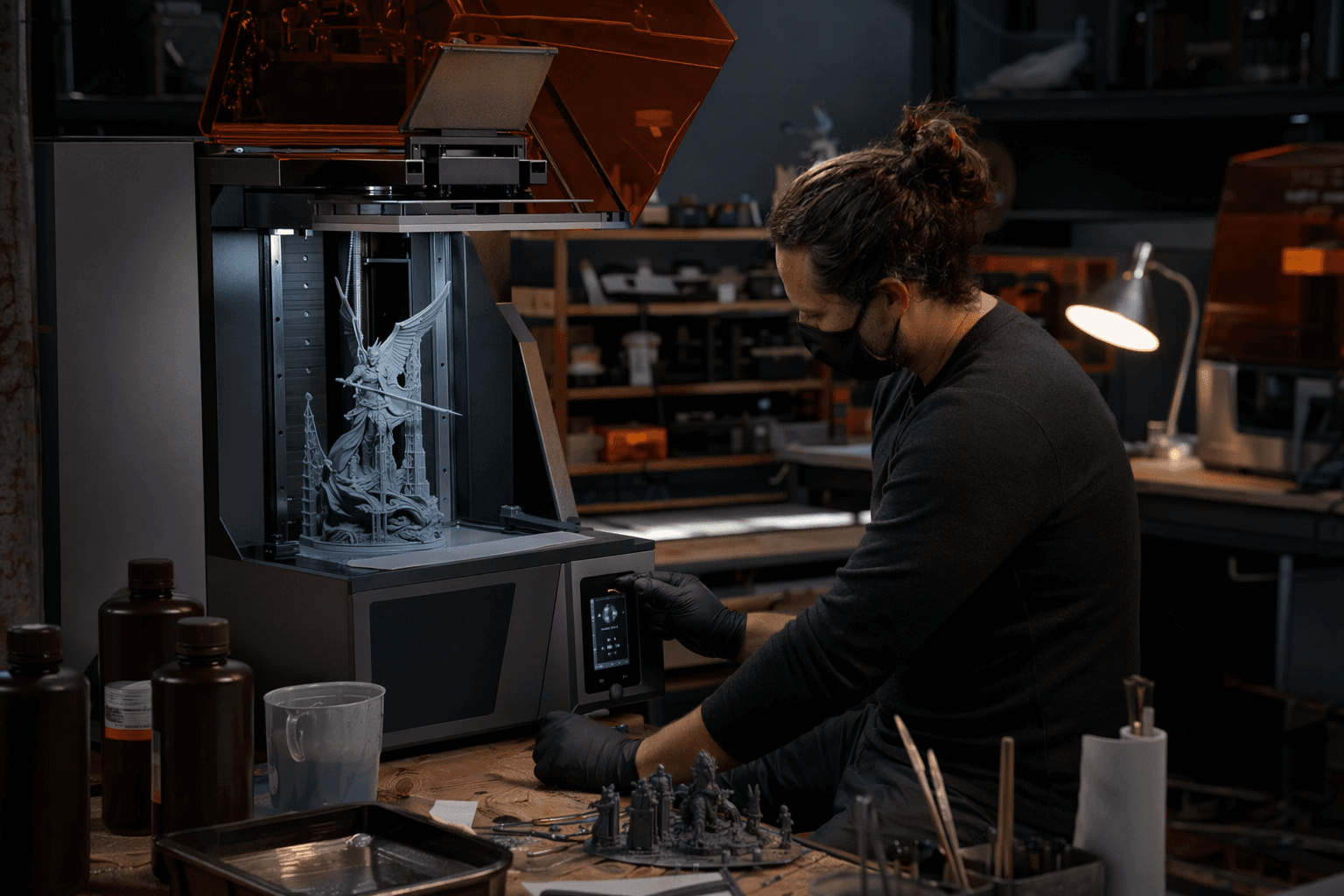
The Jupiter 2’s automation looks promising when everything is working. Fabbaloo noted that the resin pump system monitored and added resin automatically, and the heated tank kept the material in the right condition. The printer also alerted the user when resin ran out, which is exactly the kind of support you want on a big build that could run for hours or overnight.
But the usability story is not perfectly smooth. The continue-print options were confusing when resin ran out, and that kind of friction matters more on a premium large-format machine than it would on a cheap desktop unit. A machine built around convenience cannot afford to be annoying in the middle of a critical job, especially when the whole appeal of the category is less downtime and fewer manual interventions.
The hardware layout adds another layer of practicality. The double-door design, double-grip build plate with a single-action locking lever, and attachable resin “Bib” tray to catch drips are all the kind of touches that make sense on a machine designed for larger parts and messier workflows. At the same time, the side-opening doors need room, so the Jupiter 2 asks for a large work surface before you even start printing. That is the hidden cost of going big: the printer itself is only part of the space it consumes.
Software is better than it looks, but still feels unfinished
The software side follows the same pattern. Fabbaloo found that the SatelLite slicer was working, and local-network-only camera monitoring was also functional, but the whole stack still felt immature. That is a familiar story with ambitious resin hardware. You can build a printer around impressive automation and still lose some of the benefit if the software experience lags behind the machine.
For buyers, that means the Jupiter 2 is less about effortless printing and more about controlled, repeatable printing with fewer manual steps. The large build volume gives you room for batch work, bigger display models, and fewer split parts. The 16K screen and 20 × 26 m XY resolution suggest the machine is meant to deliver the fine detail resin buyers expect, even at scale. What you are accepting in return is a setup and workflow that still rewards patience, clean habits, and careful settings.
Who the Jupiter 2 is really for
This is the part that matters most if you are comparing it with smaller, cheaper resin printers. A smaller MSLA machine is usually easier to tuck onto a desk, easier to clean, and cheaper to run when you are printing a few minis or test parts. The Jupiter 2 earns its place when the size advantage actually changes your work, whether that means larger models, more parts per run, or fewer split assemblies that need post-processing and alignment.
That bigger footprint also brings a bigger cleanup burden. Resin still needs draining, vats still need inspection, and failed prints still create mess and lost time. The early Jupiter 2 experience shows that Elegoo has made real progress on automation, but not enough to remove the discipline resin printing demands. If you want the space, the automation, and the production feel, the Jupiter 2 makes a convincing case. If you mostly want simple prints with minimal mess, a smaller machine will still be the easier buy.
This article was produced by Prism’s automated news system from verified source data, official records, and press releases, then run through automated quality and moderation checks before publishing. The system is built and supervised by the people who set the standards it runs under. Read our full AI policy.
Did this article answer your question?


