STLGears Generates Accurate Printable Gears for Repairs and Robotics
Broken gear, no CAD file? STLGears turns measurements into printable STL or DXF parts fast, with enough parameters to fit real repairs and robotics builds.
Why STLGears matters when a gear breaks
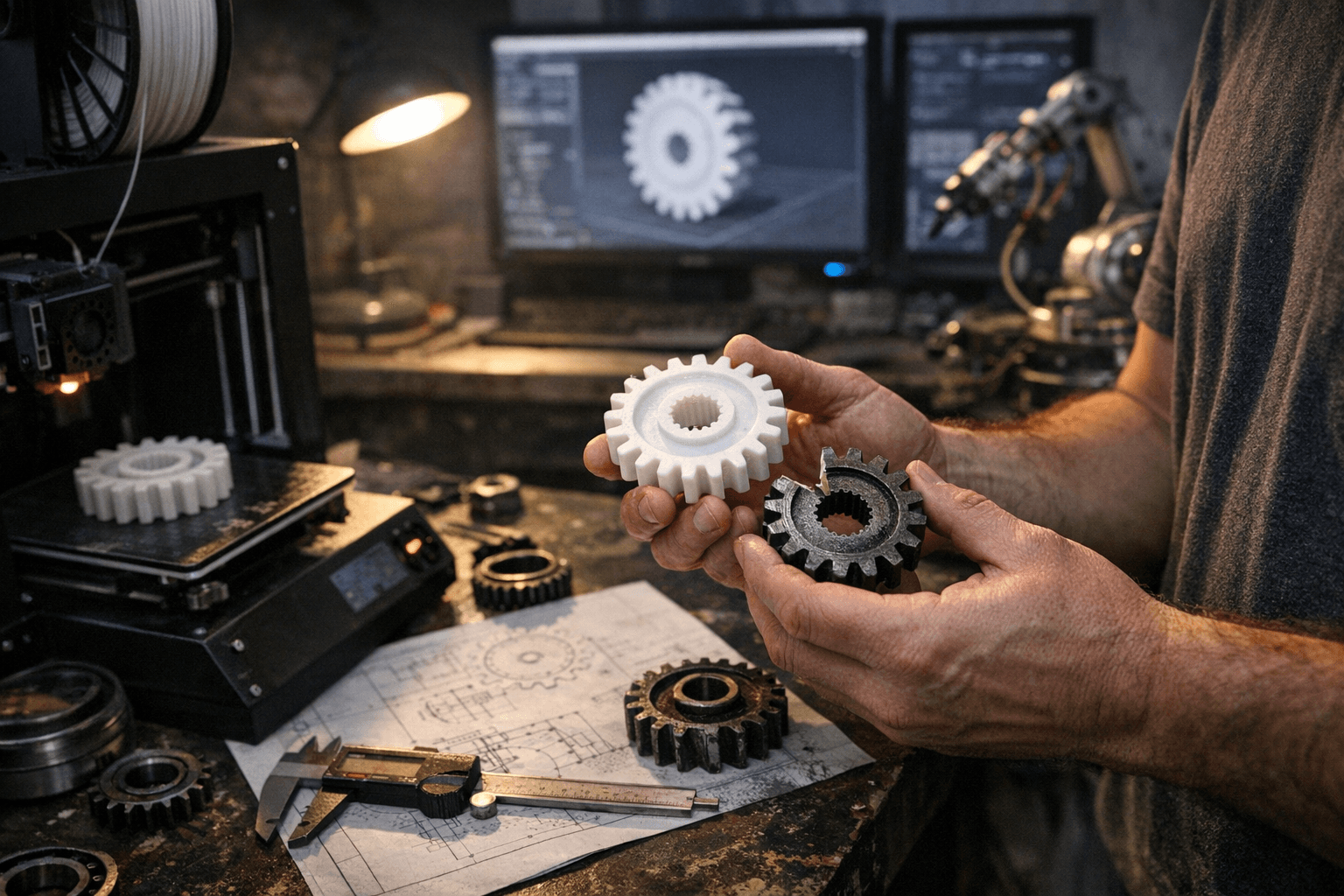
A broken gear can stall an entire project, whether it is a printer repair, a robotics drivetrain, or a little machine that only one person on earth remembers how to fix. STLGears stands out because it gets makers from problem to printable part without forcing them to model every tooth from scratch. Instead of a generic gear approximation, it generates STL files from engineering parameters, which is exactly what makes it useful for repairs, prototype mechanisms, robotics, and other hobby builds that need a specific gear profile.
That practical focus is what gives the tool its edge. Fabbaloo’s review frames STLGears as a utility for makers who need accurate gear geometry quickly, and the appeal is obvious to anyone who has tried to recreate a missing part by eyeballing it in CAD. The point is not simply that gear generation exists. The point is that a broken part can become a printable replacement much faster when the software starts from the mechanical problem instead of a blank modeling workspace.
What STLGears actually generates
STLGears says it is a free online STL gear designer for 3D printing, and it also offers DXF gear generation for laser cutting. That dual output matters because the same design logic can move between fabrication methods, which broadens the tool’s usefulness beyond a single workflow. If the part needs to be printed, the STL generator handles that. If the project calls for cut parts instead, the DXF side gives the same utility another path.
The site is not limited to a narrow set of shapes either. It supports helical gears, heavy-duty double helical gears, and spur gears, and the broader coverage described in independent writeups includes internal, rack, ring, and bevel-style variants. A GitHub Pages portfolio attributed to Juan Miguel Gras Olea says STLGears currently supports over 6 gear variants, which helps explain why the tool has drawn attention from people working on oddball mechanisms as well as standard gear trains. When you are rebuilding a broken plastic gear, that range matters, because the missing part is often not the simplest kind.
The parameters that decide fit and function
The reason STLGears feels more like a real design tool than a toy generator is that it exposes the engineering inputs instead of hiding them. In the double helical gear workflow highlighted by Fabbaloo, the user has to specify the helical system, helix angle, module, number of teeth, pressure angle, gear length, profile shift, and hole type. Those are not decorative fields. They define how the gear meshes, how much load it can take, and whether the printed part will actually fit the shaft or mating gear.
For 3D printing, the most important part of that list is not just tooth count or outer shape. Module, pressure angle, helix angle, and hole type usually decide whether the part will install cleanly and run without binding. Gear length and profile shift also matter when the replacement has to line up with an existing gearbox or survive repeated use. The tool’s appeal is that it mirrors the way real mechanical design works, which is a big step up from shape-first generators that ignore how gears behave under load.
STLGears’ theory page adds another useful piece of context: in practice, a pressure angle of 20° to 25° is commonly used. That range is the kind of detail people often learn the hard way after printing a beautiful gear that does not quite mesh with the rest of the mechanism. Knowing the standard convention up front gives you a better starting point, but it still does not replace measuring the mating part, checking tooth engagement, and making sure the printed material will hold up in the real assembly.
A stress test: the double helical gear workflow
The double helical example is a good way to see where STLGears helps and where judgment still matters. The workflow asks for the geometric decisions that normally live inside a full CAD session, and that makes the tool especially useful when a repair has to happen quickly. If an old machine, toy, or robot joint uses a part no longer documented in a manual, the generator can give you a structured way to rebuild the gear instead of guessing from photos.
It also includes a reverse-analysis feature that lets a user upload an existing STL and infer the original parameters. That is especially handy for legacy parts where nobody wrote down the dimensions, and the original gear may already be cracked, worn, or partially missing. In practice, that means you can treat the tool as a bridge between the broken object in your hand and a printable replacement that is close enough to test, refine, and install.
The catch is that reverse analysis and parameter entry are not the same as final approval. A printed gear still needs calibration, tolerance checks, and mechanical judgment before it can be trusted in a load-bearing assembly. Tooth spacing can look perfect on screen and still need adjustment for printer shrinkage, layer adhesion, shaft fit, or backlash. STLGears removes a lot of the setup pain, but it does not remove the need to verify the part like any other functional component.
Who it is for
Independent coverage describes STLGears as aimed at engineers, designers, and tech-savvy makers who want to create printable models quickly. That audience makes sense, because the tool sits right between hobby-level convenience and engineering-grade specificity. If you already know why a 20° pressure angle is different from 25°, the interface gives you room to work. If you do not, the theory page offers enough context to keep you from treating gears like decorative shapes.
Juan Miguel Gras Olea’s portfolio says he created STLGears.com as a Django website that generates gears in the most widely used 3D printing file format and added laser cutting functionality. That background helps explain the project’s feel: browser-based, parameter-driven, and built to move fast from idea to file. It is the kind of utility that fits a modern maker workflow, where the goal is often not to invent a new mechanism from scratch but to rescue a broken one and get the machine moving again.
The bigger shift for 3D printing workflows
The larger story here is not just that STLGears exists. It is that tools like this are making parametric generation more approachable, so makers can start with a mechanical need and end with a ready-to-print file. That shift reduces the gap between diagnosis and repair, which is a big deal in hobby spaces where the right replacement part is often the difference between a stalled project and a working build.
For robotics and repair work especially, that speed matters. When a gear fails, the real advantage is being able to move from measurement to model to print with less friction, while still respecting the hard details that make gears function: module, pressure angle, helix angle, fit, and load. STLGears does not eliminate the need for careful setup, but it does give makers a faster path to a part that is much closer to usable on the first try.
This article was produced by Prism’s automated news system from verified source data, official records, and press releases, then run through automated quality and moderation checks before publishing. The system is built and supervised by the people who set the standards it runs under. Read our full AI policy.
Did this article answer your question?


