Geometrica app gives geometric tattoo artists precision symmetry tools
Geometrica turns symmetry math into tattoo-ready workflow, helping mandala and sacred-geometry artists mirror faster, stencil cleaner, and correct less on paper.
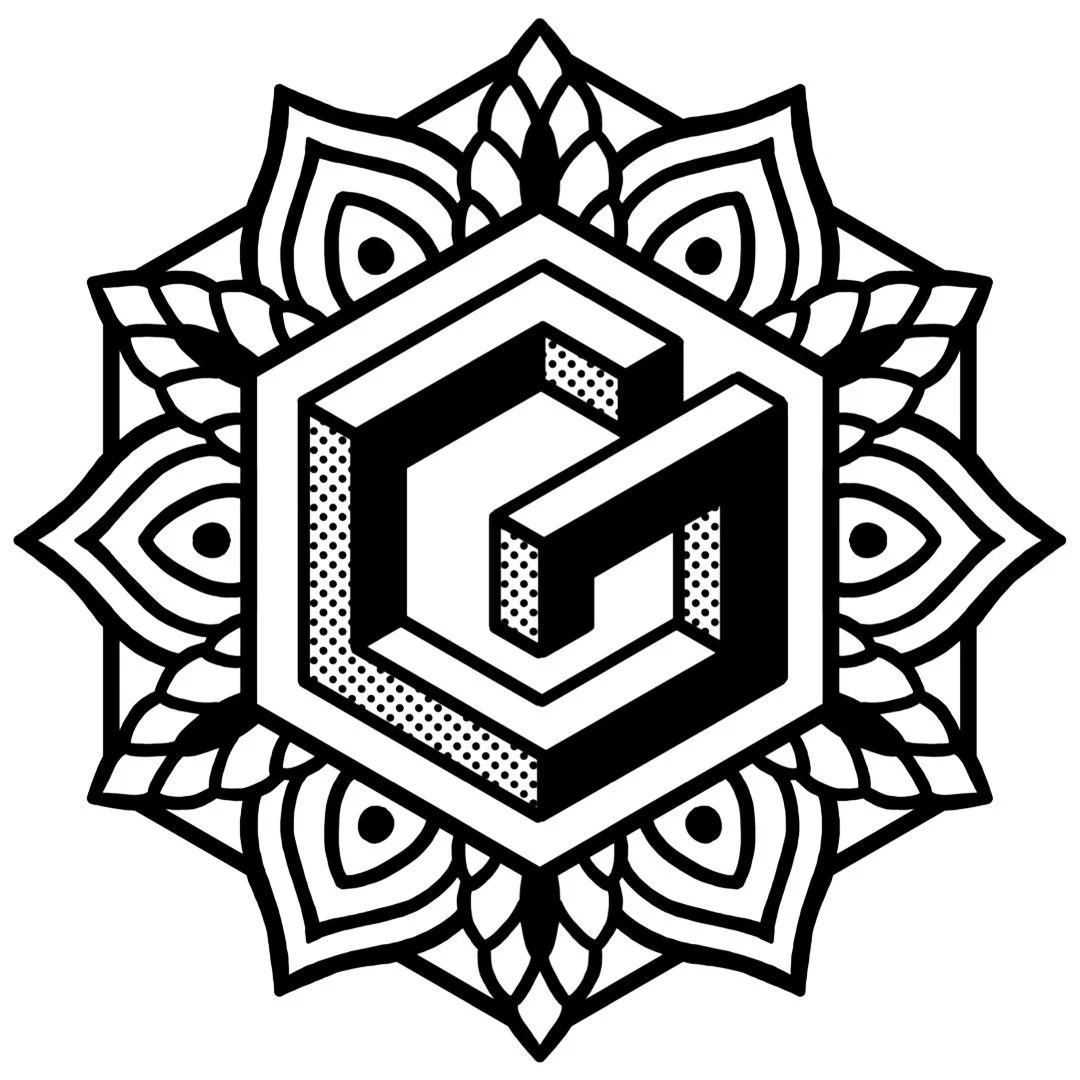
Geometrica is built for symmetry before skin
Geometric tattooing lives or dies on structure. A mandala, a sacred-geometry sleeve, or a pattern-heavy filler can look clean in sketch form and still collapse the moment one axis drifts, one repeat lands wrong, or one ring feels slightly off balance. Geometrica is aimed squarely at that problem: it is positioned as a tattoo-specific drawing app built by a tattooer for tattooers, with the design process itself shaped around symmetry, repetition, and stencil-ready precision.
That focus makes the app feel less like a general drawing tool and more like a shop utility. Where a standard drawing app asks you to bend its tools toward tattoo work, Geometrica starts from the workflow that geometric artists already use and tries to remove the friction around it.
The symmetry engine is the point
The app’s feature set is built around the needs of geometric layout rather than broad illustration. Geometrica includes mirror effects, repeat effects, polar repeat, wallpaper symmetry, gradient thickness, and straight, circle, and ellipse rulers. It also supports all 17 plane symmetry groups, which gives artists a much wider range of structured pattern-making than the usual “duplicate and reflect” approach found in general-purpose apps.
The most striking part for mandala work is the rotation tool, which can build designs up to 200 mirrored segments, for 400 total segments. That matters when you are chasing dense radial precision, because it cuts down the tedious rebuild cycle that often slows down pattern sleeves, sacred-geometry centers, and other work where one missing repeat can force a full redraw. In practical terms, the app is trying to preserve the exact math of the design while making it quicker to construct.
For artists who work in geometric, ornamental, and dotwork-adjacent styles, that toolset changes the rhythm of drawing. Instead of manually recreating symmetry one segment at a time, you can keep the structure alive as you move, which is especially useful when a design needs to stay consistent across a large arm wrap or a stacked composition.
Why it matters at the stencil stage
In tattooing, stencils are not just a transfer step. They are the road map, the checkpoint, and often the last chance to catch a problem before the needle comes out. The Tattoo Archive describes stencils as a dependable road map for the design, and that idea fits geometric work especially well, because precision problems get more expensive the farther they travel into the process.
That is where Geometrica’s value starts to become obvious. Cleaner symmetry on the screen means fewer stencil-stage corrections, and fewer corrections mean less time spent rebalancing forms that should already be locked. For geometric artists, the payoff is not abstract efficiency. It is the difference between a sleeve that reads as intentional from every angle and a sleeve that needs repeated cleanup before it ever reaches skin.
The broader trade is moving in this direction too. Recent coverage has questioned whether older stencil workflows still suit a more digital tattoo industry, and TechCrunch has already profiled an iPad-based stencil tool built to speed the jump from doodle to rough outline. Geometrica fits into that shift, but with a narrower purpose: it is not just digitizing tattoo prep, it is optimizing the kind of precision work where symmetry is the whole point.
Cory Ferguson built it like a working tattooer would
Geometrica’s pitch is tied closely to Cory Ferguson, who is described on his own pages as a second-generation tattoo artist with more than 20 years in the industry, based in Oakville, Ontario, Canada. His background is not presented as generic tech-founder polish. It is anchored in geometric and dotwork tattooing, and his pages say he introduced North America to the dotwork and geometric style in the early 2000s. The Geometrica About page goes further, describing him as a world-renowned artist and the first tattoo artist on the continent to work in geometric and pointillism styles.
What that means for the app is visible in the design logic. The interface is meant to keep core functions visible instead of hiding them in menus, and it includes shortcuts that let artists switch tools quickly. The app also reflects tattooer habits like travel and speed, which matters for convention work and for artists who need to build clean structure away from the shop without getting lost in software clutter.
That artist-first approach is the real distinction between Geometrica and generic drawing apps. A general app may let you draw symmetry if you already know how to assemble it, but Geometrica is clearly trying to make symmetry the default condition of the workspace. For geometric tattooers, that is a different kind of promise.
The subscription model is part of the workflow
Geometrica is an iPad app with monthly and yearly subscriptions, and it offers a free 7-day trial. That makes it easy to test in a live workflow without committing before you know whether the symmetry tools actually fit your hand. The subscription also includes six pre-designed patterns each month, hand-drawn by Cory Ferguson, and those patterns can be used in tattoos or as inspiration.
That monthly pattern drop gives the app a second layer of utility. It is not only a drafting environment, it is also a design resource that keeps new geometry moving through the system. For artists who already build around sacred geometry, mandalas, and repetitive pattern work, that can mean faster client consults, quicker mockups, and a steadier library of structure ideas to draw from when a concept needs to be tightened up.
The audience has widened beyond tattooing too. The App Store snapshot puts Geometrica at 4.4 stars from 558 ratings in the U.S. store, and it notes that users from outside tattooing, including quilters and illustrators, have taken to it as well. That crossover makes sense, because the same symmetry engine that helps a sleeve stay aligned also helps any maker who works in repeated pattern systems.
What geometric artists get from it
The real daily payoff is simple: less rebuilding, fewer alignment headaches, and more confidence when the design depends on mathematical order. Mandalas stay centered more easily. Pattern sleeves can be organized with cleaner repetition. Sacred-geometry layouts can be tested and adjusted before they turn into stencil problems.
Geometrica does not replace the artist’s eye, and it does not solve every design decision. What it does is remove a lot of the mechanical drag that usually sits between the first sketch and a stencil you actually trust. For geometric tattooers, that is not a small upgrade. It is the difference between fighting the symmetry and letting the symmetry do the work from the start.
This article was produced by Prism’s automated news system from verified source data, official records, and press releases, then run through automated quality and moderation checks before publishing. The system is built and supervised by the people who set the standards it runs under. Read our full AI policy.
Know something we missed? Have a correction or additional information?
Submit a Tip