M5Stack adds Meshtastic guides for Unit C6L and off-grid mesh use
M5Stack’s new Meshtastic docs make first-time setup feel less like a scavenger hunt and more like a supported path to a real mesh node.
M5Stack turns Meshtastic setup into a guided path
M5Stack has done something Meshtastic users have been asking hardware makers to do for a long time: it put the onboarding steps in one place. The company’s new Meshtastic section gives Unit C6L owners a vendor-backed starting point for getting a board onto the off-grid mesh, and that matters because the hardest part for many first-time buyers is not the hardware itself, but figuring out how to make it all talk.
The timing is important. Meshtastic has grown into a sprawling ecosystem with more than 100 supported devices, and that scale has made documentation quality a real adoption issue. When a manufacturer publishes device-specific instructions, it removes the usual detour through forum threads, scattered videos, and guesswork. For anyone choosing M5Stack gear for a first node, that kind of clarity can be the difference between a quick weekend setup and a stalled project.
What Meshtastic is built to do
Meshtastic describes itself as an open source, off-grid, decentralized mesh network designed to run on affordable, low-power devices. It works without cell towers and without internet, which is the core of its appeal for outdoor communication, backup messaging, and local infrastructure-free networking. The project also emphasizes encrypted communication, excellent battery life, optional GPS-based location features, and long-range messaging.
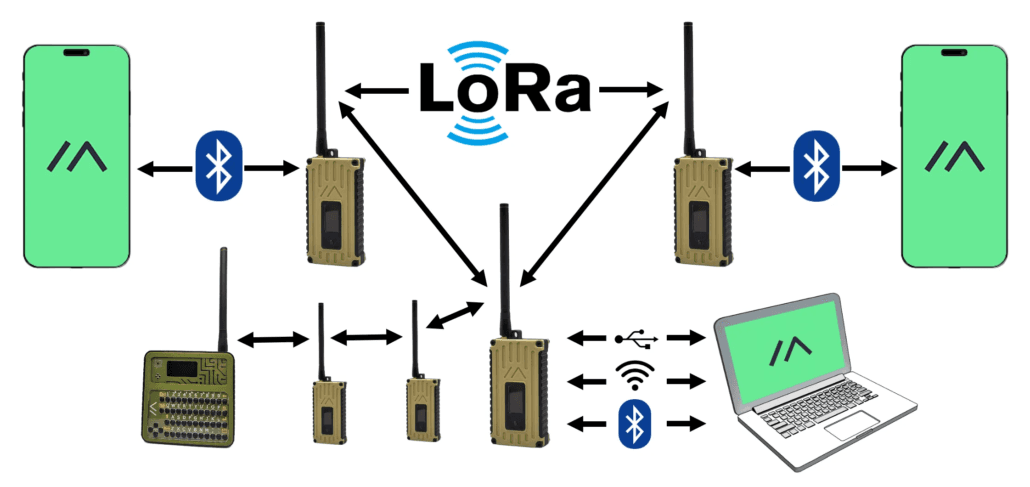
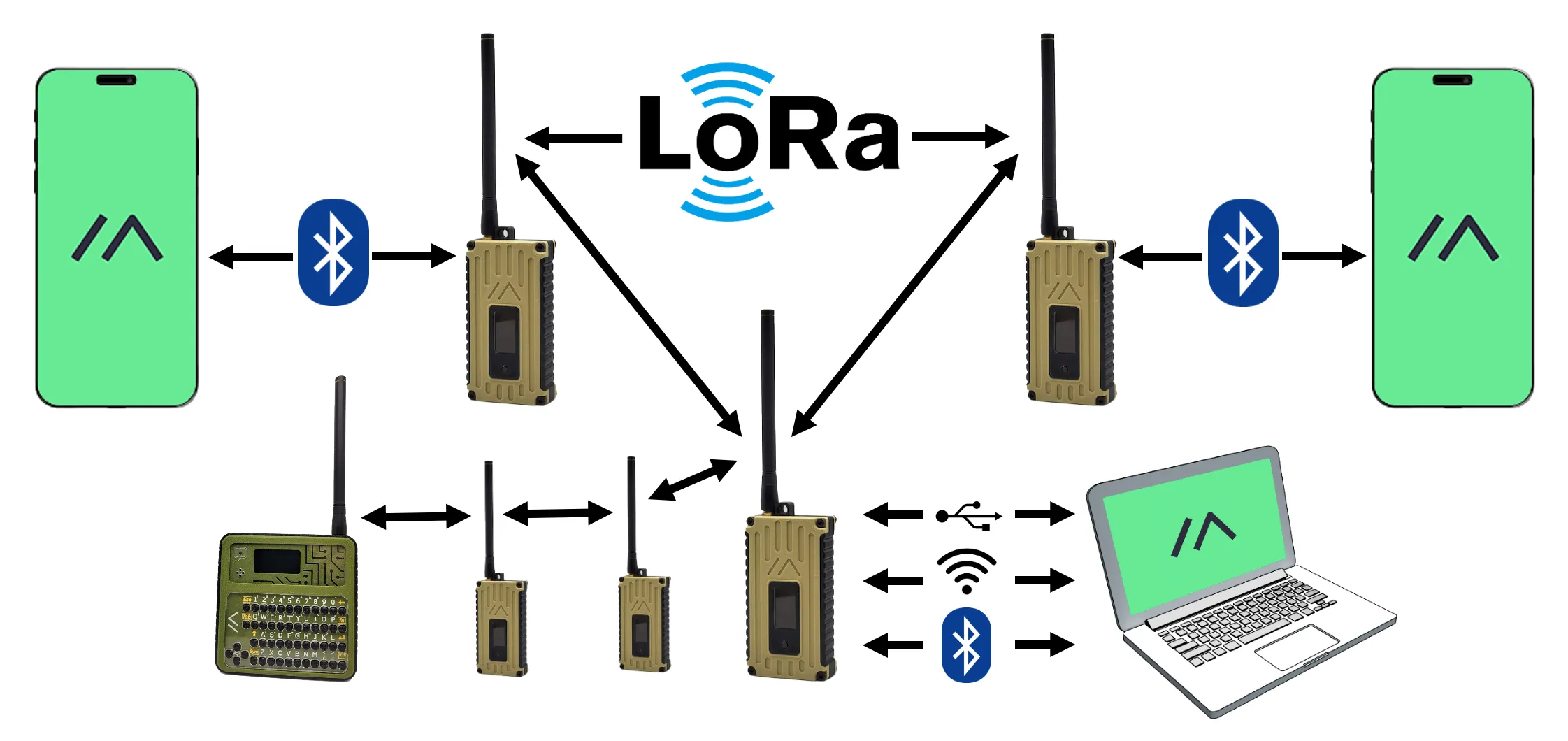
The everyday use cases M5Stack highlights line up closely with how the community already talks about Meshtastic: outdoor adventures, emergency response, community networking, and sensor data collection. That framing matters because it keeps the project grounded in practical deployments rather than abstract radio theory. Meshtastic also supports connecting a phone or computer to a radio over Bluetooth, Wi‑Fi, or USB, which makes it easier to move between setup, testing, and day-to-day use.
Why vendor-backed docs reduce friction
For most new users, the biggest obstacle is not understanding the concept of mesh networking. It is translating that concept into a working device with the right firmware, the right flash settings, and the right antenna attached at the right time. M5Stack’s documentation helps by turning those steps into an ordered path tied to a specific product instead of a generic LoRa guide.
That is especially valuable for first-time buyers who may not know where Meshtastic’s defaults end and device-specific requirements begin. Community knowledge is powerful, but it often assumes the reader already knows the basics. A vendor guide lowers friction by meeting users at the exact point where they are holding a board in one hand and a browser full of flashing tools in the other.
What the Unit C6L brings to the table
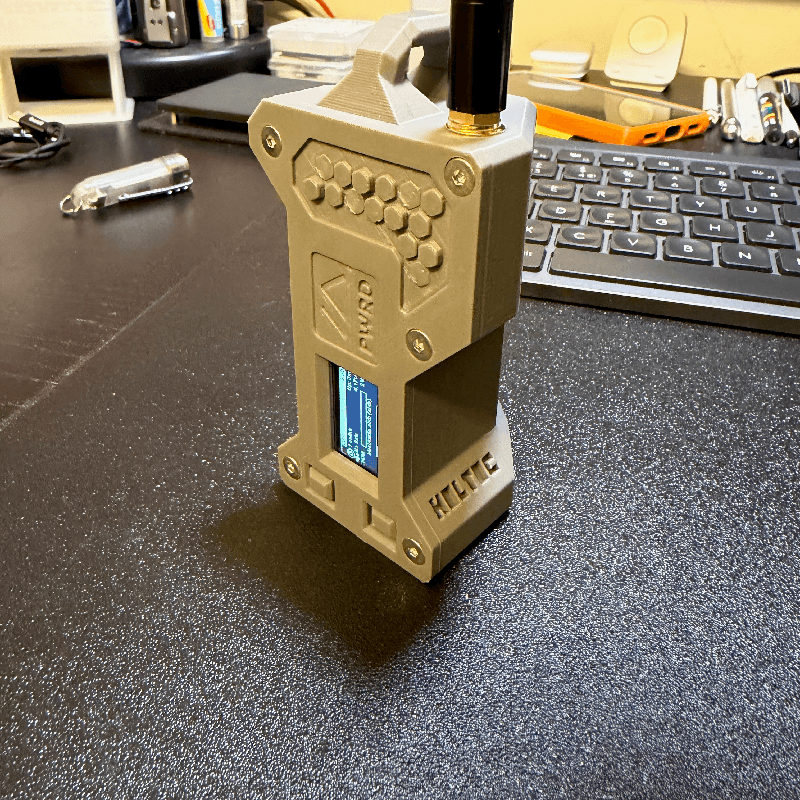
The Unit C6L is not just a generic radio board with a Meshtastic label slapped on top. M5Stack says it uses an ESP32-C6 core controller with an SX1262 LoRa transceiver and an RF switch circuit, and it is designed for 868 to 923 MHz operation. The hardware also includes an OLED display, RGB indicator, buzzer, and user button, all of which make field use and quick status checks easier.
Those details matter in practice. The display and indicators help with basic device feedback, the button gives you direct interaction on the node itself, and the LoRa front end is aimed at long-range, low-power communication. For anyone building a compact mesh node for hikes, club events, or sensor work, the Unit C6L’s feature set looks like a straightforward entry point into Meshtastic without requiring a pile of add-ons.
How M5Stack wants you to flash it
The Unit C6L Meshtastic guide points users to the official Web Flasher and tells them exactly what to choose. The process is simple on paper: select M5Stack as the target, then choose the M5Stack Unit C6L profile, flash the latest Alpha firmware, and set the baud rate to 115200. If the board needs a clean slate, the guide says to use Full Erase and Install.
That level of specificity is the real value here. Flashing instructions are often where new users get stuck, especially when a board family has multiple variants or when firmware images are labeled in a way that is obvious only to experienced builders. By naming the target, the profile, the firmware track, and the baud rate, M5Stack has taken much of the ambiguity out of the process.
There is one warning the guide treats as non-negotiable: do not connect or power on the Unit C6L without installing the antenna. M5Stack says doing so could permanently damage the hardware. That warning belongs front and center because it is exactly the kind of mistake a rushed first-time setup can produce, and it is the sort of issue vendor documentation is supposed to catch before it becomes a dead board.
What this means inside the broader Meshtastic ecosystem
M5Stack’s move lands at the same time Meshtastic is formalizing its own hardware support model. In 2025, the project said it would split devices into officially supported and community supported categories, citing the reality that it already supports over 100 devices and needs a more sustainable way to manage support. That makes vendor documentation more than a convenience; it becomes part of the adoption pipeline.
The more a manufacturer can explain the setup path clearly, the more likely a device is to stay attractive in a crowded ecosystem. Official guides can shape whether a board feels approachable to newcomers or intimidating to anyone trying Meshtastic for the first time. For M5Stack owners, the new documentation suggests the company understands that the product experience does not end at the box.
How channels work once you are on the air
Once the node is flashed and powered correctly, the basics of Meshtastic networking still matter. The default mesh channel is Channel 0, nodes can belong to up to 8 channels, and private communication only works when both name and encryption key match. That is a small detail with big practical consequences, because a misconfigured channel can make a perfectly working radio look dead.
For new users, this is where vendor-backed onboarding and community know-how complement each other. The hardware guide gets you from unopened package to live node. Meshtastic’s channel rules then shape how you actually use that node with friends, local groups, or a deployed sensor network. Add in Bluetooth, Wi‑Fi, or USB connectivity to a phone or computer, and the workflow becomes a lot more manageable than it used to be.
M5Stack’s new Meshtastic documentation does not just explain a board. It signals that off-grid mesh gear is becoming easier to adopt because vendors are finally treating setup guidance as part of the product. For the Meshtastic community, that is a meaningful shift: less friction, fewer avoidable mistakes, and a clearer path from a first purchase to a working node on the air.
This article was produced by Prism’s automated news system from verified source data, official records, and press releases, then run through automated quality and moderation checks before publishing. The system is built and supervised by the people who set the standards it runs under. Read our full AI policy.
Did this article answer your question?