Meshtastic Python Library Turns Radios Into Programmable Mesh Tools
Meshtastic’s Python library lets you automate radios, not just chat on them. It turns one-off handheld use into scripts for setup, telemetry, and event-driven messaging.
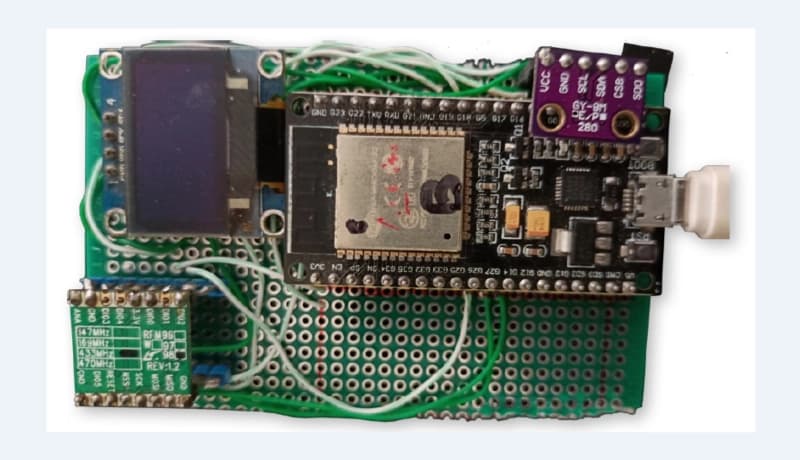
Python is where Meshtastic stops feeling like a chat app
Meshtastic already sells itself as an open-source, community-driven, off-grid, decentralized mesh network built on affordable, low-power LoRa devices. The Python library is the point where that idea becomes something you can actually automate: not just sending a text over the mesh, but reading a node’s state, changing settings, and building tools that react to the network as it changes.
That matters because the jump from mobile app convenience to scriptable control is huge. A phone is great for quick messages, but Python is where Meshtastic starts fitting into dashboards, alerting systems, test rigs, logging pipelines, and remote admin workflows that need repeatability more than hand taps.
The built-in examples show the real jump
The Meshtastic Python library page gives a practical Python 3 example that does more than send a packet. It connects to a device over serial, sends a message, reads a local node configuration value, changes a preference, and writes the updated settings back to the radio. That one example captures the core appeal of the library: the radio is no longer just an endpoint for messages, it becomes a programmable device.
The same page also includes a TCP example that subscribes to connection events and sends a message after the interface reconnects. That is the kind of pattern that separates a hobby demo from a useful tool, because the script is not just acting once and quitting. It is watching for state changes and responding when the link comes back, which is exactly what you want in an unattended mesh workflow.
When Python beats staying inside the mobile app
Python becomes genuinely more useful than the app when the task needs scale, repetition, or logic. Bulk device setup is the clearest example: instead of manually touching each radio, you can script configuration changes across multiple nodes, including settings like GPS update intervals in position configuration. That kind of job is tedious in a handheld interface and straightforward in code.
Telemetry and logging are another obvious fit. The API exposes a node database with always up-to-date location and username information for each node, which makes it easy to build a script that records who is on the mesh, where nodes are appearing, or how the network is changing over time. Once you want those details fed into a spreadsheet, a monitoring dashboard, or a custom off-grid collector, Python starts pulling its weight fast.
Message automation is the third clear use case. A script can watch for a condition, reconnect to the interface, then send a message without anyone opening the app. That is a natural fit for alerts, status broadcasts, scripted check-ins, or tools that answer the network when a device comes back online.
The API is built for more than one connection path
Meshtastic’s Python API documentation lists three primary interfaces: SerialInterface, TCPInterface, and BLEInterface. That matters because it gives you flexibility in how you reach the radio, whether you are plugging in directly, using a network connection, or working over Bluetooth.
The Node API adds another important piece: beginSettingsTransaction, which opens a transaction for editing settings. In practical terms, that confirms the library is intended for device administration, not just message passing. Meshtastic’s configuration docs go further by showing that position settings include GPS update interval controls, and that remote node administration can be done securely over the mesh instead of via Bluetooth, serial, or IPv4.
The event model is what makes automation feel native
The Python repository uses a publish-subscribe event model for connection and packet events, and that is a big reason the reconnect example matters. Instead of polling the radio constantly, a script can listen for events like connection established, connection lost, and received text packets, then decide what to do next.
That style is especially useful in real deployments. If you are building a gateway, monitoring tool, or remote helper, you want your code to wake up when the mesh changes, not burn effort checking over and over. The event model makes Meshtastic feel less like a static peripheral and more like a living network your script can follow.
A practical path into scripting
If you are just starting, the easiest way in is to use the serial example, send a simple message, and then inspect a single setting. That teaches the shape of the library without demanding a full automation project on day one. From there, changing a preference and writing it back to the radio shows how device administration works in the same flow as messaging.
Where the bigger projects come from
Once the basics click, the same tools support much larger ideas. A script can collect node data for a dashboard, apply GPS update settings across a fleet, or respond to mesh events with alerts and status messages. That is why the library matters to the community: it bridges the gap between consumer-style use and maker-style experimentation without forcing you to leave the Meshtastic ecosystem.
The current release line shows active momentum
PyPI lists meshtastic 2.7.8 as the latest release, dated March 2, 2026. The GitHub release notes for 2.7.8 add a traffic management module, hop-limit send support, and ESP32 WiFi unified OTA update support, which points to a project that is still expanding its practical capabilities.
That release activity fits the broader toolchain around Meshtastic, which already extends beyond Python into web, Android, iOS, iPadOS, and macOS clients. The Python library sits inside that larger ecosystem as the bridge between everyday messaging and programmable mesh operations, and that is exactly where it becomes interesting for power users.
Why this library changes how the mesh gets used
Meshtastic has always been about communication without cell towers or internet access, but the Python library pushes it into a different category. It gives you the structure to automate setup, inspect and react to node state, and build off-grid systems that do more than exchange short messages.
For anyone who has treated Meshtastic as a handheld messaging hobby, this is the point where it turns into a programmable mesh tool. The radios stay simple, but the workflows around them can become as sophisticated as the projects you build on top.
This article was produced by Prism’s automated news system from verified source data, official records, and press releases, then run through automated quality and moderation checks before publishing. The system is built and supervised by the people who set the standards it runs under. Read our full AI policy.
Know something we missed? Have a correction or additional information?
Submit a Tip