Meshtastic docs split firmware flashing by device family
Meshtastic now makes the first setup choice explicit: identify your board family, then use the right flashing path or risk wasting time on the wrong tool.
Meshtastic’s setup docs start with the question that saves the most grief: what hardware are you holding? The official flashing guide splits the process by device family, and that split is the difference between a clean first install and a dead end with the wrong image, wrong tool, or wrong workflow.
Start with the board, not the app
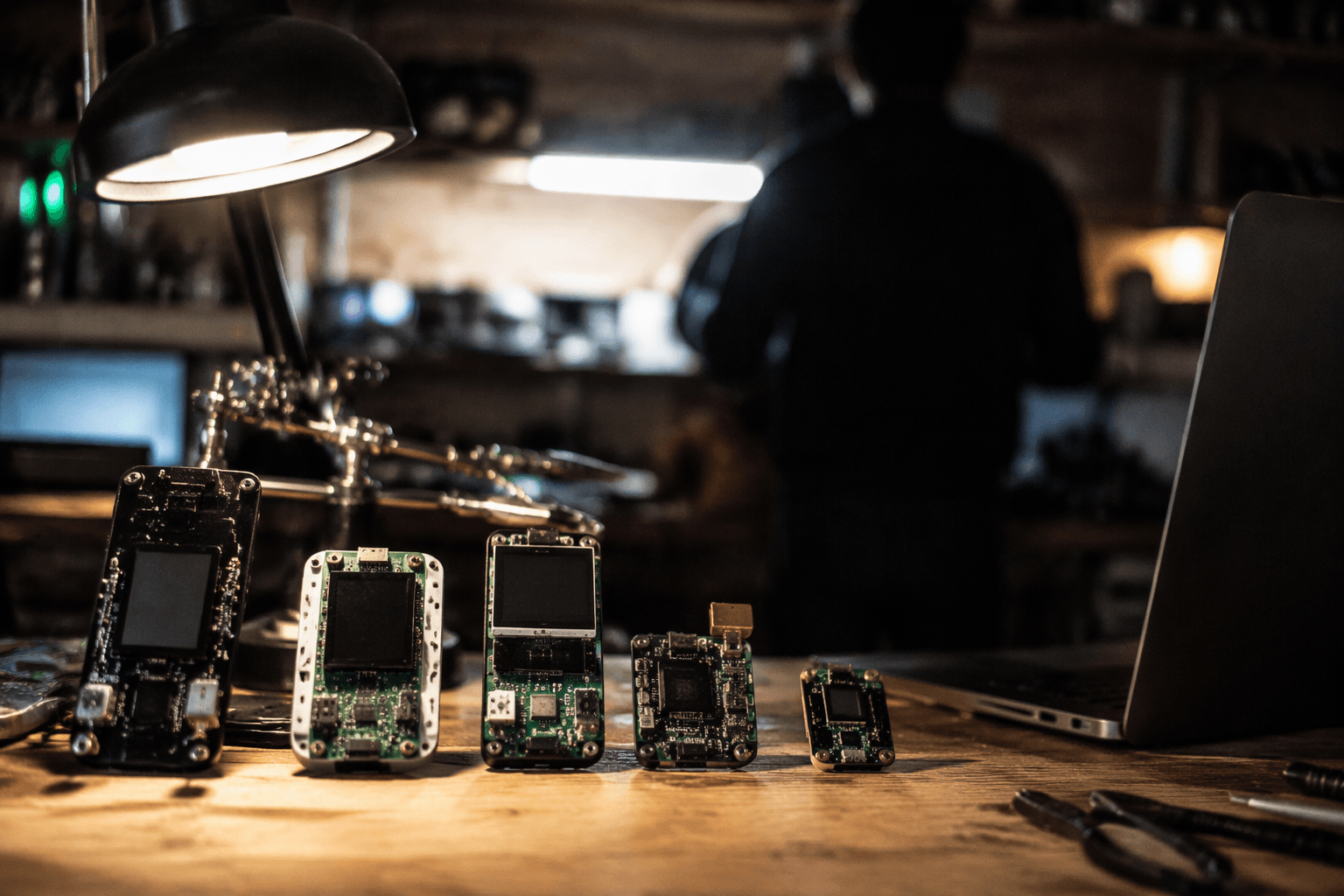
The first fork is simple. ESP32-based boards go one way, while nRF52, RP2040, and RP2350 boards go another. That is not a cosmetic distinction, because Meshtastic does not use the same flashing method across all of those families, and the docs make that clear before you get deep into configuration.
That matters because Meshtastic is built for low-power, off-grid mesh networking, not for wasting time on recovery after a bad flash. The project describes itself as an open-source, decentralized mesh network that runs on affordable devices with no cell towers and no internet. If the very first install step goes sideways, the rest of the setup, from region choice to LoRa presets, never really gets a fair chance.
If you have ESP32, use the Web Flasher
For ESP32-based boards, Meshtastic points you to the Meshtastic Web Flasher. The downloads page says it is a web-based flasher that works with Chrome and Edge, which makes it the easiest path for most newcomers because there is no separate desktop utility to install first.
The practical upside is obvious: plug in the board, open a supported browser, and flash from there. The Meshtastic Web Flasher also lets you upload your own firmware release zip or bin, so you are not locked into a single canned path if you already have the correct build in hand. The official GitHub repository for the tool calls it the official online flasher for Meshtastic device firmware, which matches the docs’ push toward a browser-first install path for ESP32 hardware.
There is one detail worth checking before you press install: the USB cable. The Web Flasher instructions tell you to plug in the device via USB and make sure the cable is not power-only. That small mistake is one of the easiest ways to think the flash is failing when the board is simply never getting a data connection.
If you have nRF52, RP2040, or RP2350, think drag-and-drop
Meshtastic handles nRF52, RP2040, and RP2350 devices differently. Boards such as the T-Echo, RAK4631, and RAK11300 are flashed via filesystem drag-and-drop, which means they behave more like removable storage devices than the typical serial-flashed microcontroller workflow many people expect.
That design choice changes the setup mental model. Instead of hunting for a serial flashing utility first, you use the web flasher to download the right firmware file, then copy it onto the device as required. That separation between choosing the build and transferring it to the board helps keep you from loading the wrong image or trying to force an ESP32-style process onto hardware that does not use it.
The easiest way to avoid trouble is to verify the board family before you download anything. A T-Echo, RAK4631, or RAK11300 belongs on the drag-and-drop path; an ESP32 board belongs on the browser flasher path. Get that one decision right, and the rest of the install becomes routine instead of improvisation.
Match the flash to the rest of the setup
Flashing is only the beginning, but it has to happen first. Meshtastic’s getting-started docs also explain that phones or computers can connect to a radio over Bluetooth, Wi-Fi, or USB, which is how the configuration layer sits on top of the freshly flashed node. Once the board is loaded with the right firmware, you can move on to the settings that actually shape the network.
That includes region selection and LoRa presets, both of which depend on the device being on the correct firmware in the first place. If the flash is wrong, troubleshooting later becomes harder because you are no longer just checking radio settings. You are also asking whether the board was ever prepared correctly for the way Meshtastic expects it to run.
Meshtastic’s public site says the project supports 26 LoRa regions and is available in 39 languages. That breadth tells you the docs are meant to serve a wide mix of hardware and users, not a single narrow device line, which is exactly why the flashing instructions are split at the family level.
The ecosystem around setup is broad, not single-platform
Meshtastic also makes it clear that users will configure devices from multiple environments. The downloads page says Apple apps are available on iOS, iPadOS, and macOS, with support for the last two major OS versions. That wider platform coverage fits the rest of the onboarding story: you might flash on a browser, then manage the node from a phone, tablet, or Mac.
The ecosystem also has visible community gravity. A Hacker News post linking to Meshtastic on January 1, 2024 drew 335 points, a sign that the project reaches beyond the usual mesh-radio crowd. And when users do get stuck, the FAQ points them back to the documentation and the Meshtastic Discord, which keeps help tied to the same official setup path instead of sending them hunting through fragmented guides.
Why the first decision matters
Meshtastic’s own public filings show the project thinking beyond hobby bench work, too. In an opposition dated August 11, 2024, it filed against the Federal Communications Commission public notice tied to NextNav’s proposal in proceeding 24-240, saying it represented a diverse and global community committed to open-source, low-power, decentralized communication networks. That is a useful reminder that the setup path is not just a convenience issue. The easier it is to flash the right firmware on the right board, the easier it is to get a working node into real use.
So the first setup decision is also the make-or-break one: identify the board family, pick the correct flashing method, and verify the cable, browser, or drag-and-drop path before you install anything. Meshtastic has built the onboarding around that choice, and for new users, that is the fastest route from unboxed hardware to a node that actually comes online.
This article was produced by Prism’s automated news system from verified source data, official records, and press releases, then run through automated quality and moderation checks before publishing. The system is built and supervised by the people who set the standards it runs under. Read our full AI policy.
Did this article answer your question?