NodakMesh guide maps Meshtastic hardware for U.S. 915 MHz users
NodakMesh turns a crowded 915 MHz market into a buying map, helping newcomers match Meshtastic hardware to EDC, vehicles, base stations, and solar nodes.
The easiest way to waste money in Meshtastic is to buy the wrong radio for the wrong job. NodakMesh’s latest buyer’s guide cuts through that trap by treating hardware as a system, not a shelf of shiny boards. For U.S. users on 915 MHz, the real question is not just what works, but what fits your carry style, your power source, and the kind of mesh you want to build.
Start with the band, not the board
The first filter is regional frequency. Meshtastic’s North America band is 902 to 928 MHz, and the project says its standard LongFast preset defaults to a center frequency of 906.875 MHz after reset. That matters because 868 MHz gear, which is common in Europe, will not play nicely on American mesh networks. Meshtastic’s documentation also notes that 433 MHz is supported in Europe, though with lower power limits, which is a reminder that the ecosystem is global even when your deployment is local.
That frequency check is one of the most useful parts of the NodakMesh guide because it saves newcomers from one of the most common and expensive mistakes in the hobby. Meshtastic is built around affordable, low-power devices, but the bargain disappears fast if you order the wrong regional variant and end up with hardware that cannot join your network correctly. The guide’s core message is simple: make the band decision first, then shop.
Think in roles, not in brands
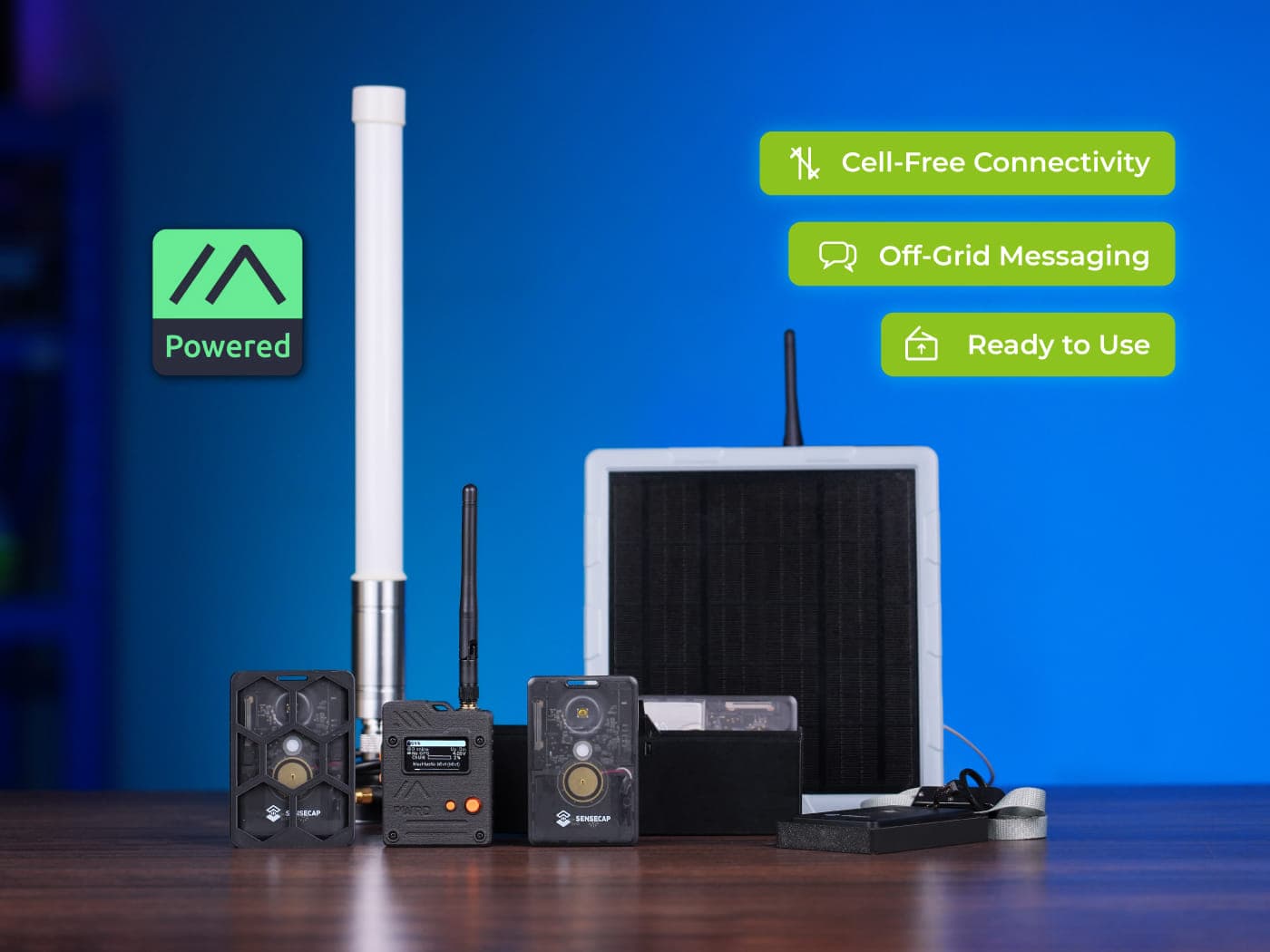
NodakMesh says its May 4, 2026 buyer’s guide covers 21 core devices plus 33 support items, and that tells you a lot about where Meshtastic has gone. This is no longer just a world of dev boards and a few enclosure hacks. It is now a full hardware stack, with solar nodes, antennas, batteries, enclosures, and pre-flashed starter kits all part of the buying decision.
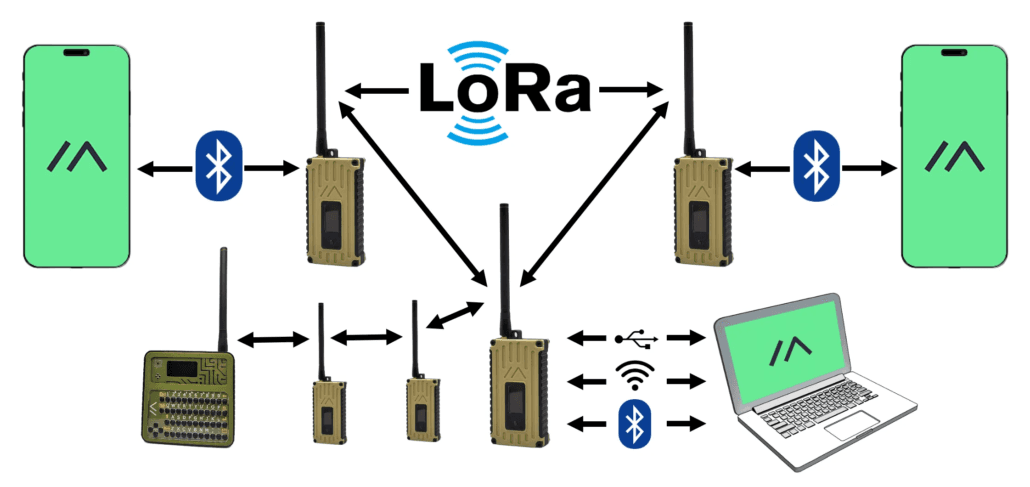
That broader view is why the guide works as a decision tool. A good Meshtastic setup starts with the role the node will play: a pocketable EDC tracker, a vehicle unit, a fixed base station, a solar repeater, or a low-cost entry point for someone still learning the app and firmware flow. Once you pick the role, the list of viable options shrinks fast.
EDC and pocket carry
If you want something you can actually carry every day, the priority is size, simplicity, and battery discipline. The guide’s emphasis on small trackers and pre-flashed bundles reflects how many newcomers prefer to skip the flashing step and get straight to pairing with the mobile app. That makes sense in a hobby where getting on the air should feel like opening a tool, not starting a lab project.

Screen choice matters here too. Some people want a display for quick status checks, while others want the smallest possible footprint and are happy to live through the app. GPS becomes the next deciding factor: if the node is meant to report location, the tracker-style path starts to make more sense than a bare, general-purpose board.
Vehicle builds
Vehicle setups live in a different reality. They often need steadier power, a stronger antenna strategy, and more attention to mounting than a pocket node does. A car or truck node is usually less about being invisible and more about being reliable when you leave town, head into rural terrain, or use the vehicle as a roaming part of the mesh.
That is where the guide’s broader support-item framing matters. Antennas and enclosures are not accessories at the edge of the shopping list, they are part of the actual deployment. A vehicle node also makes the screen question more practical: a display can help with status, but the larger concern is whether the setup stays dependable while bouncing down the road.
Base stations and home nodes
For a base station, the buying logic flips again. You are usually optimizing for uptime, clarity, and the ability to keep a node in one place for a long time. That is where the project’s broader device support, which includes Linux-based hardware as well as ESP32, nRF52, and RP2040 or RP2350 devices, becomes useful, because the “right” base station may look very different from the “right” pocket node.
Meshtastic’s own network behavior also helps explain why base stations matter. The system rebroadcasts messages automatically and can retransmit up to three times if no confirmation is received, so a solid fixed node can become a useful anchor for an entire area. Remote-node administration, now included in the documentation as an advanced configuration feature, adds another layer for people managing hardware that is not always within arm’s reach.
Solar repeaters and off-grid infrastructure
Solar nodes are where Meshtastic starts to feel less like a gadget and more like infrastructure. NodakMesh’s inclusion of solar nodes in its guide reflects a community that is thinking beyond personal carry and toward repeatable, always-on installations. If you are building for a trail system, a rural property, or a community mesh, the solar path turns batteries, panels, enclosures, and antenna placement into first-class decisions.
This is also where starter kits can be deceptively valuable. A bundle that pairs a small tracker with a solar node gives a beginner a practical path into both ends of the ecosystem: one portable, one persistent. That combination mirrors how real meshes grow, with handheld users and fixed infrastructure feeding the same network.
The fastest way to get started is still the browser
Meshtastic recommends its Web Flasher for installing firmware, and its downloads page says it works with Chrome and Edge. That detail matters because it lowers the barrier for newcomers who do not yet know the difference between a node, a tracker, a router, and a base station. The project also describes itself as an open-source, community-driven, off-grid mesh network built on affordable, low-power devices with no cell towers or internet required, which is exactly why the onboarding path should feel simple.
The Web Flasher fits that philosophy. You plug in, open the browser, load the official firmware, and move on to the part that actually matters, which is getting the device into your mesh and seeing what role it plays. In a hobby built around resilience and experimentation, the easiest setup path is often the one that keeps people from getting stuck before they ever send a packet.
Why this guide lands now
NodakMesh, which describes itself as North Dakota’s community mesh network, runs LoRa-based MeshCore and Meshtastic nodes for off-grid messaging, emergency communication, and rural connectivity. That local perspective gives the buyer’s guide a clear bias toward usefulness over novelty. It is written for people who need a node that fits a job, not a spec sheet that looks impressive in a forum thread.
That is what makes the 21 core devices and 33 support items feel less like a catalog and more like a map of the hobby’s maturity. Meshtastic has grown from a handful of boards into a platform with regional frequency rules, browser-based flashing, multiple app paths, remote administration, and hardware spanning tiny trackers to Linux-based builds. For U.S. users on 915 MHz, the smartest move is not buying the most talked-about board. It is choosing the node that matches your use case, then building the rest of the system around it.
This article was produced by Prism’s automated news system from verified source data, official records, and press releases, then run through automated quality and moderation checks before publishing. The system is built and supervised by the people who set the standards it runs under. Read our full AI policy.
Did this article answer your question?