Makeo USB GameCube Adapter Enables RetroNAS Game Loading with Swiss
A cheap USB Ethernet adapter turns Swiss into a RetroNAS loader for GameCube, replacing rare Broadband Adapter hardware with a far more practical path.
A cleaner way to load GameCube games
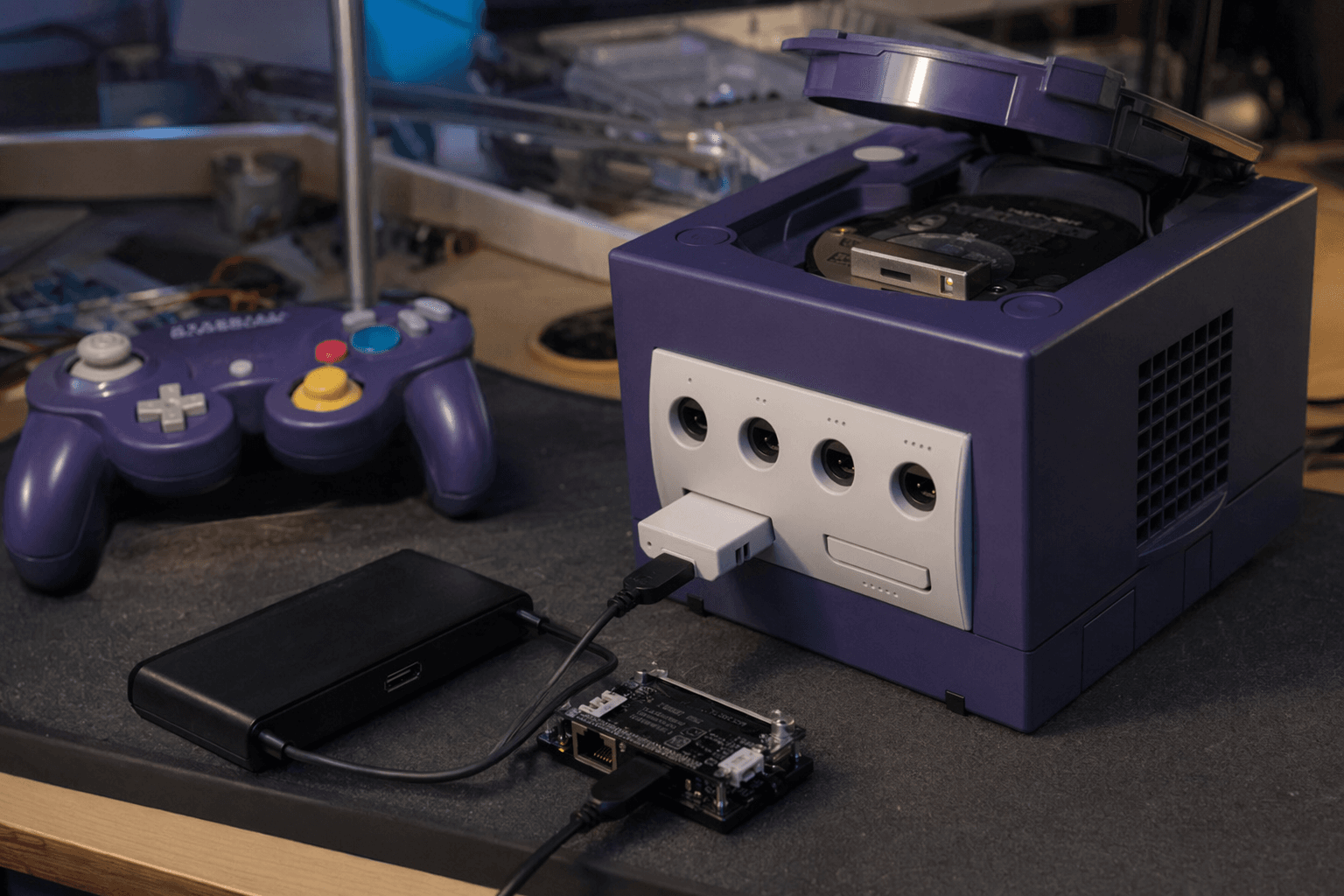
The real breakthrough here is not just that the GameCube can talk to USB gear. It is that a Makeo USB adapter, paired with Swiss, gives the console a practical path to load games from a RetroNAS server over Ethernet, which used to depend on rarer and more awkward networking hardware. For tinkerers who already live in Swiss and RetroNAS, that changes the GameCube from a closed box into something that can pull from a home server with very little drama.
There are two Makeo adapters in play. One uses the SP1 port on the bottom of the console, which keeps the install tidy and lines up with the GameCube’s original networking layout. The other uses the memory card slot, which makes it easier to get started if you do not want to commit to a bottom-mounted setup right away. Both are straightforward USB 2.0 accessories, but the SP1 version is the one that opens the door to the more interesting workflow: pairing it with a USB Ethernet adapter and feeding the GameCube from RetroNAS.
What this setup actually does
At the simplest level, the adapter lets Swiss read USB storage and boot homebrew. That alone is useful, because it trims away some of the friction that comes with older GameCube storage and loader setups. But the bigger practical gain is network-backed game loading through RetroNAS File Service Protocol, or FSP, which lets Swiss browse and launch games from a server instead of relying on disc media or more exotic hardware.
The setup path is direct. First, you need a RetroNAS server running. Then the GameCube has to boot Swiss successfully. From there, install FSP through the RetroNAS interface, place your games in the \retronas\gamecube\swiss\games folder structure, plug the USB adapter and the Ethernet adapter into the console, enter the RetroNAS server IP address in Swiss, change the port to 2121, and choose File Service Protocol. That is the entire point of the workflow: once it is configured, the console can find and load games from the network with far less fuss than the old hardware chase.
How much friction there is, and how much there is not
This is not a plug-and-play consumer feature, but it is also not a fragile science project. Bob tested the setup with two USB Ethernet adapters, a cheap TP-Link UE300 and the version sold by Makeo, and both worked well. The fact that the inexpensive adapter was verified after the original post matters, because it turns the write-up from a neat demo into something closer to a repeatable setup you could actually build without hunting for a rare boutique part.
RetroRGB also noted that the UE300 worked fully with USB Dolphin for GameCube with no drivers and no reboot required, on Windows, Mac, and Linux. That lowers the barrier a lot. If your normal modding life already includes juggling operating systems, drivers, and random USB compatibility headaches, that line alone tells you the workflow is much friendlier than the hardware it is replacing. RetroRGB also confirmed that the UE300 stayed at full speed even through a USB extension cable, which is exactly the kind of detail that makes a setup feel real instead of lab-only.
What Bob saw in actual use
The most convincing part of the testing is not the theory, it is the loading behavior. Bob reported that the two games he tried appeared to load as fast as a disc. For a network-loaded retro setup, that is the kind of result that makes people pay attention, because it suggests the bottleneck is not ruining the play experience.
That matters in the GameCube scene because a lot of hardware hacks are clever but inconvenient. If the game arrives slowly, or the setup needs special drivers, or the adapter only works under a narrow set of conditions, it stays in the category of cool demo. This one moves closer to a daily-driver option for people who want to keep a library on a server and reach it from a console that was never meant to live in that world.
Why this is better than chasing rarer hardware
The old reference point is the official Nintendo Broadband Adapter. It was produced by Conexant, made in the Philippines, and fits into Serial Port 1 on the underside of the GameCube, where it adds an RJ-45 Ethernet port. That is the authentic route, and it is still the cleanest historical match for the system. RetroNAS documentation says a genuine Broadband Adapter can transfer data at 100 Mbit/s and can simulate an optical drive over the GameCube’s 27 Mbit/s serial port connection, which explains why the real accessory is such a strong target for preservation-minded users.
The problem is that the official adapter is rare and expensive, which is why the community has spent years building substitutes. GCNET, for example, was another low-cost adapter that used the front memory card port and sold for around $40. ETH2GC-based adapters also exist, and the README makes the goal clear: thanks to Swiss work, cheap off-the-shelf Ethernet modules can emulate the rare and expensive Broadband Adapter. RetroRGB previously noted that ETH2GC-based adapters can handle network and LAN features, but not RetroNAS game loading, which is the line that separates a useful accessory from a true storage and loading solution.
RetroNAS’s own FSP documentation draws that boundary even sharper. It says the open-source ETH2GC Ethernet adaptor is too slow for FSP, which is exactly why the Makeo plus USB Ethernet path is so noteworthy. It is not just cheaper hardware in a different shape. It is a route that hits the performance target needed for real loading, not merely link-level networking.
What this means for GameCube modding right now
Taken together, the Makeo adapter, Swiss, and RetroNAS give the GameCube a more modular future. The console can now lean on USB storage for simple homebrew use, or on USB Ethernet for network loading, depending on how much you want to build out the setup. The SP1-mounted version is the most interesting piece because it pairs the console’s underside port with modern USB networking hardware and gets you close to the behavior people once needed much rarer first-party gear to achieve.
That is what makes this story worth paying attention to. The breakthrough is not novelty, it is compatibility. A GameCube that can boot Swiss, speak to RetroNAS, and load games through a cheap USB Ethernet adapter is easier to maintain, easier to replicate, and much easier to recommend than one pinned to scarce original accessories. For retro hardware users, that is the difference between a clever workaround and a credible everyday setup.
This article was produced by Prism’s automated news system from verified source data, official records, and press releases, then run through automated quality and moderation checks before publishing. The system is built and supervised by the people who set the standards it runs under. Read our full AI policy.
Did this article answer your question?

