Retro Handhelds guide maps BatleXP G350 firmware options for sub-$50 emulation
The G350’s real test is setup friction, and the answer is promising: a $37 handheld can feel surprisingly ready if you pick the right firmware.
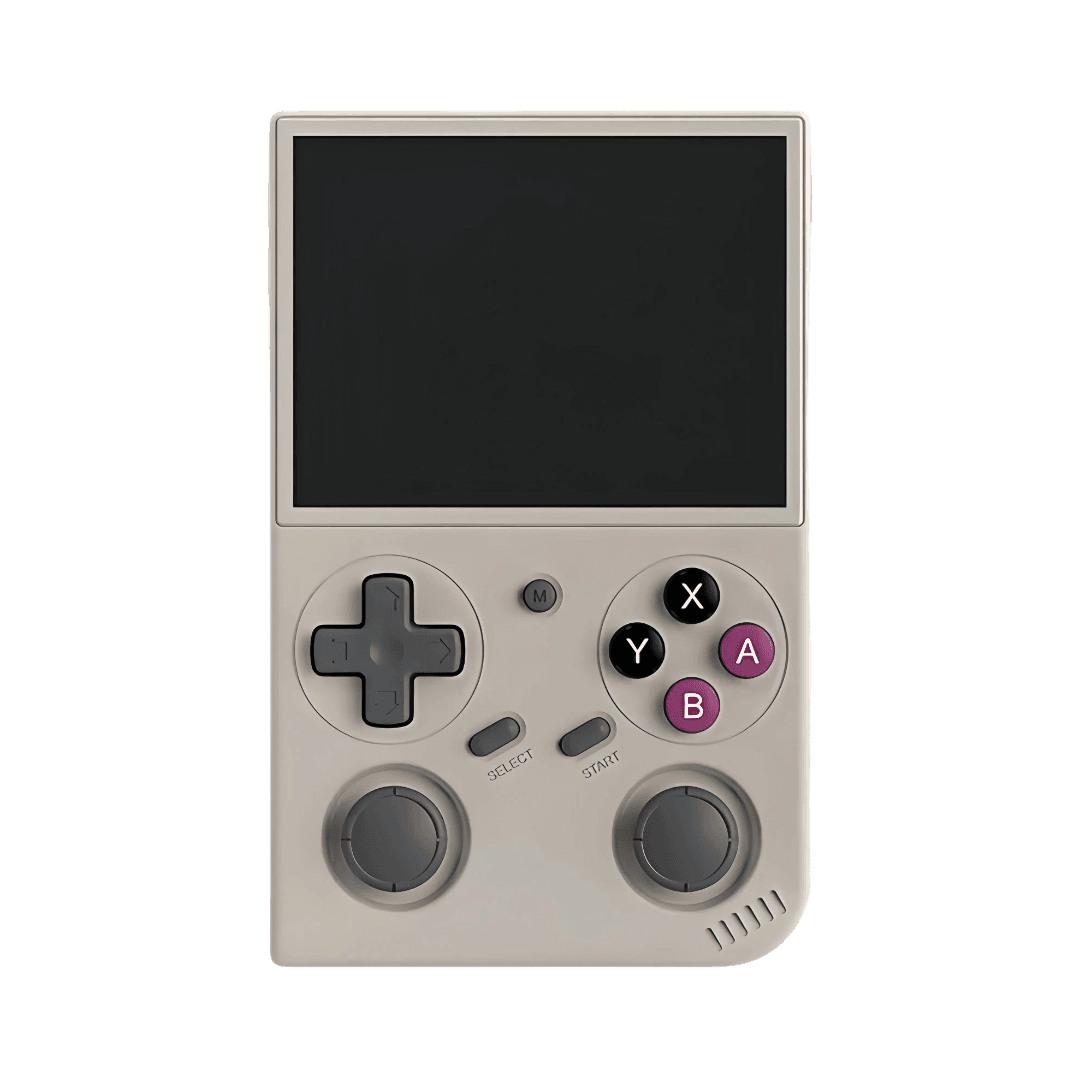
**The BatleXP G350 is cheap enough to tempt you, but the setup guide asks the only question that matters: is it ready to play, or does it just look ready?** At $37 delivered in one example, this is firmly a sub-$50 handheld, and that price only matters if the device turns into actual gaming quickly instead of becoming another weekend project. Retro Handhelds treats it like a serious entrant in the vertical, sub-$50, RK3326 class, which puts it squarely against the R36S and the usual bargain-bin compromises.
What you get for the money
The hardware looks exactly like the kind of cheap retro handheld people keep hoping for. The G350 runs a RockChip RK3326 chipset with Mali-G31 MP2 graphics, 1GB of DDR3 memory, a 3.5-inch 640×480 display, and a 3200mAh battery. It also includes Wi-Fi, USB-C OTG, and microSD storage, which matters because this category lives or dies on how easily you can swap software, expand storage, and clean up the stock experience.
That 640×480 panel is a good sign for retro use because it naturally fits a lot of classic 4:3 content without the awkward scaling games that modern widescreen devices force on you. The front-facing, 4:3 handheld shape also makes the G350 feel more deliberate than a generic low-cost toy. It is the sort of form factor that tells you the device is meant to be held for SNES, Mega Drive, PlayStation, and other era-correct libraries, not just powered on and forgotten.
The firmware decision is the whole game
This is where the guide gets useful. A budget handheld is only as good as the software stack behind it, and the G350 has enough community support that the choice is no longer just “does it boot?” The guide lays out stock firmware plus a long list of community options: ArkOS, dArkOS, PAN4ELEC, MyMinUI, Arch R, Lakka, ROCKNIX, a G350-specific fork, and a Batocera-oriented fork.
That menu tells you a lot about the device’s place in the scene. The RK3326 world has long depended on community firmware to fix rough edges, improve compatibility, and keep cheap hardware usable after the novelty wears off. Retro Handhelds has already described ArkOS as the gold standard for RK3326 devices, and that reputation still matters because it sets the baseline for what “good enough” looks like on this chipset. dArkOS also has specific support for the G350 and other budget Rockchip handhelds, which gives the device a much stronger starting point than most no-name portables ever get.
How to think about setup without wasting a weekend
The best way to approach the G350 is to treat setup as a value test, not a ritual. Start by deciding what kind of experience you want from day one. If you want the broadest community credibility and a familiar RK3326 path, ArkOS remains the obvious reference point. If you want a build that explicitly supports the G350 and other similar handhelds, dArkOS is a practical candidate. If your priority is something lighter, more minimal, or more tailored to a specific taste in front-end behavior, the other options in the guide give you room to move.
The important thing is that this handheld is not locked into one philosophy. That flexibility is part of the value proposition. A cheap handheld with one broken software path is a gamble; a cheap handheld with multiple active firmware choices starts to look like a platform.
What the options tell you about real-world use
The guide’s comparison is useful because it separates raw hardware from day-one usability. On paper, the G350 is limited by 1GB of memory and the older RK3326 platform. In practice, that can still be enough for a very respectable emulation box if the firmware is tuned well and the expectations stay grounded. The tradeoff is obvious: the lighter and more efficient the software stack, the more likely the handheld is to feel fast and direct. The heavier the setup, the more you risk paying with extra tinkering.
That is why the G350’s firmware list matters more than its spec sheet headline. A budget buyer does not care whether the device is theoretically interesting. You care whether it launches cleanly, feels responsive, and gets you into games without a scavenger hunt through menus and fixes. The guide’s value is that it turns a cheap purchase into a software decision instead of a blind gamble.
How it stacks up against the R36S
The comparison with the R36S is not just a side note. Retro Handhelds frames the G350 as a challenger for the “Vertical, Sub $50, RK3326” slot, and that puts it in direct competition with a handheld that often drops into the $20 to $45 range depending on sale conditions and seller. That pricing band is exactly why the G350 has to earn its keep quickly. If it costs a little more than a sale-priced R36S, it needs to justify itself with a better setup path, stronger community support, or a cleaner out-of-box experience.
Based on the guide’s software spread, the G350’s case is not raw power. It is momentum. The device benefits from being part of an active community where ArkOS history, dArkOS support, and Batocera.linux, ROCKNIX, and Lakka forks all exist specifically for the platform or its RK3326 relatives. That is the kind of support network that turns a cheap handheld from disposable into usable.
The practical tradeoff: low-cost shortcut or tinkering trap?
The honest answer is that the G350 sits right on the border, but it leans toward worthwhile. It is not a magic bullet, and it is not the kind of handheld you buy if you want zero-effort perfection. The 1GB of DDR3 memory and RK3326 hardware are still budget constraints, and the broad firmware menu exists partly because the scene is compensating for them.
But that is exactly why the guide matters. It shows that the G350 has enough community momentum to avoid being just another cheap device that arrives half-finished. With the right firmware choice, the device can become a sensible shortcut into retro emulation rather than a project that eats your evening. That is the line budget handhelds have to cross, and the G350 appears to clear it better than most devices in this price bracket.
What the community support really means
The strongest signal is the existence of G350-specific forks on GitHub, including custom versions of Batocera, ROCKNIX, and Lakka built for the Batlexp-G350 handheld console. That is not the kind of support you see for dead-on-arrival hardware. It means people are still actively shaping the experience around the device, which helps explain why Retro Handhelds treats it as a legitimate contender instead of a curiosity.
In practical terms, that support lowers the cost of experimentation. You are not stuck with one brittle path, and you are not betting on a single firmware maintainer to save the day. For a sub-$50 handheld, that is the difference between a bargain and a headache. The G350 does not erase the need to tinker, but it makes the tinkering feel optional rather than mandatory, and that is the kind of win that actually matters in this corner of emulation.
This article was produced by Prism’s automated news system from verified source data, official records, and press releases, then run through automated quality and moderation checks before publishing. The system is built and supervised by the people who set the standards it runs under. Read our full AI policy.
Did this article answer your question?

