RetroArch Preservation Guide: Balancing Accuracy, Playability, and Save-State Safety
Save states aren't archival snapshots; one core update can make them unreadable. Here's how to build a RetroArch preservation workflow that actually holds up.

Every setting in RetroArch involves a tradeoff. The features that make a game feel snappier, run-ahead, hard GPU sync, auto-rewind, are often the same features that quietly undermine reproducibility. If you're doing preservation work, whether that means building a personal archive, contributing to a community dataset, or simply ensuring your captures can be replayed five years from now, understanding where those tradeoffs live is the difference between a durable archive and a folder full of files you can't trust.
The Core Tension: Playability vs. Determinism
Preservation-grade emulation demands deterministic behavior. That means the same ROM, the same core, the same settings, should produce the same output every time. RetroArch's playability features frequently break that guarantee. Run-ahead, for example, works by spinning up a second instance of the core to predict and process frames ahead of time; it genuinely reduces perceived input lag, but it also alters internal timing and synchronization behavior. That means recorded states and disk writes can diverge from a clean, unaccelerated session. For archival captures specifically, run-ahead should be off. For QA or playability testing, it can stay on, but that session needs to be explicitly separate and labeled as such. Never mix the two.
Save States: Convenience Tool, Not Archival Format
The single most important thing to internalize about save states is this: they are ephemeral convenience items. Their internal format and embedded metadata are tied to a specific core version. Upgrade the core, and a save state created with the previous binary may be unreadable or, worse, silently corrupted in a way that's hard to detect. They are not a substitute for original non-volatile storage images.
If your goal is genuine archival permanence, capture the cartridge or disk image and any volatile save data, battery saves, SRAM or EEPROM dumps, as separate files. Checksum everything. The save state can be a useful scratchpad during a session, but the canonical record of game progress lives in those raw memory dumps, not in RetroArch's .state files.
There's also a timing risk to manage. Creating a save state while the emulator is mid-I/O, during a disk write or an in-game save operation, can freeze a partially written transaction and produce corrupted metadata. The fix is simple but easy to forget: pause the game and let the system settle before creating a state. Waiting a frame or two before committing the save is enough to sidestep this class of corruption.
Building a Save-State Manifest
If you're keeping save states as part of a playback record, tag them properly. Next to each .state file, maintain a small manifest that records:
- The RetroArch version used
- The core binary version and its SHA hash
- All active core options at the time of capture
- The exact configuration file (retroarch.cfg or any applicable override) used in that session
This sounds like overhead, but it's the only way to make a save state replayable by someone else, or by future-you, without guesswork. A save state without a manifest is an artifact without context.
Run-Ahead: What It Actually Does and When to Disable It
RetroArch's run-ahead implementation works by running a second core instance slightly ahead of the primary one, then snapping back to the predicted frame. The result is a game that feels more responsive; inputs register faster than the underlying hardware timing would normally allow. For casual play, this is a genuine quality-of-life improvement.
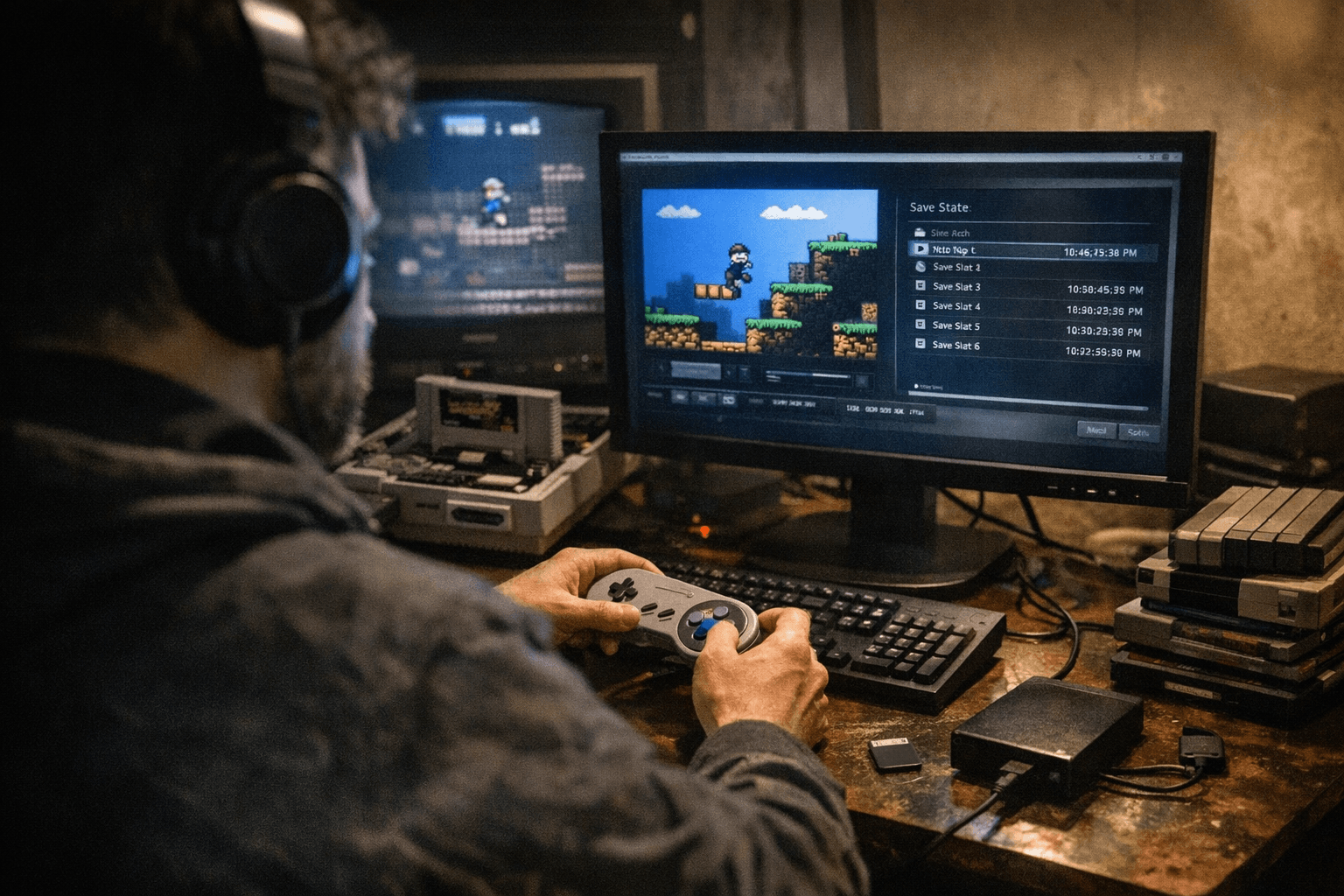
For archival capture, it's a liability. Because run-ahead introduces timing deviation from the real hardware's behavior, any captures made with it active are not accurate representations of how the original hardware would have behaved. Disable it for archival sessions. Disable auto-rewind as well. Use native timing and VSync settings that correspond to the platform you're emulating, not settings optimized for modern display latency.
The key RetroArch mechanism for managing this without constantly reconfiguring your global setup is the override system.
Per-Game and Per-Core Overrides: The Right Way to Separate Sessions
RetroArch supports overrides at three levels: core-wide, folder-level, and individual content. This architecture is purpose-built for exactly the kind of dual-mode workflow preservation requires. You can configure a content override for a specific ROM that enables run-ahead and any other playability features you want for QA testing, save that override, and then run a separate archival session from a clean global config with none of those features active.
The override file is stored separately from retroarch.cfg and applies only when that specific content is loaded. That means your archival config stays pristine, and your playability experiments are contained and documented. This is the recommended approach for balancing playability during testing and reproducibility during capture: two sessions, two sets of settings, both documented.
A Reproducible Capture Recipe
For a conservative, preservation-grade capture workflow, follow this sequence:
1. Pin your tools. Use a stable RetroArch build and the corresponding core binary. Record the SHA hash and version strings for both and store them in your session manifest.
2. Strip out predictive features. Disable run-ahead, disable auto-rewind, and set timing to native VSync for the target platform.
3. Start from clean masters. Load gameplay from lossless cartridge or disk images, not from a previous save state. This ensures your starting point is verifiable.
4. Log and checksum outputs. After each session, capture any I/O logs RetroArch produces and checksum the output save files. This lets you verify nothing changed unexpectedly between sessions.
5. Archive your config. Save the retroarch.cfg and any active overrides into your dataset alongside the ROM and save files. Anyone reproducing your session needs those files, not just the binary.
Keep archival sessions and playability sessions in separate directories with separate manifests. The moment you mix them, the reproducibility guarantee dissolves.
Where to Go Deeper
Libretro's official Run-Ahead documentation covers the exact menu paths and configuration options in detail, including the two-instance mode toggle. The Overrides documentation explains the hierarchy of core, folder, and content override files and how they interact with retroarch.cfg. For platform-specific capture recipes, Batocera's latency wiki is a practical reference. To pin exact core versions, the RetroArch GitHub repository is the authoritative source for binary hashes and release tags.
The combination of documented settings, versioned and hashed binaries, and clear session manifests is not glamorous. It's also the only approach that produces captures someone else can actually verify and reproduce. For preservation work, reproducibility is the whole point.
This article was produced by Prism’s automated news system from verified source data, official records, and press releases, then run through automated quality and moderation checks before publishing. The system is built and supervised by the people who set the standards it runs under. Read our full AI policy.
Did this article answer your question?

