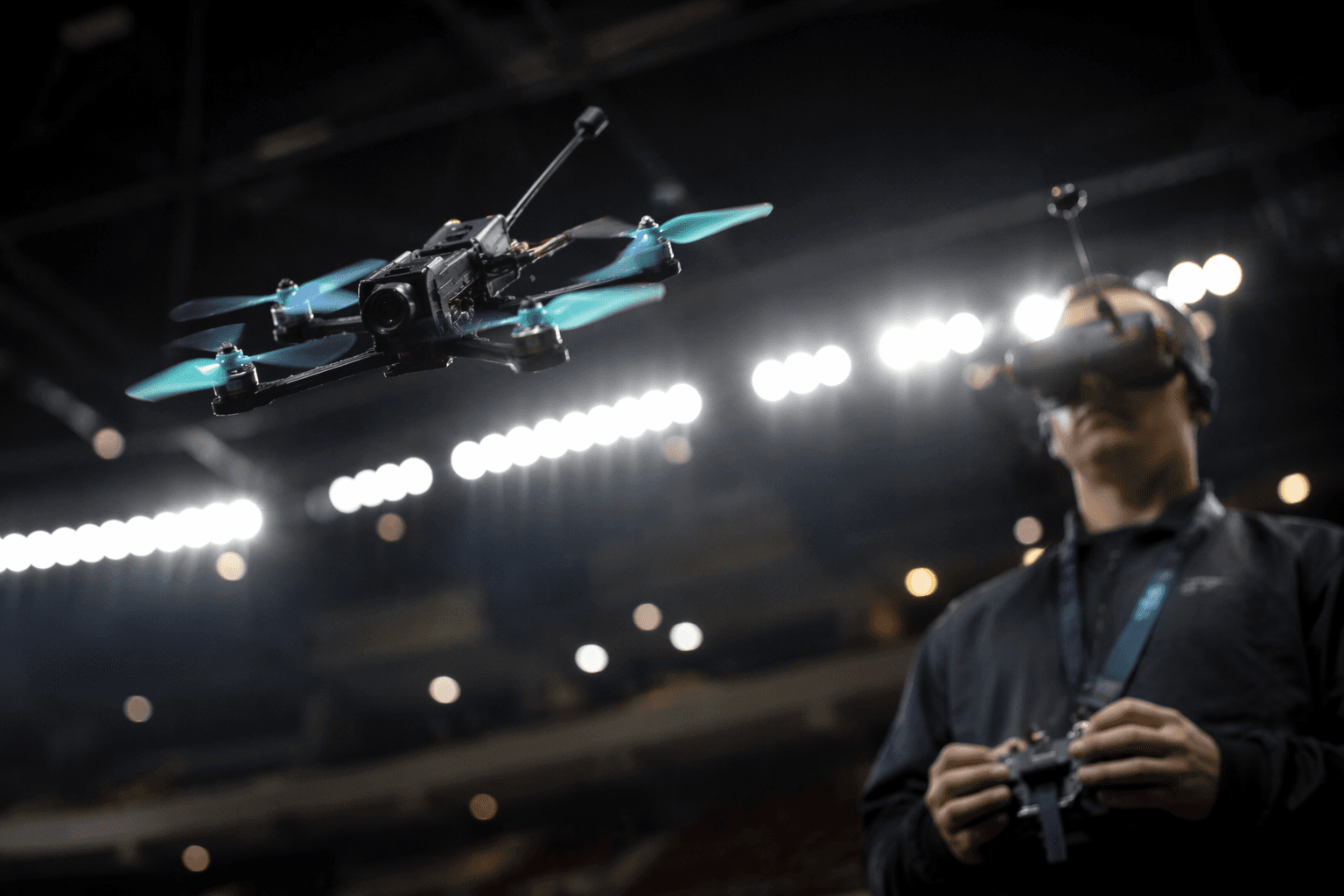
DJI Avata 360 buyers face compatibility puzzle over goggles and controllers
The Avata 360’s real test is compatibility, not specs. The wrong goggles or controller can turn DJI’s newest FPV-style drone into an expensive mismatch.

The DJI Avata 360 looks like a performance story on paper, with 8K video, O4+ transmission, and a claimed 23-minute flight time. In practice, the sharper question for FPV racers and racing-adjacent pilots is far more basic: does it fit the gear already in your bag, or does it force a rebuild of your race-day setup? That compatibility puzzle now sits at the center of the buying decision.
Compatibility comes first
DJI launched the Avata 360 on March 26, 2026, positioning it as its first 8K 360° flagship drone. The company pairs that label with 8K/60fps HDR video, omnidirectional obstacle sensing, up to 20 km of 1080p/60fps transmission range, and up to 23 minutes of flight time. Those are headline specs, but for FPV users the more important detail is that DJI built the aircraft around a defined accessory ecosystem rather than an everything-works-with-everything approach.
The official compatibility chart lists support for DJI Goggles 3, DJI Goggles N3, DJI RC Motion 3, DJI FPV Remote Controller 3, and DJI RC 2. That sounds broad, but it is still a controlled list, and that matters when you are trying to keep your flying workflow fast, familiar, and affordable. If a setup already lives in your kit, the Avata 360 can slot in cleanly. If it does not, the drone can quickly become a purchase that drags extra hardware with it.
Who gets in easily, and who gets locked out
The easiest path belongs to pilots already using DJI RC 2 or one of DJI’s supported goggles and motion-controller combinations. DJI’s beginner guide says activation varies by combo, and it separately identifies the DJI Avata 360 with DJI RC 2 and the DJI Avata 360 Motion Fly More Combo as distinct setups. That is a clear signal that DJI expects buyers to think in bundles, not just individual parts.
The surprise for many buyers is what is not supported. The Avata 360 is not compatible with DJI RC Pro 2, even though that premium controller may feel like the obvious upgrade choice to anyone shopping near the top of DJI’s lineup. It also does not support the same multi-device arrangement that the Mini 4 Pro can use with Goggles 3 or N3 and the RC 2 at the same time. In other words, the Avata 360 is flexible, but it is not as open-ended as some other DJI aircraft.
That narrower design has a real cost implication. If you already own the wrong controller, you are not just buying a drone, you are buying your way back into compatibility. For pilots who want the newest model without replacing the rest of their setup, that distinction is the difference between a smart upgrade and an expensive detour.
Why the flying style matters
This is not only a hardware story, it is a flying-style story. DJI’s own framing splits the Avata 360 audience into two camps: casual pilots who want easy control and a familiar workflow, and more advanced users who want the immersive feel of FPV goggles and a dual-stick controller. That divide is especially important in racing circles, because goggles and manual control are the closest match to true FPV discipline, where latency, precision, and pilot input matter as much as the aircraft itself.
The author of the First Quadcopter analysis tested the Avata 360 with the RC 2 and with Goggles 3 paired to the Motion Controller 3, but still preferred a traditional dual-stick setup and planned to buy the FPV Controller 3 instead. That preference says a lot about the way experienced pilots think about control: motion control may be accessible, but dual-stick flying remains the standard for fine corrections, tighter lines, and a more direct response under pressure.
For race-day use, that means the best choice depends on whether the Avata 360 is meant to be a relaxed practice machine or part of a more committed FPV workflow. The drone supports both remote-controller flying and goggles-plus-motion-controller flying, but not every method carries the same feel or the same ceiling for skill development.
The practical upgrade path
If you already own DJI RC 2, the Avata 360 is the least disruptive entry point. DJI also sells the drone in an RC 2 bundle, and its support materials say that when a drone-controller combo is purchased, the remote controller is already linked to the aircraft upon shipment. That removes one layer of setup friction and helps the drone behave more like a ready-to-fly purchase than a kit that demands careful pairing before every session.
If your bench already has DJI Goggles 3 or DJI Goggles N3, plus DJI RC Motion 3 or DJI FPV Remote Controller 3, the transition is also straightforward. That is the most FPV-friendly lane, because it keeps the immersive, low-latency style intact while preserving the familiar DJI ecosystem. For pilots who want to move from cinematic flying toward sharper manual control, the FPV Remote Controller 3 is the cleaner long-term investment than motion control.
The most expensive path is for anyone who starts with the wrong assumption, especially buyers who expect the RC Pro 2 to work or assume the Avata 360 will behave like a more open camera drone. In that case, the drone does not just ask for a purchase, it asks for a correction. The practical cost is not only the controller itself, but the time lost reworking a setup that no longer matches the aircraft.
Why DJI is drawing the boundaries so tightly
DJI’s support ecosystem makes the strategy obvious. The company publishes dedicated compatibility resources, a beginner guide with combo-specific activation paths, and an aircraft-linking guide that spells out how bundled controllers are paired on shipment. That is not how a company treats a loose accessory market. It is how a company builds a platform where the user experience depends on matching the right parts from the start.
The Avata 360’s integrated propeller guards and replaceable lens kit reinforce the same message. This is a safer, more creator-friendly FPV platform, not a bare-knuckle racing machine designed for unlimited tinkering. It can absolutely interest FPV racers, especially pilots who want a blend of immersion and protection, but the real win comes only if the hardware path matches the flying style.
That is why the Avata 360’s compatibility puzzle matters more than its spec sheet. The drone is powerful, but the smartest buy is the one that fits the goggles, controllers, and workflow you already trust.
This article was produced by Prism’s automated news system from verified source data, official records, and press releases, then run through automated quality and moderation checks before publishing. The system is built and supervised by the people who set the standards it runs under. Read our full AI policy.
Did this article answer your question?