Monday.com template guide shows how reusable workflows save time and boost consistency
Reusable templates turn one-off work into a repeatable system, and monday.com is pushing them as the fastest way to scale without adding meetings.
Why templates are the fastest way to look organized at scale
The cheapest way to make a team look bigger than it is, and smarter than it feels on a busy Monday morning, is a good template. When the same campaign launch, system upgrade, or product roadmap rollout gets rebuilt from scratch every time, the work slows down, the risk rises, and the people closest to the details become the only ones who know how anything really works.

That is the point of monday.com’s template play. The company defines a project management template as a reusable framework that standardizes how work gets planned, tracked, and delivered across an organization. In practice, that means turning tribal knowledge into something repeatable enough that non-project managers can follow the same basic steps for risk assessment, stakeholder analysis, workflow setup, and reporting without needing formal PM training.
Where teams usually break first
Templates matter most when work stops being small and starts being routine. Campaign launches are usually the first to crack because they involve too many handoffs, too many versions, and too many people assuming someone else already handled the next step. Onboarding is another weak spot, since every new hire triggers the same checklist of accounts, approvals, introductions, and training, yet many companies still manage it through memory and meetings.
Approvals break in a different way. They stall when no one can tell which version is current, who owns the next sign-off, or whether the request has already moved through legal, finance, or leadership review. A template solves that by giving the team a shared structure before the work starts, so the process does not depend on one manager’s inbox or one coordinator’s notebook.
The real advantage is not just speed. It is consistency under pressure. When teams are juggling multiple initiatives at once, a template keeps the basic operating rules intact even as the content changes, which is exactly what busy managers need if they want to scale without adding another layer of status meetings.
What monday.com’s template center is built to do
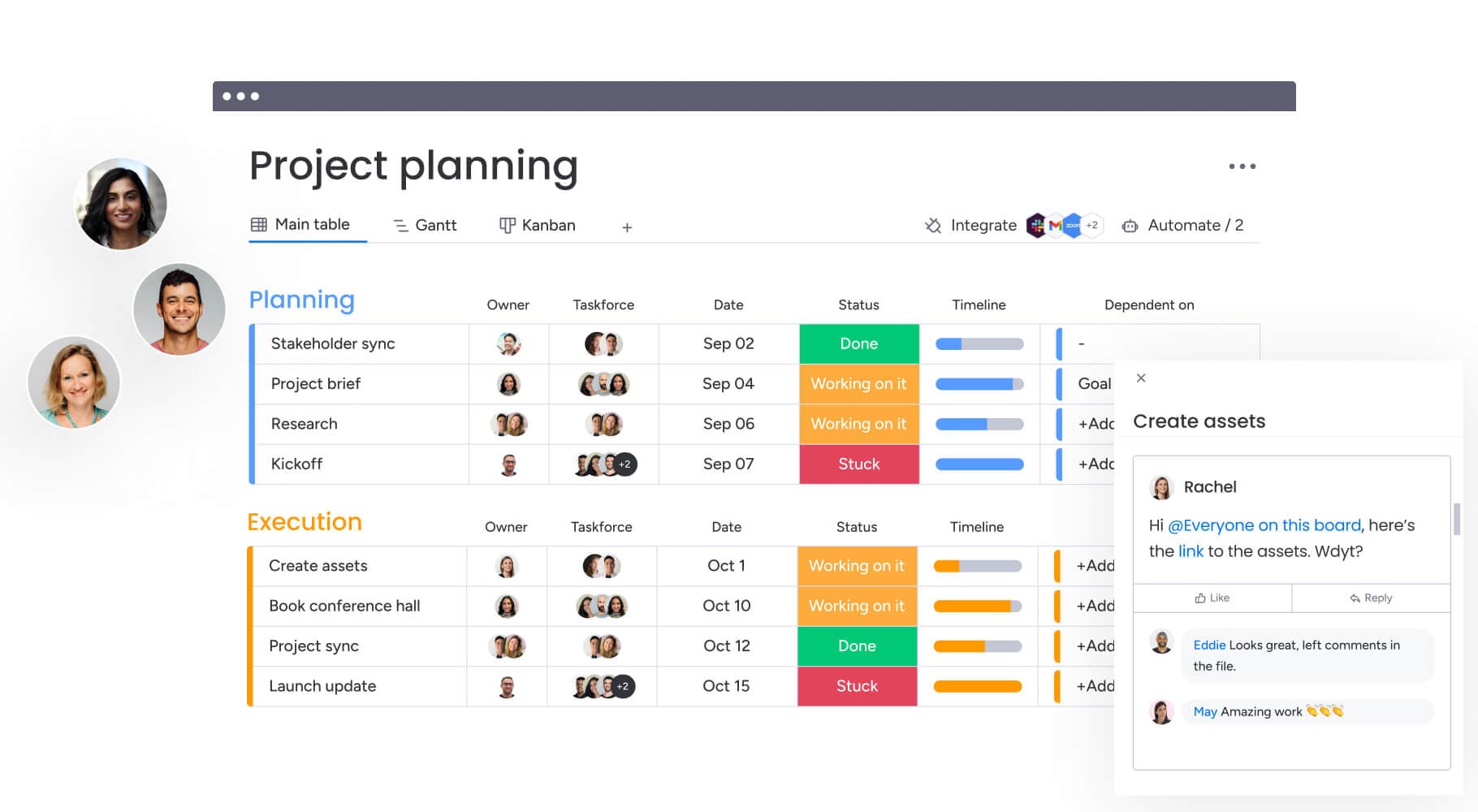
monday.com’s template center is not just a library of blank boards. It offers customizable templates for every industry, business, and team, including project management, marketing, sales, design, software development, and HR. Some templates are simple, single elements like docs, boards, WorkForms, and dashboards; others are bundles of connected pieces that work together as a complete workflow.
That distinction matters because it changes what a template is supposed to do. A single doc can help someone capture information, but a bundled workflow can carry that information through multiple steps, from intake to execution to reporting. monday.com also says some templates include two or three connected boards with pre-set automations and views, which makes them closer to an operating system than a static checklist.
The scale message is there too. On the Project Management Plan Template page, monday.com says, “Join more than 225,000 teams who manage teamwork together.” For a product built around work visibility, that number is part proof point and part signal: teams are not just borrowing a format, they are adopting a shared way to run work.
Why modern templates have to behave like living workflows
Static templates age quickly. The moment a team copies a document into an email chain or a spreadsheet into a shared drive, version control becomes a hidden job, and that job usually lands on whoever is most organized rather than whoever is most senior. monday.com’s newer support materials push in the opposite direction, describing workflows as something that should update across teams, connect to existing software, and cut down on manual version management.
That is where monday workflows become more than a convenience feature. The workflow builder is designed to automate repetitive tasks and connect tools in one place, which is exactly what a real template should do once work moves beyond the first draft. Instead of asking people to remember the process, the system starts carrying the process.
The company’s AI layer strengthens that idea. AI workflows are available on Pro and Enterprise plans, AI templates live in the Template Center’s AI-powered section, and monday AI can support project work end to end, including planning, organizing, and moving work forward across boards and workflows. Add in AI-driven risk flags, resource suggestions, and executive summaries, and the template stops being a static starting point and starts looking like a guided workflow that helps teams make better decisions earlier.
What this means for monday.com teams building, selling, and using the product
Inside monday.com, templates are not just a product feature. They map cleanly to how the company sells its software, how engineers think about product surfaces, and how PMs should structure internal launches. If you are running a product rollout, a reusable template gives you the same coordination layer you hope customers will buy from you: visible ownership, standardized steps, and fewer surprises buried in side chats.
For sales teams, the message is simple. Templates help explain why customers do not need to add headcount just to stay organized as they scale. A templated system reduces friction because it gives a new team a place to start immediately, then lets them customize as the work becomes more complex.
For engineers, the interesting shift is architectural. A template is no longer just a rigid checklist copied across accounts. It becomes a configurable product surface, one that can combine boards, docs, automations, views, and AI into a workflow that adapts to different teams without losing structure. That is a stronger product story than “save time,” because it speaks to how software can encode repeatability without flattening every team into the same process.
Why this matters in monday.com’s broader work-management pitch
monday.com’s enterprise updates show where this is headed. Cross-project dependencies, advanced resource management, AI-driven Risk insights, and portfolio-wide dashboards all point to a company moving from simple task tracking toward managing complex work at scale. Templates fit that direction because they give companies a way to standardize the front end of work before the enterprise features take over the back end.
That is also why the guide lands as more than a how-to. It argues that templating is not bureaucracy for its own sake. It is the structure that lets teams launch faster, keep reporting consistent, and preserve judgment where it matters instead of wasting it on repetitive setup.
For managers, that is the real career-advancement play. If you can turn repeatable work into a template, you stop relying on memory and meetings to hold the team together. You give people a repeatable starting point, and in a company built around work OS software, that is what organization looks like at scale.
Know something we missed? Have a correction or additional information?
Submit a Tip