Monday.com workflow templates help teams standardize repeatable work fast
Teams lose time rebuilding the same process from scratch. monday.com templates turn repeat work into a shared system, with automations, ownership, and room to adapt.
The hidden cost of repeat work is not the task itself. It is the setup tax teams pay every time they recreate the same approvals, timelines, handoffs, and status tracking before the real work can begin. monday.com’s workflow template model treats that problem as an operating issue, not a convenience feature: start with a proven pattern, reuse it across teams, and keep it flexible enough to change when the work changes.
Why templates matter when work keeps repeating
A workflow template gives a team a repeatable way to get work done without starting from scratch each time. That sounds simple, but in practice it solves one of the most expensive problems in modern work management: every custom process creates a new place for delays, miscommunication, and missed ownership. For product managers, that means less time inventing a new launch structure for every release. For sales teams, it means fewer lost handoffs between prospecting, deal review, and follow-up. For engineers, it means the process around bug triage, incident response, or rollout tracking can be standardized instead of rebuilt by hand.
The strongest version of a template is not a static document. It is a working structure that captures how a team actually operates and can be adjusted in real time. That distinction matters because teams usually do not reject process itself. They reject process that feels like extra work, especially when every new initiative forces them to recreate the same fields, permissions, reminders, and approvals. A good template reduces setup friction while still leaving room to change ownership, timing, and dependencies.
What monday.com templates can include
monday.com’s template center is built around that idea of reusable structure. Templates can be single elements such as docs, boards, WorkForms, and dashboards, or they can be multi-element bundles that connect several pieces of work into one flow. In the larger setup, those templates often include two or three connected boards with pre-set automations, views, and other linked pieces so teams are not stitching a process together from scratch.
That design matters for how teams actually work inside monday work management. A marketing calendar, for example, does not live in one board alone. It usually needs intake, review, execution, and reporting. A template that already connects those pieces makes the process easier to adopt because the team can see the whole workflow at once. It also helps standardize the language of work across functions, which is often where the biggest coordination gains happen.
What to standardize first
The best workflow templates do not try to standardize everything at once. They start with the parts of work that repeat often and cause the most confusion when left ad hoc. For most teams, that means four things:
- tasks and owners, so responsibility is visible
- timelines and dependencies, so work does not stall between steps
- approvals, so sign-off is not handled differently every time
- handoffs, so the next person knows exactly what comes next
Those are the places where work breaks down when it is rebuilt from scratch. Standardizing them gives teams a shared operating language without forcing every detail into a rigid mold. It also gives managers and individual contributors a clearer view of where work stands, which is essential in remote-first and hybrid environments where fewer updates happen face to face.
Where automations create the biggest savings
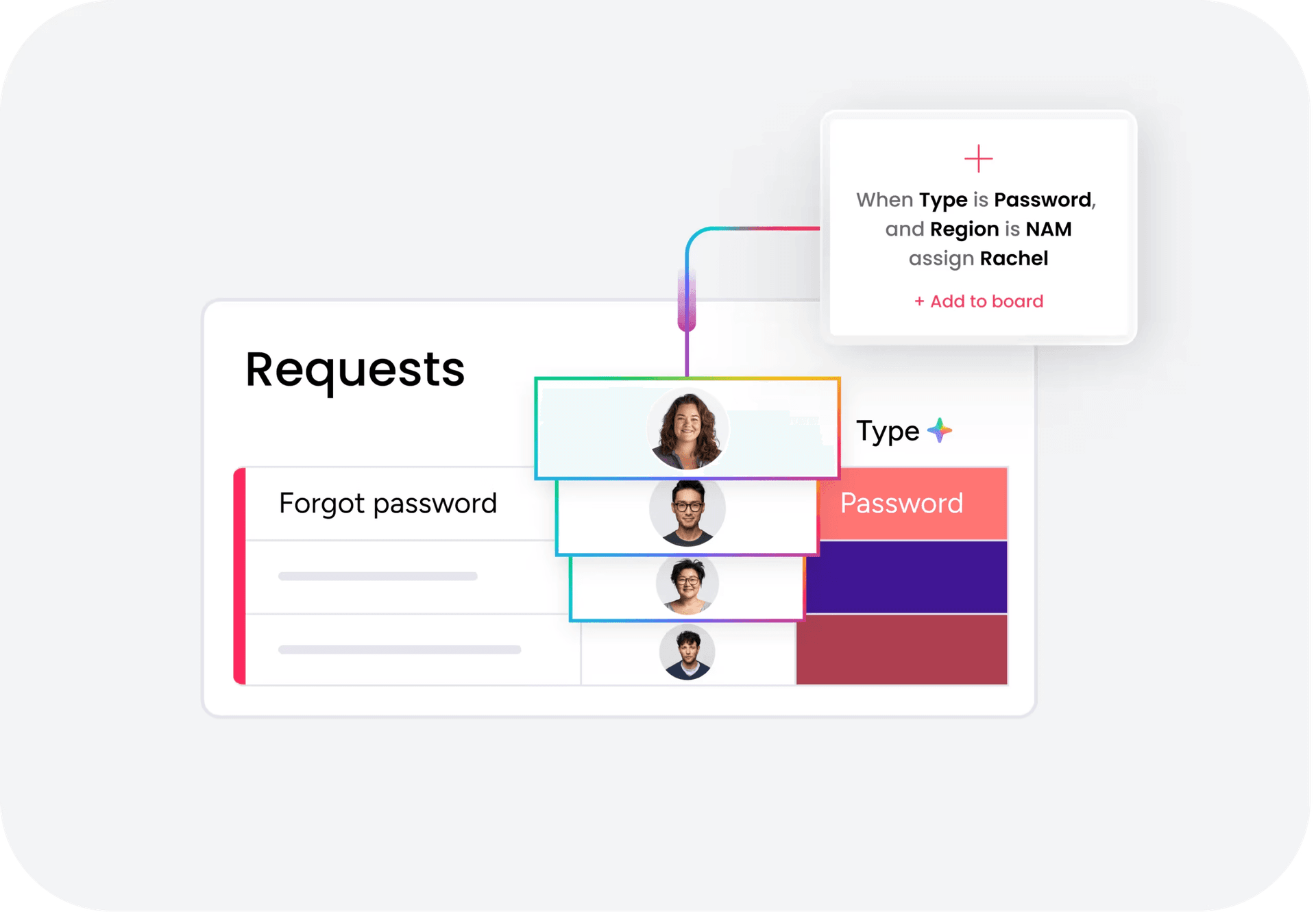
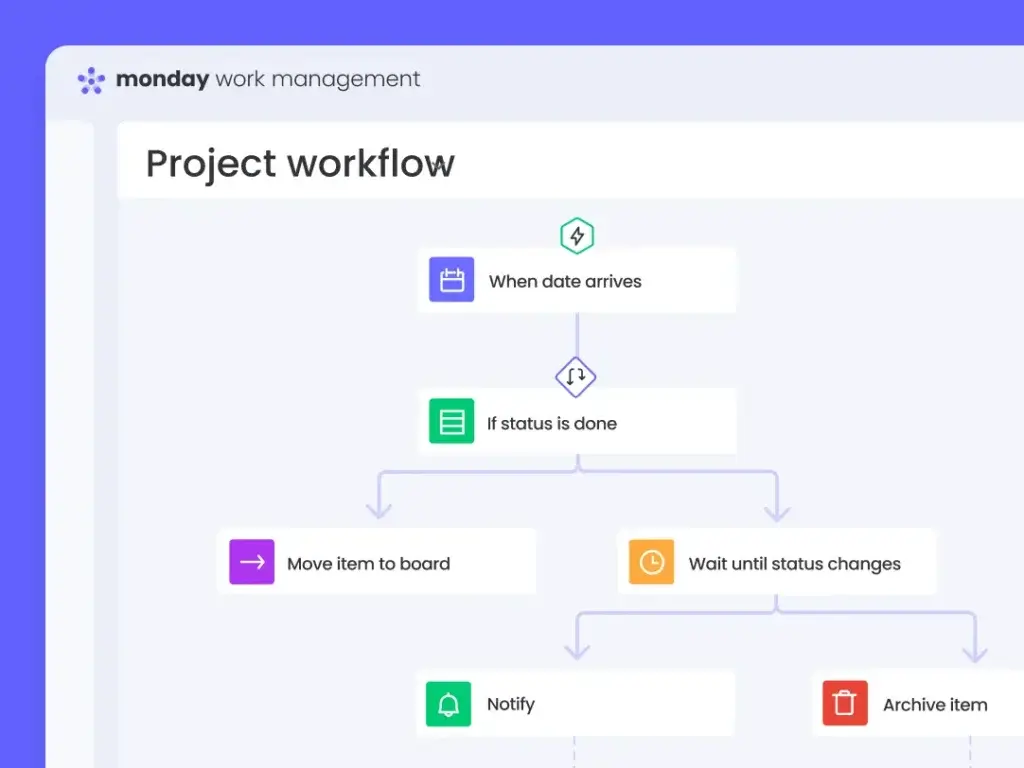
If templates are the structure, automations are the force multiplier. monday.com says automations let boards run repetitive tasks automatically using triggers, conditions, and actions, and teams can build them from templates or from scratch. In operational terms, that means status changes, reminders, task routing, and handoffs do not depend on someone remembering to do them manually.
The biggest time savings usually come from the most boring work:
- notifying the right person when a status changes
- moving work to the next stage after an approval
- assigning follow-up when a task is completed or stalled
- keeping records updated so reporting does not require cleanup later
That is also where engineering and product teams should pay attention. A template is only as good as the automations underneath it. If the notifications are hard to configure or the workflow cannot scale across teams, the template becomes shelfware. When the automation layer works, though, teams spend less time chasing updates and more time on the actual execution that drives outcomes.
How to keep templates flexible instead of bureaucratic
The danger with templates is not standardization itself. It is overstandardization. A rigid template can become a new bottleneck if every exception requires workarounds or if the template is treated like policy rather than a starting point. The better model is to make the template stable where consistency matters and adjustable where the work differs.
That means defining a few nonnegotiables and leaving the rest configurable. The nonnegotiables are usually the parts that protect visibility and accountability, such as owner, due date, status, and approval path. The configurable elements can include columns, views, labels, and any role-specific steps that vary by department. For monday.com users, that balance is especially important because the same platform has to support marketing campaigns, IT requests, service queues, and sales pipelines without flattening them into one identical process.
This is where product design and customer adoption meet. People are more likely to use a workflow when it feels like a shortcut, not a new burden. Templates work when they lower the cost of starting, make the workflow easier to understand, and still leave enough room for teams to adjust as the work evolves.
Why this matters at monday.com scale
The template story is not just about convenience. monday.com’s help center says the company is trusted by over 60% of the Fortune 500, which gives a sense of how often workflow design becomes an enterprise problem rather than a team-level one. At that scale, repeatable structure is not a nice-to-have. It is what keeps work visible across many teams, regions, and functions.
The business results line up with that product strategy. monday.com reported 27% revenue growth for fiscal 2025 and fourth-quarter revenue of $333.9 million for the quarter ended December 31, 2025. It also said customers with more than $50,000 in ARR represented 41% of total ARR, and it recorded net adds of customers with more than $100,000 in ARR. Those numbers suggest that workflow standardization and automation are not just product features. They are part of how the company expands deeper into larger accounts where process discipline matters most.
There is also a clear platform angle. monday.com says its AI workflow builder is available on Pro and Enterprise plans, which fits the broader shift toward AI moving directly into workflows instead of sitting off to the side as a separate tool. For teams evaluating where to invest, that means the useful question is no longer whether to automate, but which repetitive process should become a template first and which automation will remove the most manual drag.
The strongest workflow templates do one thing well: they turn repeated effort into a repeatable system without turning the system into a cage. That is the real value for teams that want speed, consistency, and accountability at the same time.
This article was produced by Prism’s automated news system from verified source data, official records, and press releases, then run through automated quality and moderation checks before publishing. The system is built and supervised by the people who set the standards it runs under. Read our full AI policy.
Know something we missed? Have a correction or additional information?
Submit a Tip